GENESYS User Manual Issue 1
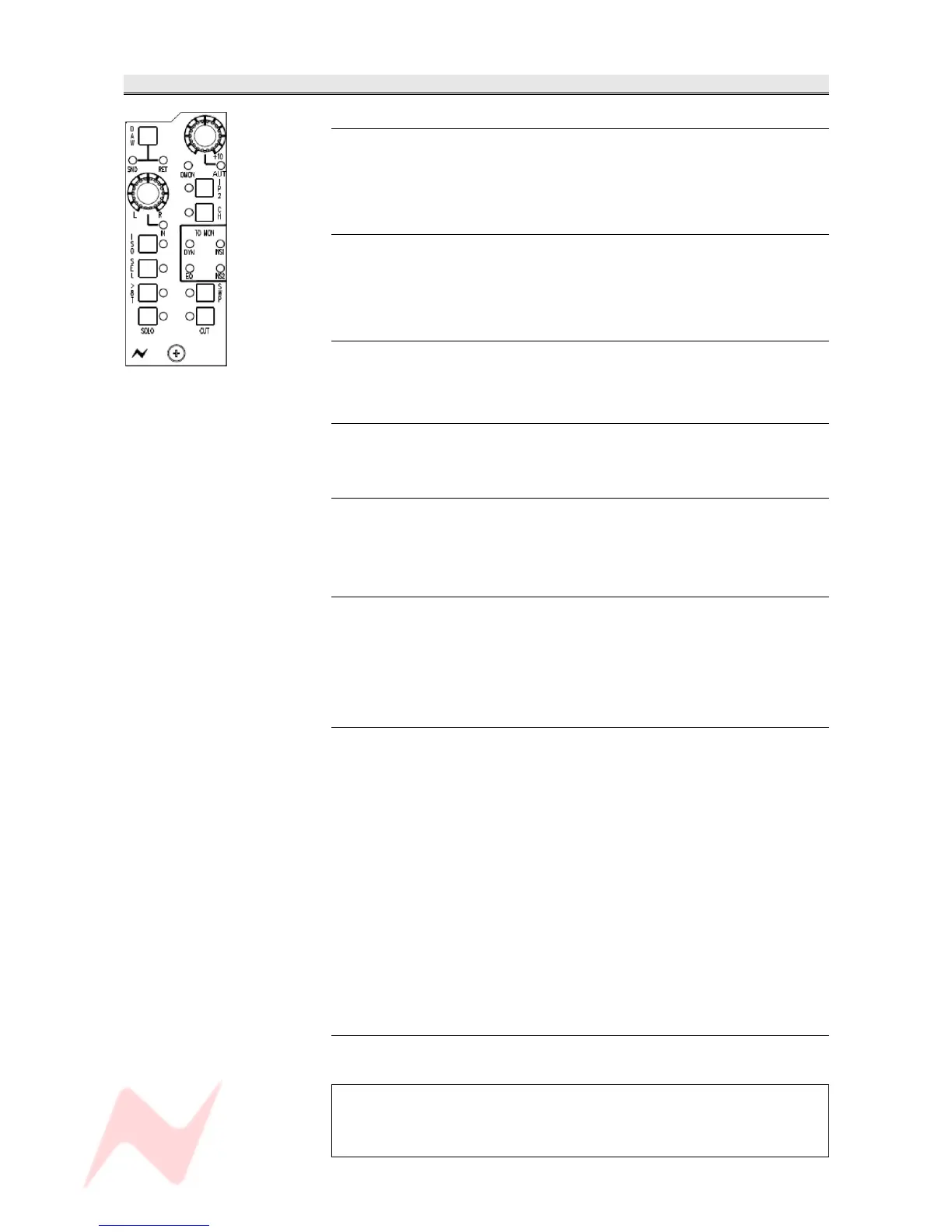
MONITOR Section
L / R Pan
Pan control.
Classic 3dB centre-line pan with S-law shaping.
> Press to enable.
Mon Level Control
Sets the monitor input level, and has a range of -∞ to +10dB.
> Press to select Auto. This will allow the channel encoder to write and
playback monitor levels when automation is being used.
AUT led
Lights red when there is automation data on the Monitor path.
To be functional in V2.0 software.
DAW
> Press to swap the Monitor between the SND and RET.
I/P 2
The second Inputs and the DAW Inputs are merged on this button.
• The led will be On when the second inputs are selected.
• The led will be Off when DMON is On.
CH
Allows you to send the Channel input to monitor, and is a 3-state toggle
switch.
> Press to listen to the Channel input Post-fader (led lights red)
> Press to listen to the Channel input Pre-fader (led lights green)
> Press to return to the Monitor path (led off)
ISO
Isolates the Channel path, Monitor path (or both) from the Solo system.
When other Solos are detected on the console, a CUT will not be applied
to any path that has been isolated.
• For any path not in ISO, the CUT will be destructive (and therefore
affect the Mix output)
• For any path in ISO, the CUT will be safe (and only affect the
monitoring by using the AFL bus).
It has a 4-state toggle, each state indicated by the adjacent led:
> Off: Both the Channel and Monitor path are part of their Solo system.
> Green: The Monitor path is isolated from the Solo system
> Red: The Channel path is isolated from the Solo system.
> Yellow: Both the Channel and Monitor paths are isolated from their
Solo systems.
D-MON led
Indicates the selection of the digital line input to the monitor on each
module.
The D-MON led will only light if DAW, I/P 2 and CH are all deselected
and an AD/DA cassette has been detected in the console.
If there is no cassette fitted, it will not be possible to deselect all the
other Input options.
- 28 -



 To Next Page