GENESYS User Manual Issue 1
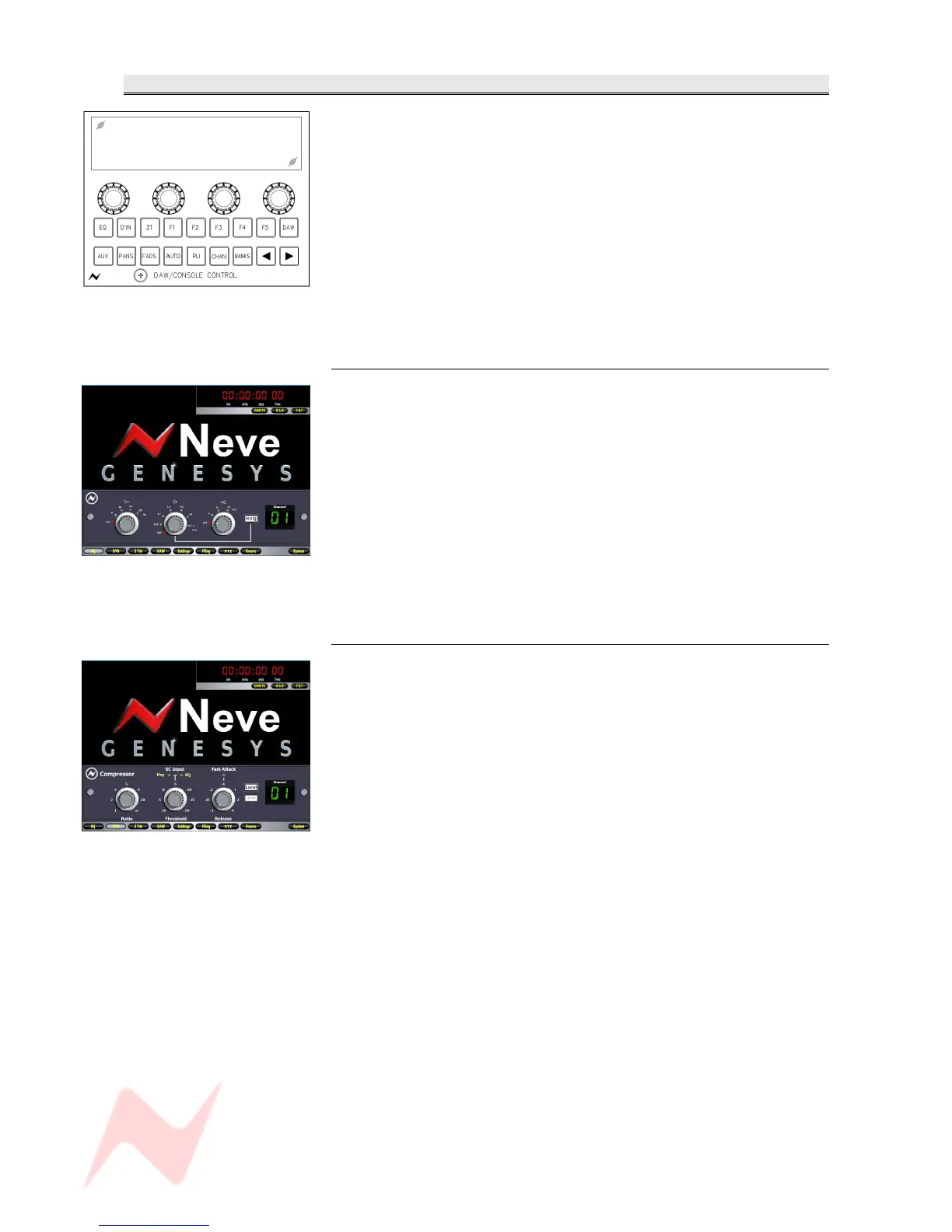
DAW / CONSOLE CONTROL Screen
The DAW screen has underneath it 18 dedicated buttons with fixed
functions, plus 4 'soft' rotary encoders whose function changes depending
on what is displayed on the screen just above them.
Each of these 4 free-running encoders has a push On/Off switch used to
set various states.
For the purposes of this manual, they are numbered (from left to right) 1
to 4.
None of the bottom row of buttons will have a function unless you are in
DAW mode, and control has been established between the DAW and
Genesys.
EQ
Only functions if the optional EQ processing cassette is fitted.
When the EQ button is selected, it will bring up the last EQ used on
screen.
Using the & buttons, select the channel you want to control.
NB:
You can select EQ a different way by quickly stabbing the channel SEL
button which will bring up the EQ for that channel.
The first three encoders can be used to control the EQ Cut and Boosts by
scrolling; when pressing and scrolling they can select the Frequency.
Pressing the last encoder will select the Hi Q.
DYN
Only functions if the optional Dynamics processing cassette is
fitted.
When the DYN button is selected, it will bring up the last Dynamics
display used on screen.
> Using the & buttons, select the channel you want to control.
NB:
You can select to control DYN a different way by quickly double stabbing
the channel SEL button which will bring up the Dyn screen for that
channel.
The encoders can be used to control the Ratio, Threshold and Release
when controlling the Compressor; and also the Range, Threshold and
Release when controlling the Gate.
NB. Pressing the first encoder to the left will toggle the control screen
between Compressor and Gate functions.
- 55 -


 To Next Page