GENESYS User Manual Issue 1
Gate/Expander
The Dynamics screen is only available if you have at least
one of the optional Dynamics cassettes fitted.
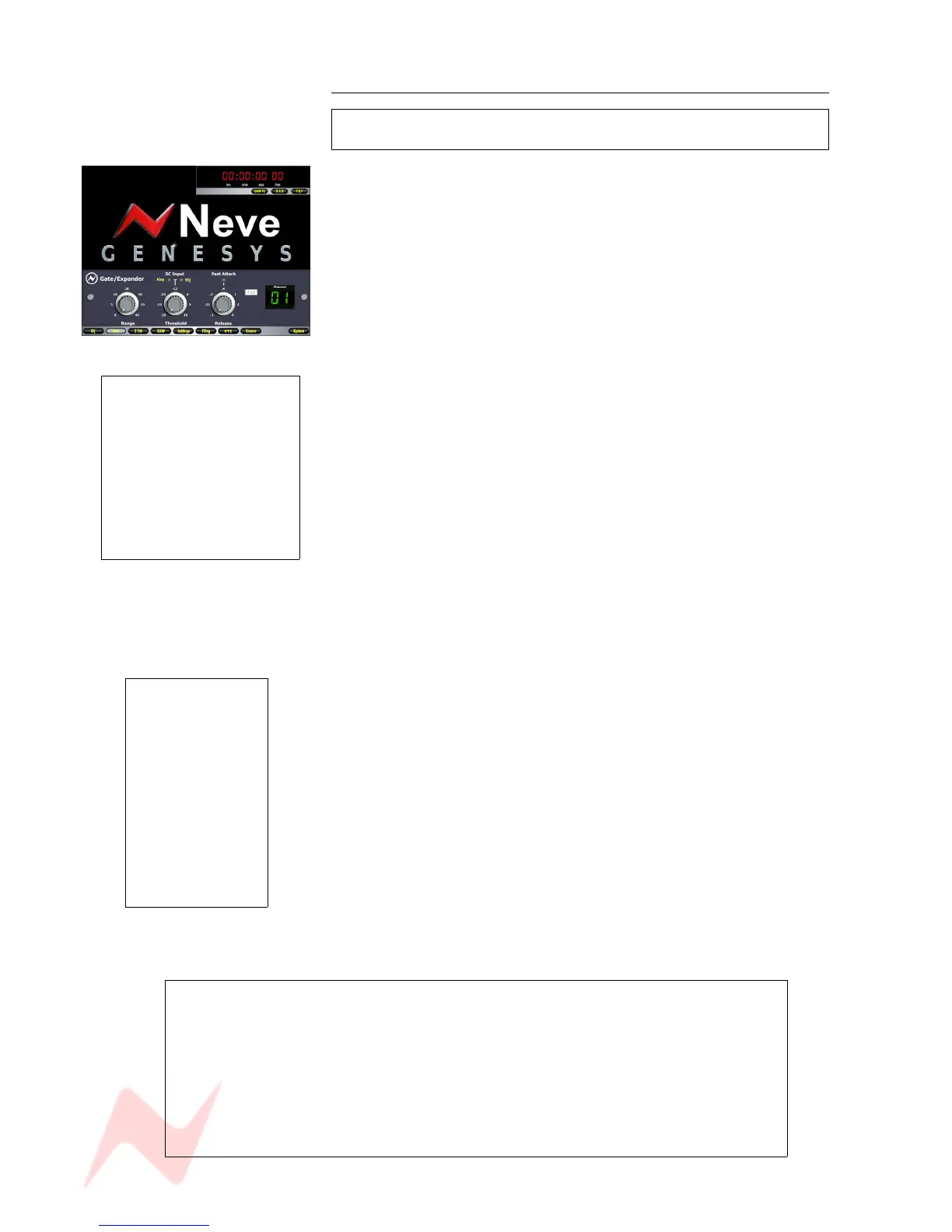
The Gate/Expander controls are accessed by pressing the DYN button,
and then pressing the 1
st
encoder to swap the processing screen over to
the Gate/Expander view.
• If the EXP button (to the left of the Channel number) is pressed, it is
operating as an Expander.
• If the EXP button is not pressed (as shown left), it is acting as a
Gate.
Both processes operate identically on-screen using the same parameters.
The rotary controls on screen map directly to the first three encoders
below the DAW screen.
> The 1
st
encoder sets the Range of the Gate (or Exp) and runs from 0db
to 50dB.
> The 2
nd
encoder sets the Threshold at which the Gate (or Exp) should
operate and runs from -30dB to 10dB.
Pressing the 2
nd
encoder selects where the Sidechain Input is sourced
from.
> By pressing this encoder, you can also set the source of the Sidechain
Input, either sourced from the Channel itself, the EQ output on that
Channel, or from the Key Input via the 25-way D-type connector on the
Dynamics cassette.
• Both leds OFF means the signal is coming from the associated
Channel.
• EQ led lit means the signal is coming from the associated EQ output.
• KEY led lit means the signal is being taken from an external trigger.
> The 3
rd
encoder sets the Release time, and operates within a range of
0.1 second to 4 seconds.
> By pressing this encoder you can set the Attack time from being 1.5ms
for 40dB of range (Slow) to 100micro seconds for 40dB range (Fast).
> The 4
th
encoder only swaps the process between acting as a Gate or an
Expander, and this is shown on screen with the EXP button (is lit when
acting as an Expander, is unlit when acting as a Gate).
NB:
Whichever Sidechain Input you have will be common to all the other available
processes.
For example, if you have the Compressor set to take it's sidechain from the
External Key Input, then the Gate (and Exp) will also automatically be set to the
External Key Input.
If you change this selection on one process, it will impact the same selection on
other available processes on the same Channel or Monitor path.
- 67 -
If an EQ is being used to be
the Sidechain into the Gate (or
Exp), it will no longer be
available in the Channel (or
Monitor) path.
The EQ pick-off point when
used in this mode will always
be Pre- the Dynamics
processing (but can be Post
Insert if the Inserts are set
Pre- Dynamics).
>
If you press f1 just
above the DAW
screen, the on-screen
process will be
bypassed, in effect
allowing you to
audition a signal with
and without the
process in place.
Whenever f1 is
pressed, it will show
on screen that the
process is currently
being bypassed.



 To Next Page