VBA23001-R.3762.A
- A12 ・ D90 -
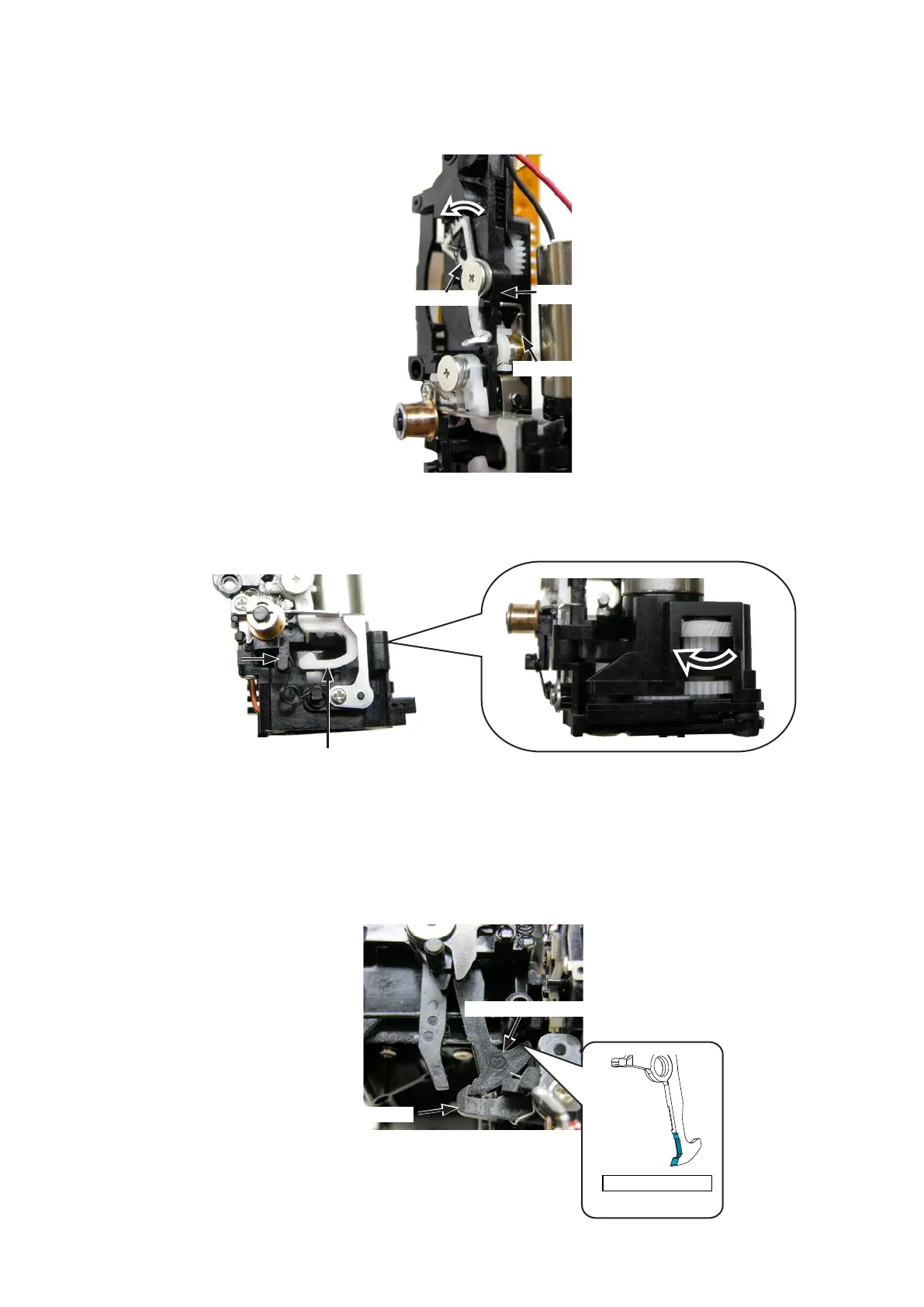
・Confirm that the SQ lever is not hooked in the reset lever.
(If it is, turn the gear in the direction of the arrow so as to separate the SQ lever, and unhook it.) (If it is, turn the gear in the direction of the arrow so as to separate the SQ lever, and unhook it.)turn the gear in the direction of the arrow so as to separate the SQ lever, and unhook it.)
・Turn the segment gear of the aperture control unit (#B241RP) in the direction of the arrow.aperture control unit (#B241RP) in the direction of the arrow.in the direction of the arrow.
・Push in the latch lever and lock it.
Push in.
Aperture control unit (#B241RP)
Segment gear
Latch lever
SQ lever
Reset lever
・Hook the shutter charge lever (#203) to the preview latch lever (#222).Hook the shutter charge lever (#203) to the preview latch lever (#222).
Preview latch lever (#222)
Shutter charge lever (#203)
Grease: LEN317A



 To Next Page
 Loading...








