E Series Automated Dispensing System
116 www.nordsonefd.com info@nordsonefd.com 800-556-3484 Sales and service of Nordson EFD dispensing systems are available worldwide.
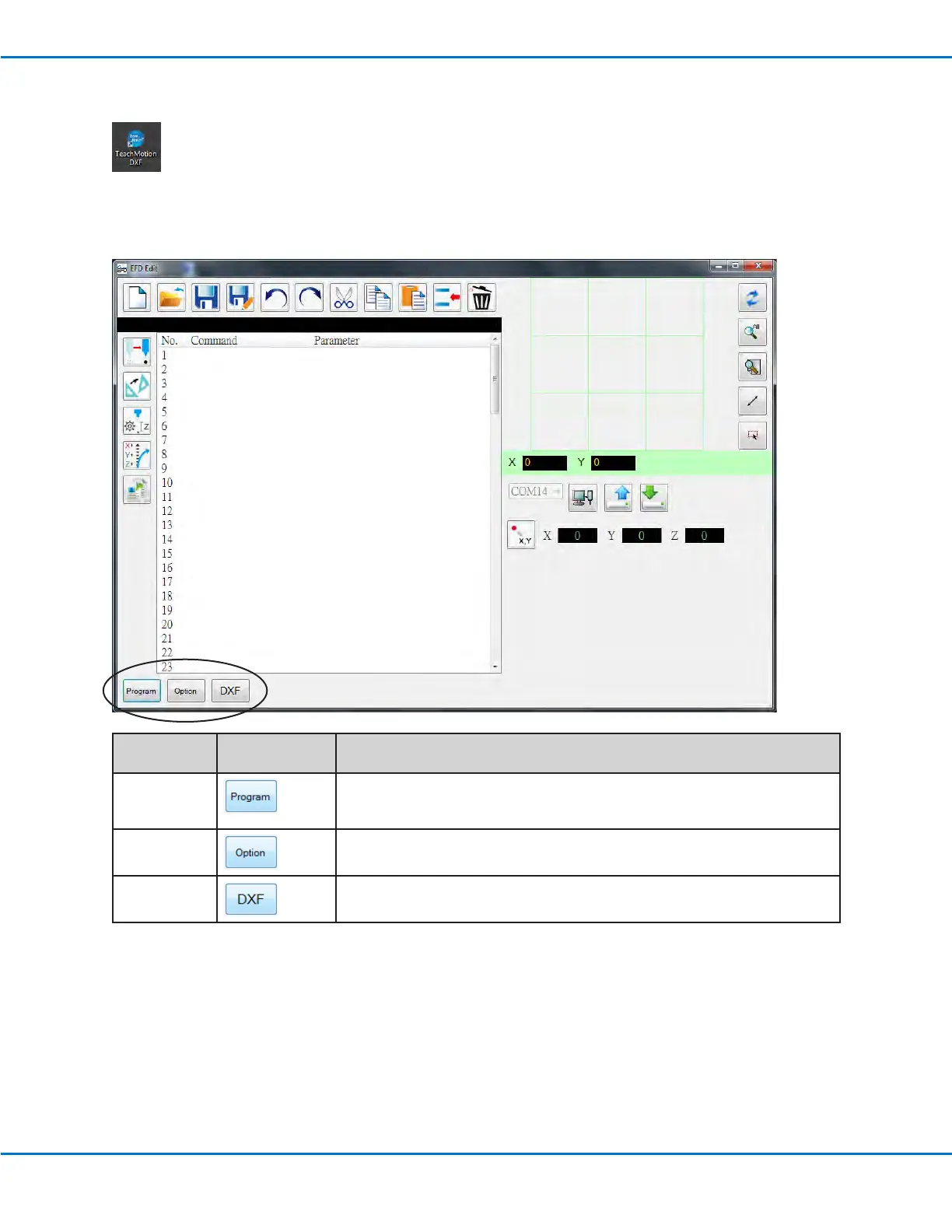
Tab Name Tab Color When
Selected
Function
Program
Opens the program screen. This screen is used to modify the command list
that is generated after le import and to view a representation of the resulting
dispense pattern.
Option
Opens the Option screen. This screen is used to set up system-level settings.
DXF Opens the DXF screen. This screen is used to import a DXF le, select the
desired points and lines, and generate the initial set of dispense commands.
Overview of the TeachMotion DXF Software
When the TeachMotion DXF software is opened, it automatically connects to the robot. If the system is not
connected as described under “Installing TeachMotion DXF and Connecting to the Robot” on page115,
a window appears to indicate that the system is unable to connect and the software then runs in the ofine
mode.
The software includes three primary screens: Program, Option, and DXF. The software opens at the Program screen,
shown below.



 To Next Page