E Series Automated Dispensing System
16 www.nordsonefd.com info@nordsonefd.com 800-556-3484 Sales and service of Nordson EFD dispensing systems are available worldwide.
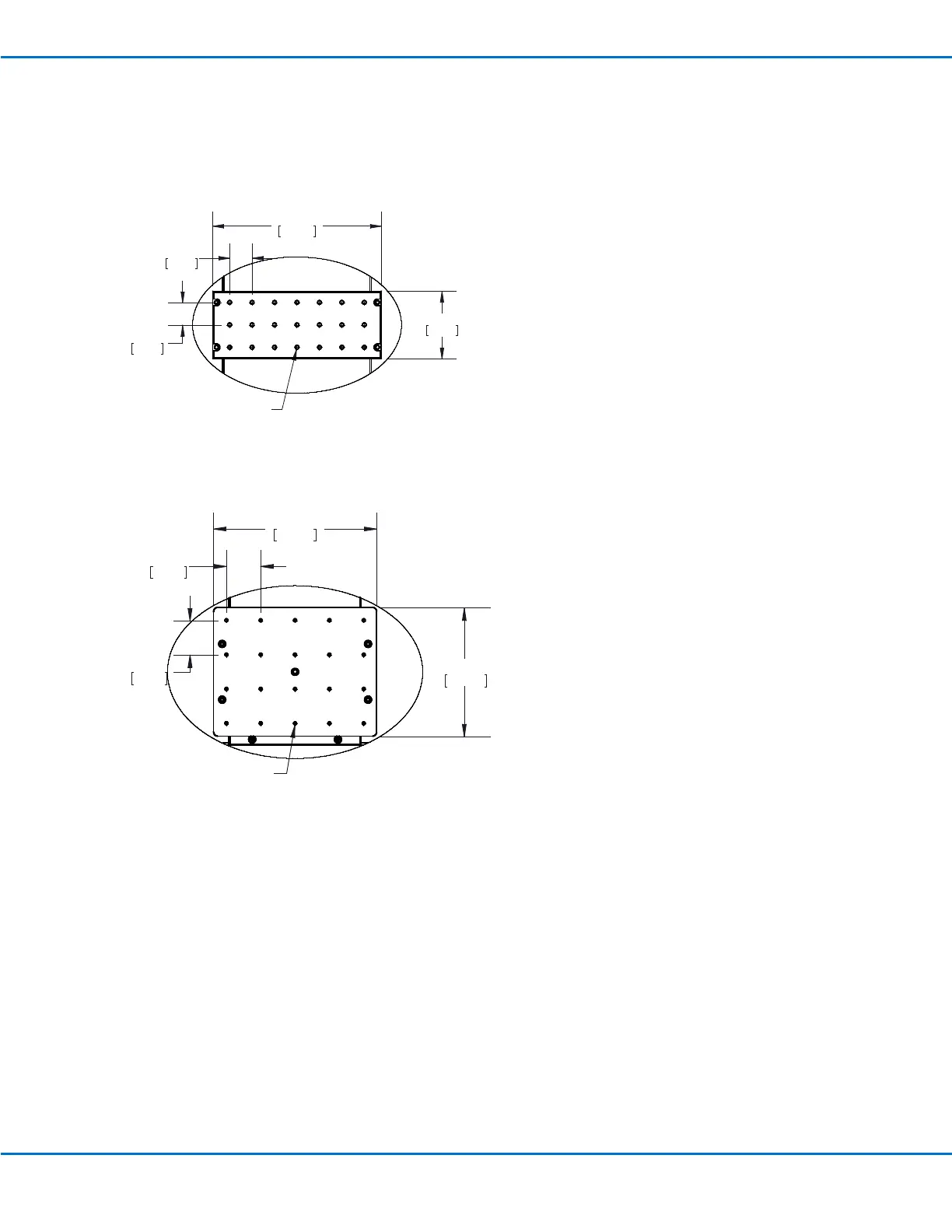
Prepare the Work Surface or Fixture Plate
Prepare the robot work surface or xture plate for secure placement of the workpiece. All Nordson EFD automated
dispensing systems include a standard xture plate. Other xture plate sizes are available. Refer to “Accessories” on
page78.
200 x 200 standard fixture plate
Larger fixture plate (300 x 300, 400 x 400, or 500 x 500)
5.91
150.00
2.36
60.00
6X .79
20.00
2X .79
20.00
21X M4X0.7 - 6H THRU ALL
7.48
190.00
5.91
150.00
4X 1.57
40.00
3X 1.57
40.00
20X M4X0.7 - 6H THRU ALL
Connect Inputs / Outputs (Optional)
All automated dispensing systems provide 8 standard inputs and 8 standard outputs. Connect input / output wiring
to the I/O PORT connection on the back of the robot. For a wiring diagram, refer to “I/O Port” on page87. There
are several ways to use the system inputs / outputs. Refer to “Working with Inputs / Outputs” on page74 for
additional information on inputs / outputs.
Connect a Barcode Scanner (Optional)
To use a barcode scanner to run programs by scanning a barcode, connect a barcode scanner to the SVC USB port
on the front of the robot. Additional information on barcode scanning is located later in this manual, under “Setting
Up Barcode Scanning” on page42.



 To Next Page