E Series Automated Dispensing System
45www.nordsonefd.com info@nordsonefd.com 800-556-3484 Sales and service of Nordson EFD dispensing systems are available worldwide.
How to Open and Edit a Program
All programs have a unique number from 01 to 99. By default, the last program number that was open before the
system was shut down is the same program number that opens when the system is switched on.
PREREQUISITES
The system is in the Teach Mode. Refer to “How to Switch from Run Mode to Teach Mode” on page44.
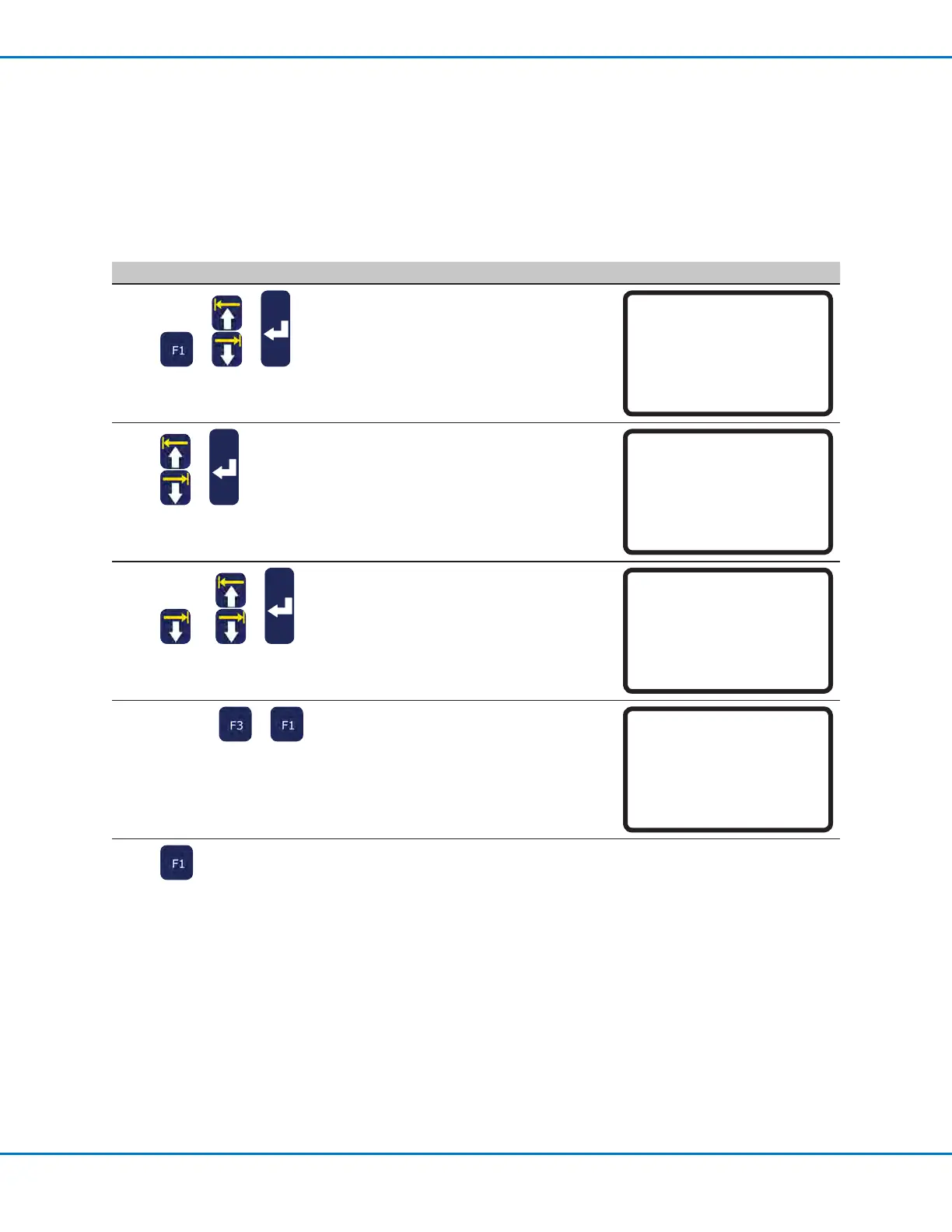
# Key Press Step Teach Pendant Display
1
> >
• Press F1.
• MOVE UP / DOWN to PROGRAM LIST.
• Press ENTER.
[PROGRAM MENU] 1/1
01 Teach/Run
02*Program List
03 Reset Counter
04 Program Offset
05 Needle Adjust
06 Auto Needle Adjust
2
>
• MOVE UP / DOWN to select the desired
program.
• Press ENTER.
The selected program becomes the
current program and remains open until
another program number is selected.
Program List
------------------------------
01 06
02 07
03*EXAMPLE 08
04 09
05 10
[F1] OK
3
or >
• MOVE UP / DOWN to select the
command line to edit.
• Press ENTER.
0001 Line Start 10.0,1
0002 Line Passing 10.0,1
0003 Arc Point
0004*Dispense Dot
0005 EMPTY
0006 EMPTY
0007 EMPTY
0008 EMPTY
4
xxxxx or >
• Enter the new coordinates manually.
or
• Press F3 to update the XYZ values to
the current tip location.
• Press F1 to save and exit or ESC to
cancel the changes.
Dispense Dot 1/3
------------------------------
X: 130.93 mm
Y: 37.39 mm
Z: 45.54 mm
[F1] OK [F2] Next [F3] Current
5
• Make other changes as needed.
• Press F1 to save and exit.
Working with Programs and Commands (continued)



 To Next Page