E Series Automated Dispensing System
123www.nordsonefd.com info@nordsonefd.com 800-556-3484 Sales and service of Nordson EFD dispensing systems are available worldwide.
Modifying the DXF Import Options
If the source DXF le is not importing cleanly, follow this procedure to update the DXF import options to improve the
imported result.
# Click Step Reference Image
1
>
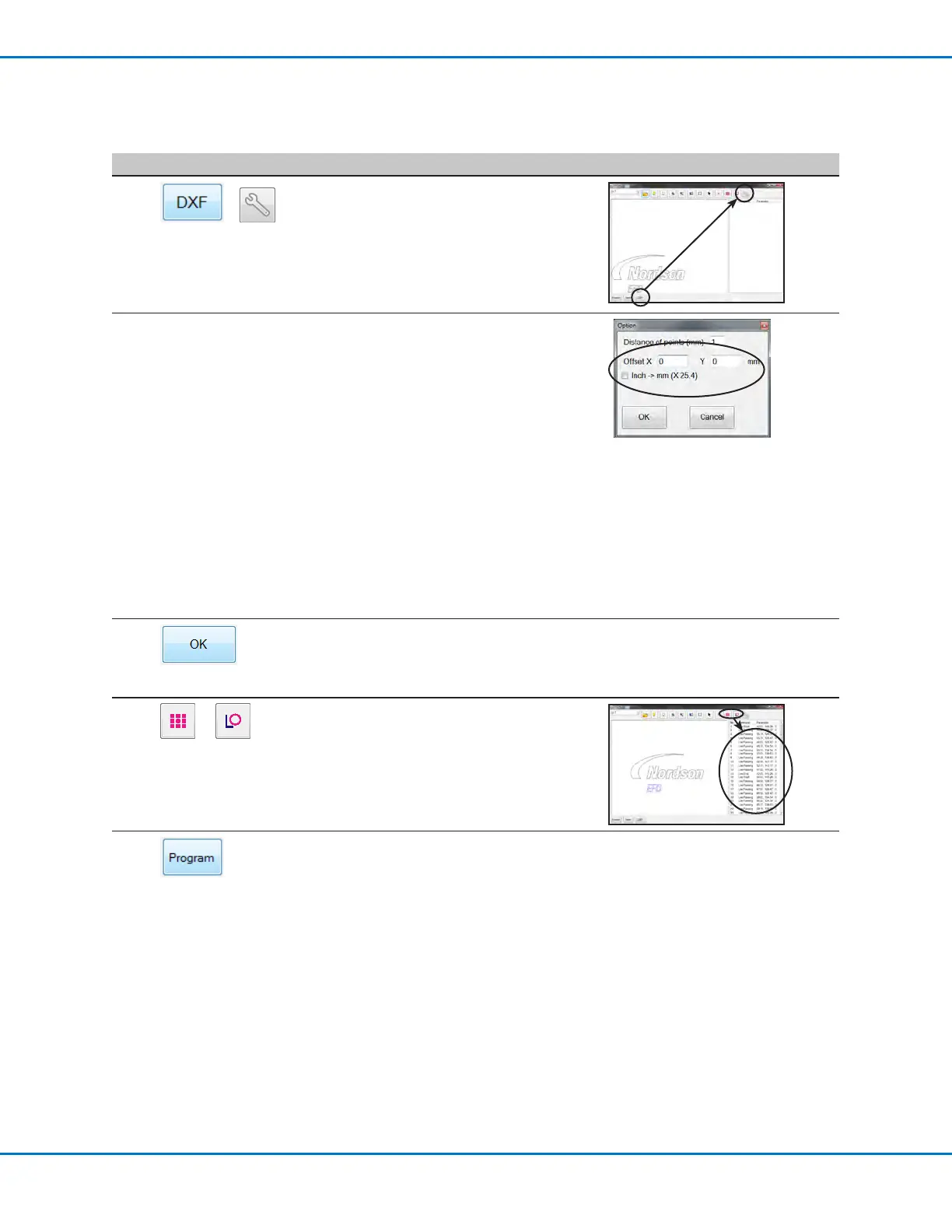
Click DXF and then click OPTION.
The DXF Option window appears.
2
— Update the following DXF import options
as needed:
• For DISTANCE OF POINTS (MM), enter
a value in mm to specify the distance
between any two points on a curve.
• For OFFSET X and Y, enter values in
mm to shift the elements of the DXF le
upon import.
• For INCH > MM, click the checkbox
to convert inches to millimeters upon
import (required only if the source DXF
le drawing units are in inches).
NOTE: Refer to “4. DXF Screen Option
Window” on page122 for more
detailed information on the DXF screen
Option settings.
3
Click OK to save the settings.
Continue to the next step to update a DXF
that you have already imported, or go to
step 5.
—
4
or
(If the DXF is already imported) Click
POINT DISPENSE or LINE DISPENSE to
update the dispense pattern coordinates.
5
Click PROGRAM to return to the Program
screen.
Continue to “Importing a DXF File” on
page124 to import a DXF using these
settings.



 To Next Page