E Series Automated Dispensing System
75www.nordsonefd.com info@nordsonefd.com 800-556-3484 Sales and service of Nordson EFD dispensing systems are available worldwide.
Set How Outputs Behave at the End of a Program
Use Program Output Status under Setup to specify how outputs function after programs end.
PREREQUISITES
The system is in the Teach Mode. Refer to “How to Switch from Run Mode to Teach Mode” on page44.
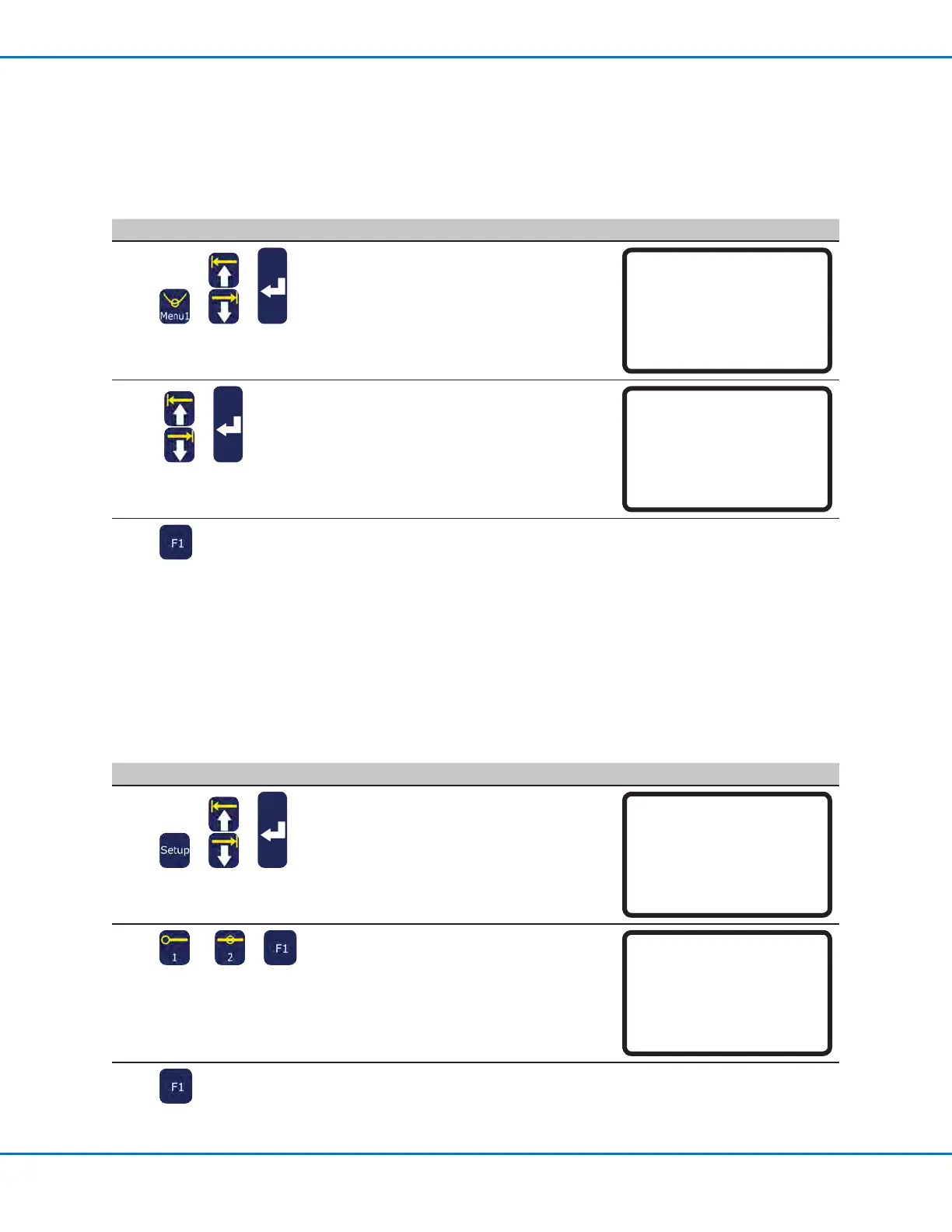
# Key Press Step Teach Pendant Display
1
> >
• Press SETUP.
• MOVE UP / DOWN to PROGRAM
OUTPUT STATUS.
• Press ENTER.
[SETUP] 1/3
01 XY Move Speed
02 Z Move Speed
03 Point to Point Arc Jump
04 Park Position
05 Calibration Point
06 Mark Points
07*Program Output Status
2
or >
• Press 1 ENABLE to keep outputs ON
after a program ends.
• Press 2 DISABLE (default) to allow
outputs to switch OFF after a program
ends.
Program Output Status
Disable
------------------------------
1 Enable
2 Disable
Select: _
[F1] OK
3
• Press F1 to save or exit.
Automatically Switch Outputs ON
Use Initialize Output under Menu1 to specify which outputs (1–8) switch ON at the beginning of programs.
NOTE: Online signals must be disabled.
PREREQUISITES
The system is in the Teach Mode. Refer to “How to Switch from Run Mode to Teach Mode” on page44.
# Key Press Step Teach Pendant Display
1
> >
• Press MENU1.
• MOVE UP / DOWN to INITIALIZE
OUTPUT
• Press ENTER.
[MENU 1]
01 Group Edit
02 Ex. Step & Repeat
03 Program Name
04 Axis Limit
05*Initialize Output
06 Jog Acceleration
07 Teach Move Z Clearance
2
>
• Use the ARROW keys to move through
the outputs.
• Press ENTER to toggle values: 1 for ON,
0 for OFF.
Initialize Output
------------------------------
Port: 12345678
Current: 00000000
New: 00000000
[F1] OK
3
• Press F1 to save or exit.



 To Next Page