E Series Automated Dispensing System
39www.nordsonefd.com info@nordsonefd.com 800-556-3484 Sales and service of Nordson EFD dispensing systems are available worldwide.
Auto Purge
You can set up the system to automatically purge after it has been idle for a specied period of time. When the
system purges, the tip moves to the park position and purges material according to the parameters set for Auto
Purge. This command is useful for two-part materials that have a very short pot life.
The Auto Purge function is set for the current program. Auto Purge is turned off by default (Wait Time and Purge
Time are both set to 0). Enter non-zero values to enable this feature. Auto Purge is in effect when the system is in the
Run Mode.
# Key Press Step Teach Pendant Display
1
> >
• Press SETUP.
• MOVE UP / DOWN to AUTO PURGE.
• Press ENTER.
[SETUP] 2/3
08 Pause Status
09*Auto Purge
10 Pre-cycle Initialize
11 Pre-dispense Wait Time
12 Default Dispense Port
13 Needle Detect Setup
14 Run Limit
2
or >
• Enter values for the Auto Purge
parameters:
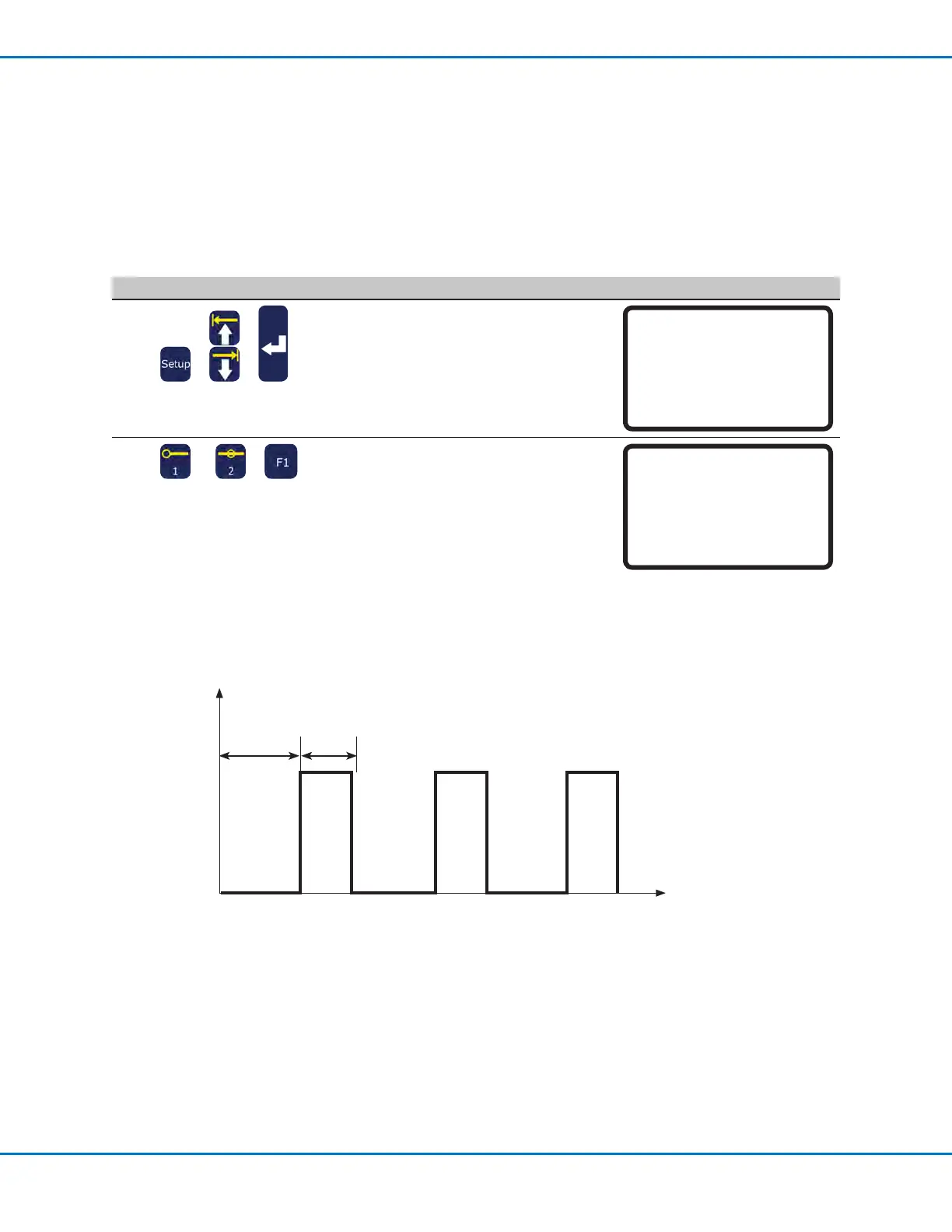
Purge Time — How long the system
purges in intervals of 0.1 seconds (in
this example).
Wait Time — How long the system
must be idle (robot START button not
pressed) before an Auto Purge begins.
A diagram of Purge Time and Wait Time
is provided below.
• Press F1 to save or exit.
Auto Purge Setup
------------------------------
Purge Time: 0.1 s
Wait Time: 0.1 s
[F1] OK
Dispenser ON
Dispenser OFF
Time (seconds)
Wait
Time
Purge
Time
5 2 5 2 5 2
Example of an Auto Purge setup when Wait Time is 5 seconds and Purge Time is 2 seconds
Setting System Parameters (continued)



 To Next Page