E Series Automated Dispensing System
40 www.nordsonefd.com info@nordsonefd.com 800-556-3484 Sales and service of Nordson EFD dispensing systems are available worldwide.
Setting System Parameters (continued)
Language
# Key Press Step Teach Pendant Display
1
> >
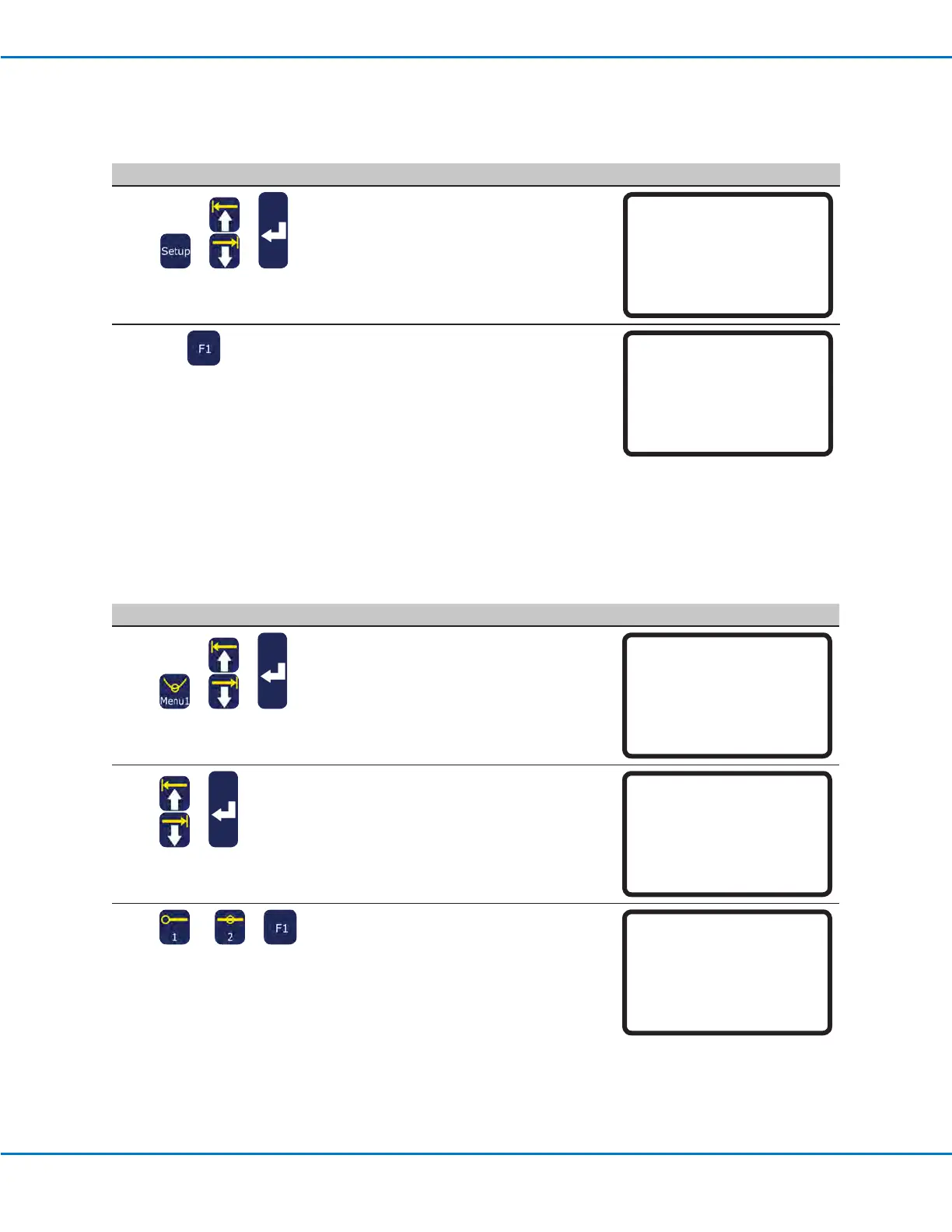
• Press SETUP.
• MOVE UP / DOWN to LANGUAGE.
• Press ENTER.
[SETUP] 3/3
15 Measurement Unit
16 Password Setup
17 Remote Command
18 Height Sensor
19*Language
20 System Information
2
x >
• Enter the number for the desired
language.
• Press F1 to save or exit.
Language
------------------------------
1 English
Select: _
[F1] OK
Key Beep
The key beep sound occurs when a Teach Pendant key is pressed. The default is ON. Follow this procedure to turn
the key beep OFF.
# Key Press Step Teach Pendant Display
1
> >
• Press MENU1.
• MOVE UP / DOWN to UTILITY MENU.
• Press ENTER.
[MENU 1] 2/2
08*Utility Menu
09 Diagnostic
2
>
• MOVE UP / DOWN to KEY BEEP.
• Press ENTER.
[UTILITY] 1/1
01 Program
02 Memory
03*Key Beep
04 Online Signals
05 Barcode Scanner
06 System Lockout
3
or >
• Press 1 ENABLE to switch the key beep
ON.
• Press 2 DISABLE to switch the key beep
OFF.
• Press F1 to save or exit.
Key Beep (All)
Enable
------------------------------
1 Enable
2 Disable
Select: _
[F1] OK



 To Next Page