E Series Automated Dispensing System
36 www.nordsonefd.com info@nordsonefd.com 800-556-3484 Sales and service of Nordson EFD dispensing systems are available worldwide.
Setting System Parameters (continued)
Pause Status (Tip Pause Location)
When you press the START button on the front of the robot, the system stops dispensing and the tip stays at its
current location or moves based on the setting for Pause Status.
NOTE: If the system is paused during dispensing, the system shuts off the dispenser, compromising pattern
integrity.
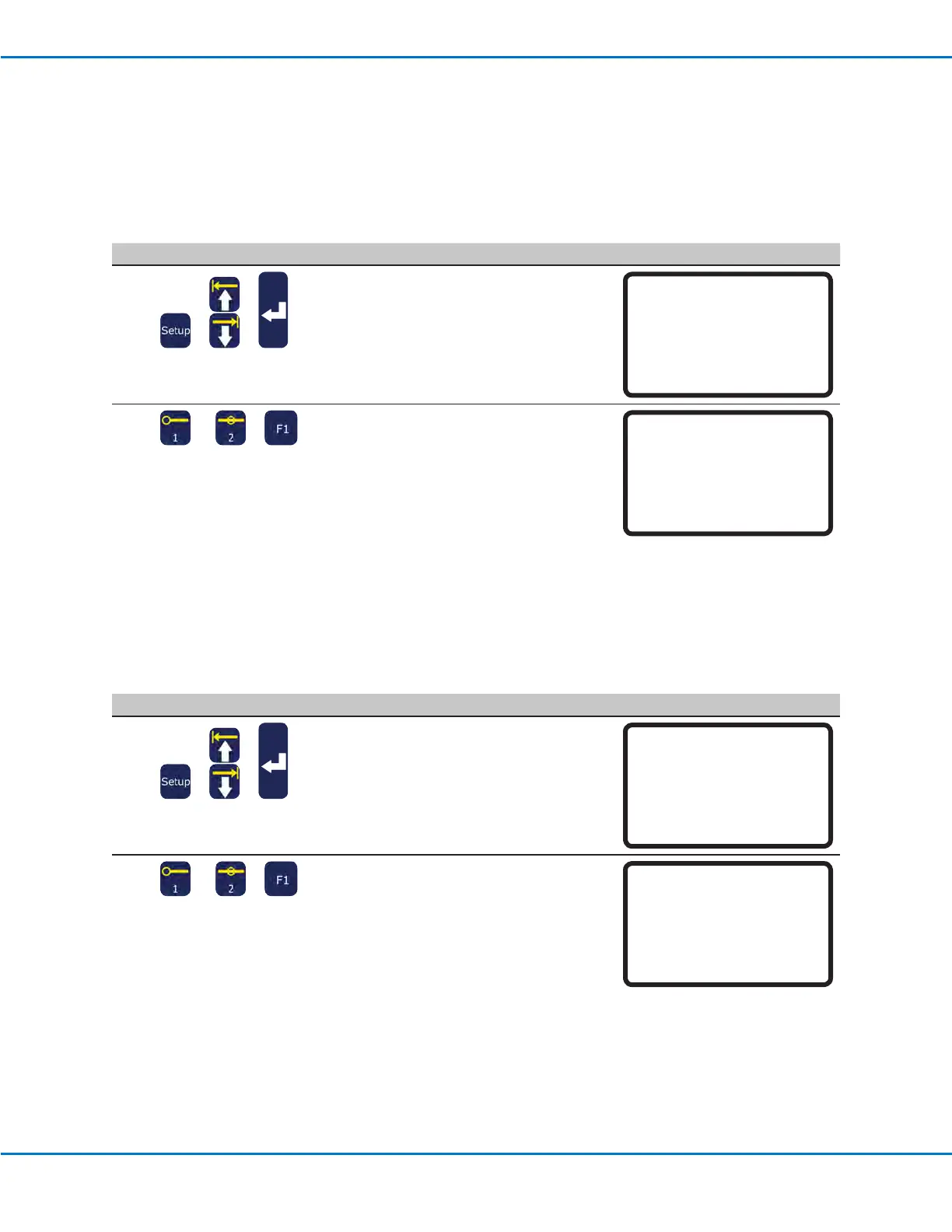
# Key Press Step Teach Pendant Display
1
> >
• Press SETUP.
• MOVE UP / DOWN to PAUSE STATUS.
• Press ENTER.
[SETUP] 2/3
08*Pause Status
09 Auto Purge
10 Pre-cycle Initialize
11 Pre-dispense Wait Time
12 Default Dispense Port
13 Needle Detect Setup
14 Run Limit
2
or >
• Press 1 PARK POSITION to cause the
tip move to the Park Position.
• Press 2 STAND to cause the tip to stop
at the next programmed position.
• Press F1 to save or exit.
Pause Status
Park Position
------------------------------
1 Park Position
2 Stand
Select: _
[F1] OK
Pre-Cycle Initialize (Auto-Initialize)
If Pre-cycle Initialize is enabled, the system automatically moves the dispensing tip to the Home Position and
initializes between each dispense cycle.
# Key Press Step Teach Pendant Display
1
> >
• Press SETUP.
• MOVE UP / DOWN to PRE-CYCLE
INITIALIZE.
• Press ENTER.
[SETUP] 2/3
08 Pause Status
09 Auto Purge
10*Pre-cycle Initialize
11 Pre-dispense Wait Time
12 Default Dispense Port
13 Needle Detect Setup
14 Run Limit
2
or >
• Press 1 ENABLE to initialize between
dispense cycles.
• Press 2 DISABLE for no initialization
between dispense cycles.
• Press F1 to save or exit.
Pre-cycle Initialize
Disable
------------------------------
1 Enable
2 Disable
Select: _
[F1] OK



 To Next Page