E Series Automated Dispensing System
20 www.nordsonefd.com info@nordsonefd.com 800-556-3484 Sales and service of Nordson EFD dispensing systems are available worldwide.
Overview of the Teach Pendant
This section explains how to use the Teach Pendant and provides an overview of all the Teach Pendant keys and
menus. This information is provided for your reference as needed. To set up the system and create dispensing
programs, refer to “Setup” on page32 and to “Programming” on page44.
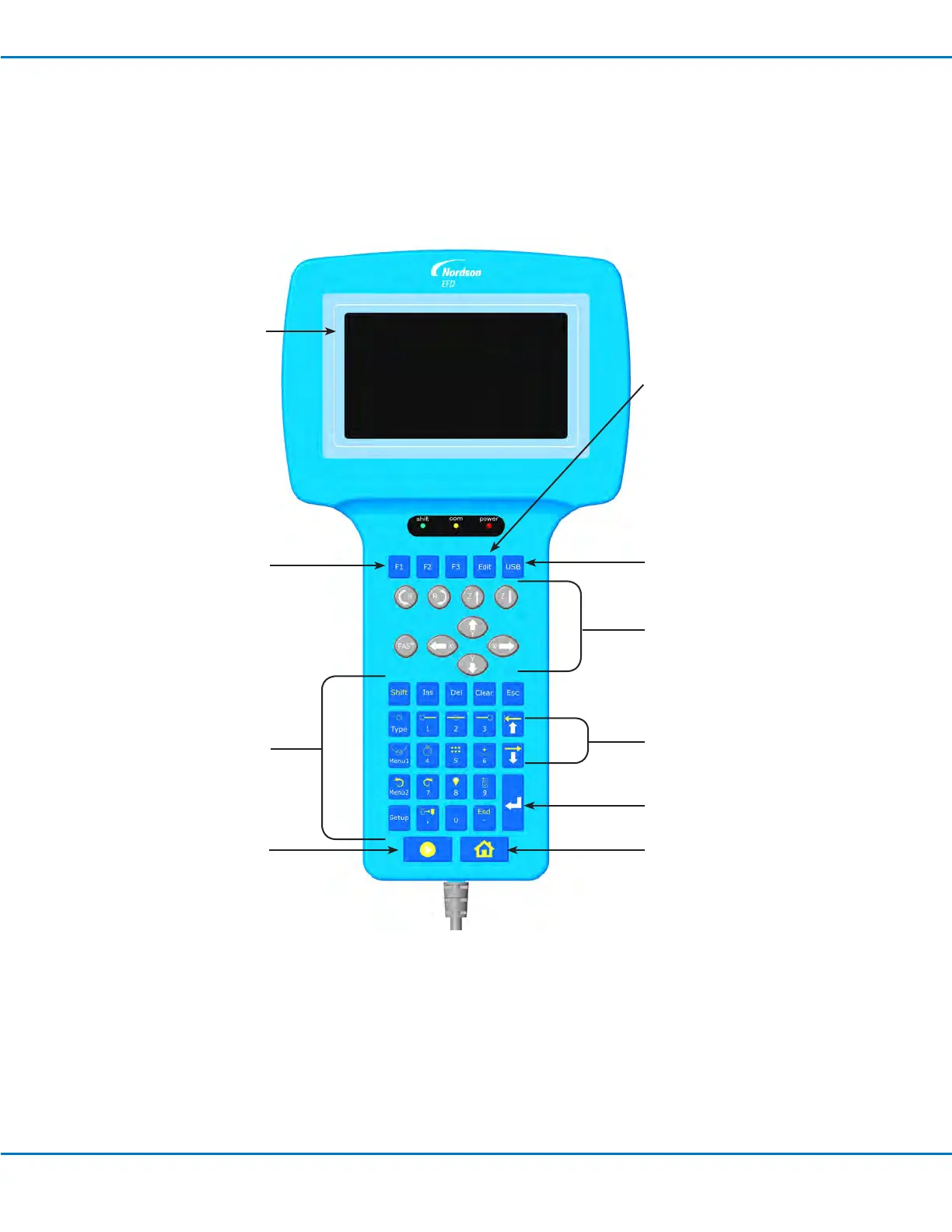
Display: All menus
appear in the display.
F1, F2, and F3 function
keys: Use to open the
Program Menu and save
data entries. Refer to
“Executing Functions
and Entering Numeric
Data” on page21.
Jog keys: Use these keys to
move the dispensing tip. Refer
to “Jogging the Dispensing
Tip” on page22.
Programming keys: Use
to create programs.
Refer to “Teach Pendant
Key Descriptions” on
page23.
Start key: Use to run
programs.
Home key: Moves the
dispensing tip to the Home
Position.
USB key: Use to upload or
download programs. Refer to
“How to Upload / Download
Programs Using the SVC USB
Port” on page57.
Edit key: Use to edit multiple
steps in a program. Refer to
“How to Change a Group of
Addresses (Group Edit)” on
page49.
Enter key: Selects the current
item.
Move up / down keys: Use to
move the cursor.



 To Next Page