E Series Automated Dispensing System
81www.nordsonefd.com info@nordsonefd.com 800-556-3484 Sales and service of Nordson EFD dispensing systems are available worldwide.
Troubleshooting
Teach Pendant Error Messages
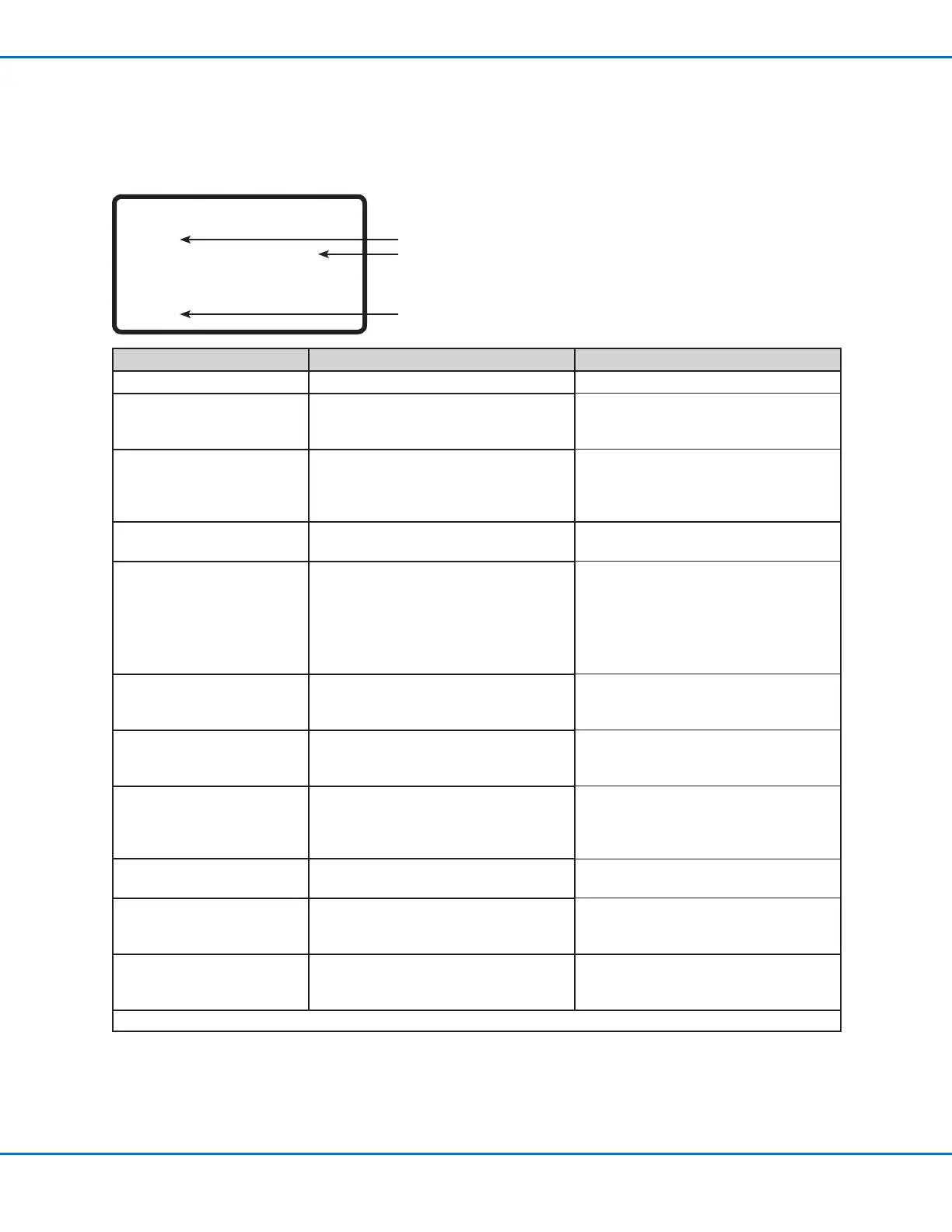
When a programming error occurs, the Teach Pendant display shows the address number where the error occurs
and the error message. Refer to the following table to troubleshoot Teach Pendant error messages.
Addr. 1
Over Call Program Stack !
[OK] F1
Error Message Cause Corrective Action
Over Call Program Stack System cannot call the current program Call another program number.
Error Fill Command Line Start and Line End points after a Fill
command are on the same coordinate
Correct the Line Start and Line End
coordinates that occur after the Fill
command.
Can’t Use Call Pattern Call Program command used and the
program called for execution includes
a Call Pattern command (the software
does not allow this)
Create a new program that does not
include a Call Pattern command.
Can’t Find Fill End Point Line End command missing after a Fill
command
Ensure that a Line End command is
inserted after a ll command.
Label Not Found System cannot nd the label number
specied in a Goto (Label) command
Check the Label commands in the
program. Use MENU2 > Jump to search
for the missing label.
If the label number does not exist, the
system displays this error message.
Correct the programming problem.
Need Line Start Line Start command missing before a
Line Passing, Arc Point, or Line End
command
Enter a Line Start command before a
Line Passing, Arc Point, or Line End
command.
Need Line End Line End command missing after a
Line Start, Line Passing, or Arc Point
command
Enter a Line End command after a
Line Start, Line Passing, or Arc Point
command.
Setup Error End Program command entered after a
Line Start command
Correct the programming error. An End
Program command can be entered only
when the previous lines of programming
are logical.
Mark Point Must Separate Mark Points 1 and 2 are the same
coordinate
Ensure that Mark Points 1 and 2 are
different coordinates.
Illegal Path Point Line Start, Arc Point, and Line End
coordinates are in a straight line
Correct the Arc Point coordinate so that
the dispense pattern is an arc instead of
a straight line.
Destination Address Error Destination for a Group Edit > Move
command already contains a command
Ensure that the destination address to
which address lines are being moved is
empty.
Continued on next page
Address number where error occurs
Error message
Press F1 to clear the error message, then correct
the cause of the error



 To Next Page