E Series Automated Dispensing System
63www.nordsonefd.com info@nordsonefd.com 800-556-3484 Sales and service of Nordson EFD dispensing systems are available worldwide.
How to Make an Arc
Line Start Line End
Arc Point
PREREQUISITES
The system is in the Teach Mode. Refer to “How to Switch from Run Mode to Teach Mode” on page44.
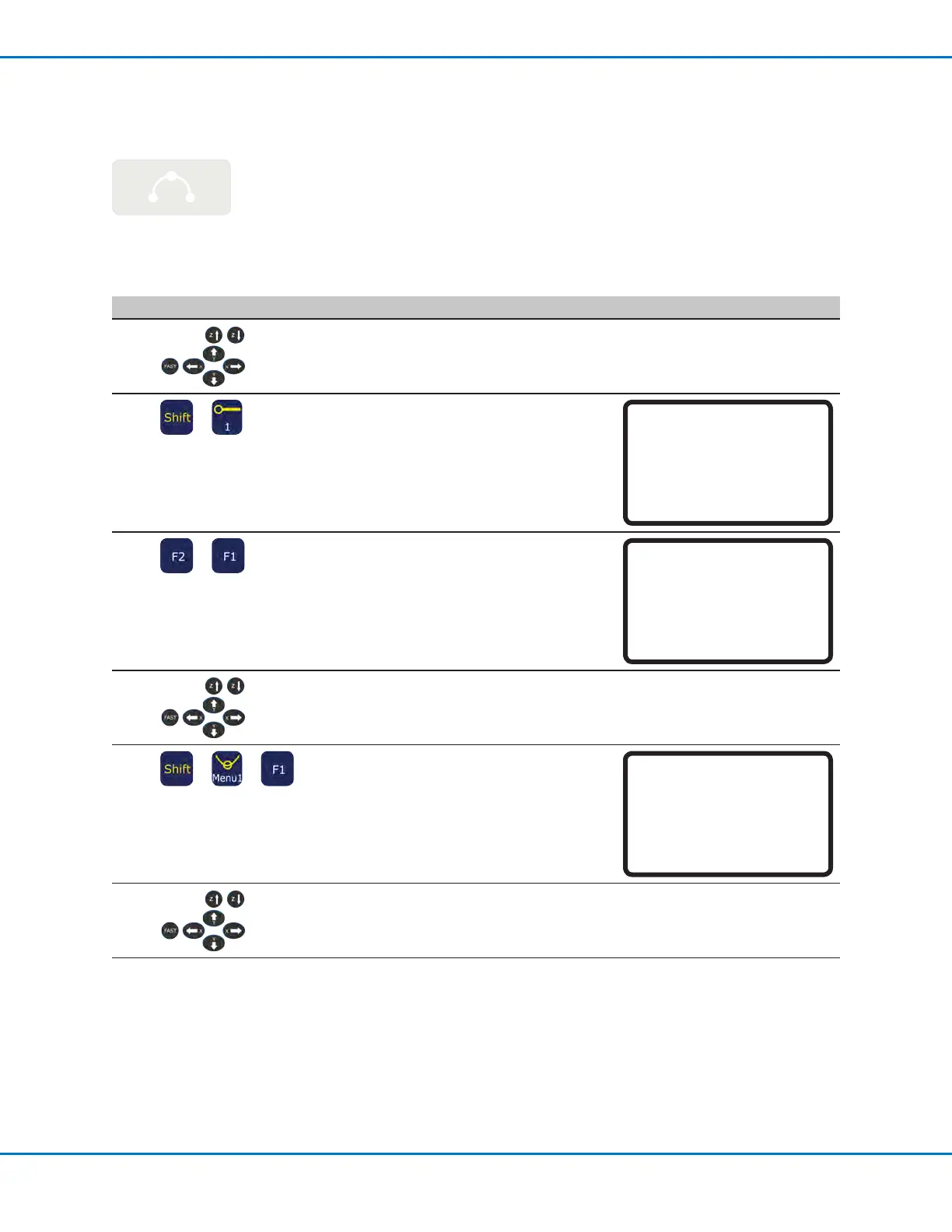
# Key Press Step Teach Pendant Display
1
• Jog the dispensing tip to an XYZ
location for the rst dispense point (Line
Start).
2
>
• Press SHIFT > 1 to register the location
as a Line Start point.
• Make XYZ coordinate changes as
needed.
Line Start 1/2
------------------------------
X: 130.93 mm
Y: 37.39 mm
Z: 45.54 mm
[F1] OK [F2] Next [F3] Current
3
>
• Press F2 to move to the Line Start
parameter screen.
• Press F1 to save and exit.
Line Start 2/2
------------------------------
Line Speed: 10.0 mm/s
Pre-move Delay: 0.00 s
Settling Distance: 0.00 mm
Dispenser Off(0)/On(1): 1
[F1] OK [F2] Next
4
• Jog the tip to the XYZ location of where
the top of the arc should be (Arc Point).
5
> >
• Press SHIFT > MENU1 to register the
location as an Arc Point.
• Make XYZ coordinate changes as
needed.
• Press F1 to save and exit.
Arc Point
------------------------------
X: 130.93 mm
Y: 37.39 mm
Z: 45.54 mm
[F1] OK [F3] Current
6
• Jog the tip to the XYZ location where
the arc should end (Line End).
Continued on next page
Creating Patterns (continued)



 To Next Page