E Series Automated Dispensing System
23www.nordsonefd.com info@nordsonefd.com 800-556-3484 Sales and service of Nordson EFD dispensing systems are available worldwide.
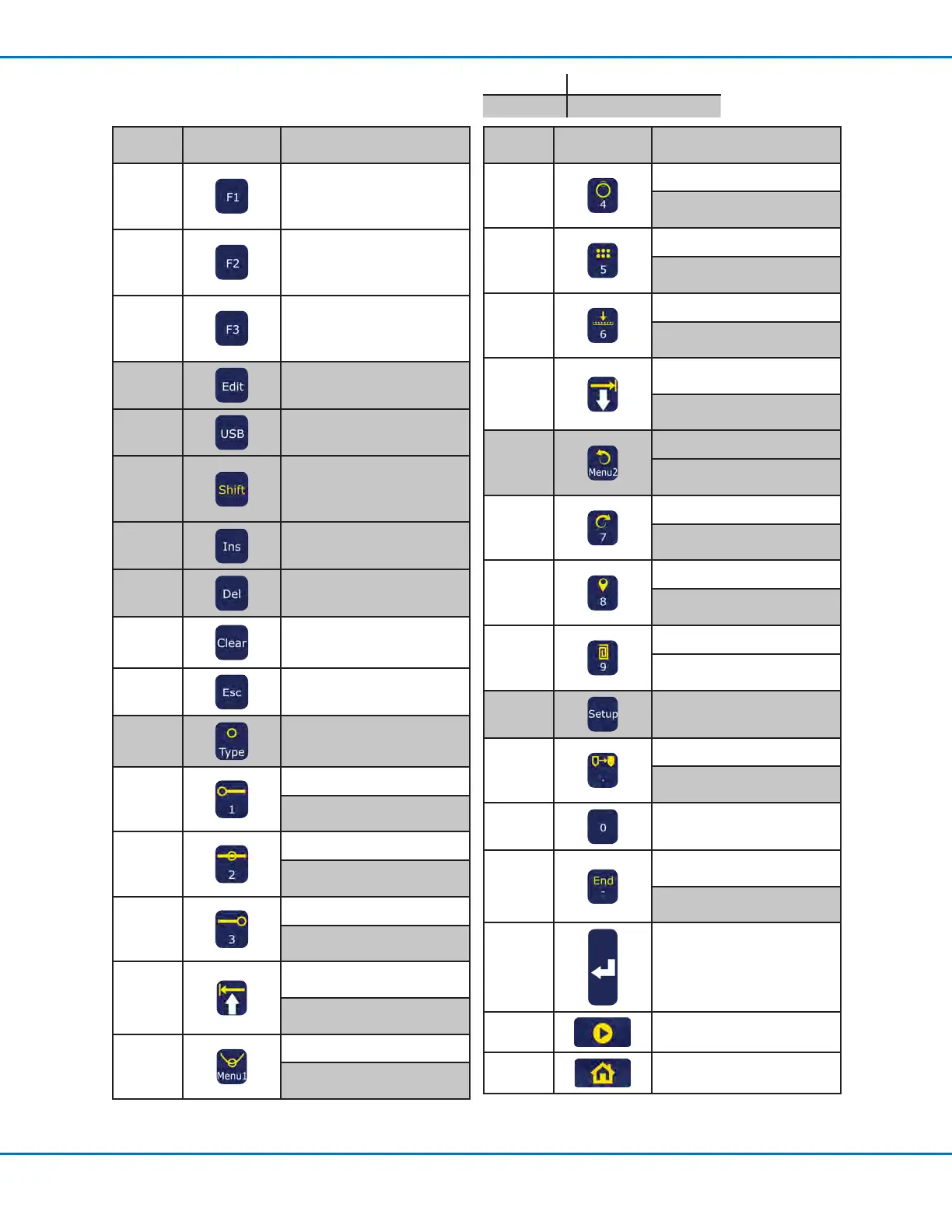
Teach Pendant Key Descriptions
Key
Name
Key Function
F1
Selects the option shown on
the display; use of this key
depends on which menu is
currently displayed
F2
Selects the option shown on
the display; use of this key
depends on which menu is
currently displayed
F3
Selects the option shown on
the display; use of this key
depends on which menu is
currently displayed
Edit
Opens the Group Edit menu
USB Opens the USB menu
Shift
If pressed and released before
pressing another key, enables
the secondary function of the
second key (shown in yellow)
Ins
Inserts an address before the
current address in a program
Del
Deletes the current address in
a program
Clear
One press clears a single
character; press and hold
clears the eld
Esc
Exits the current operation
Type /
Dispense
Dot
Opens the Type menu
SHIFT > TYPE inserts a
Dispense Dot command
1 / Line
Start
Enters a 1
SHIFT > 1 inserts a Line Start
command
2 / Line
Passing
Enters a 2
SHIFT > 2 inserts a Line
Passing command
3 / Line
End
Enters a 3
SHIFT > 3 inserts a Line End
command
Move Up
/ Move
Left
Scrolls up or left through
selections or addresses
SHIFT > ARROW UP pages up
through addresses
Menu1 /
Arc Point
Opens Menu1
SHIFT > MENU1 inserts an Arc
Point command
Key
Name
Key Function
4 / Circle
Enters a 4
SHIFT > 4 inserts a Circle
command
5 / Step &
Repeat
Enters a 5
SHIFT > 5 inserts a Step &
Repeat command
6 / Z
Clearance
Enters a 6
SHIFT > 6 inserts a ZClearance
command
Move
Down
/ Move
Right
Scrolls down or right through
selections or addresses
SHIFT > ARROW DOWN pages
down through addresses
Menu2 /
Undo
Opens Menu2
SHIFT > MENU2 undoes the
last change to a program
7 / Redo
Enters a 7
SHIFT > 7 redoes the last
change to a program
8 / Label
Enters an 8
SHIFT > 8 inserts a Label
command
9 / Fill
Area
Enters a 9
SHIFT > 9 inserts a Fill Area
command
Setup
Opens the Setup menu
Decimal
Point /
Move
Enters a decimal point
SHIFT > Decimal Point moves
the tip to a specied address
0
Enters a 0
Minus
/ End
Program
Toggles a value from positive
to negative
SHIFT > End inserts an End
Program command
Enter
Enters or conrms data entries
or selections
or
Opens the Type menu
Start
Runs the currently open
program
Home
Moves the tip to the Home
Position (0, 0, 0)
White Teach or Run Mode
Dark Gray Teach Mode only



 To Next Page