E Series Automated Dispensing System
59www.nordsonefd.com info@nordsonefd.com 800-556-3484 Sales and service of Nordson EFD dispensing systems are available worldwide.
How to Create and Run a Program (continued)
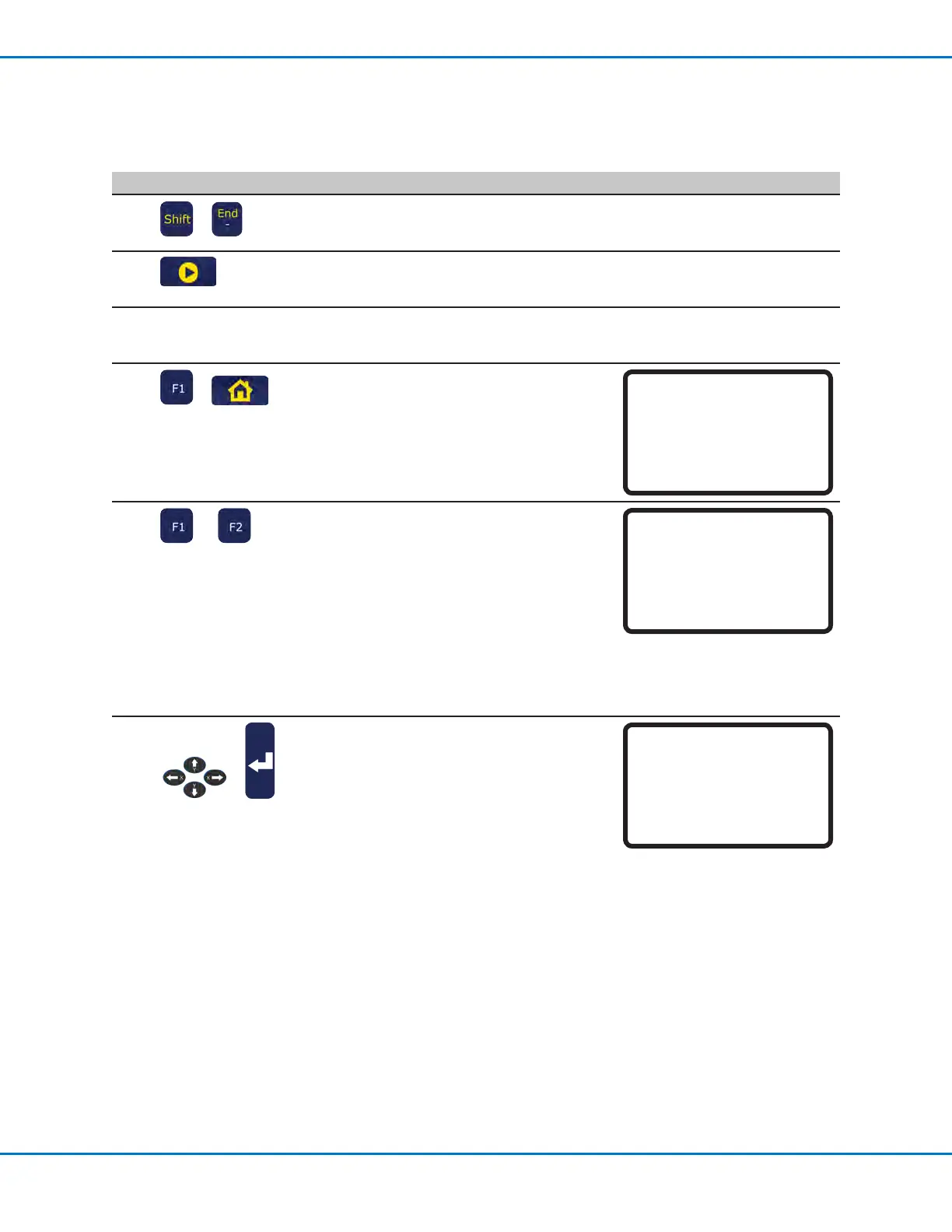
# Key Press Step Teach Pendant Display
5
>
• Press SHIFT > END to register
the last address as the end of the
program.
6
• Press START on the Teach
Pendant to run the program in the
Teach Mode.
7
• Make adjustments in the
program until the desired result is
achieved.
8
>
• When complete, press F1 >
HOME to switch the system to
the Run Mode.
[ RUN MODE ]
PRESS [HOME]
TO INITIALIZE SYSTEM
9
or
If the program was not named
using MENU1 > PROGRAM NAME,
the system prompts for a program
name:
• Press F1 to name the program
(recommended).
• Press F2 to continue without
naming the program.
NOTE: To switch programs,
refer to “How to Open and Edit a
Program” on page45.
Setup Program Name?
[F1] Yes [F2} No
10
>
• If you pressed F1, use the jog
keys and the ENTER key to enter
a program name.
• Press F1 to save and continue.
Program Name
------------------------------
EXAMPLE
------------------------------
0123456789-._
ABCDEFGHIJKLM
NOPQRSTUVWXYZ
[F1] OK
Working with Programs and Commands (continued)



 To Next Page