7-22 Service Manual
XZAC4219-05
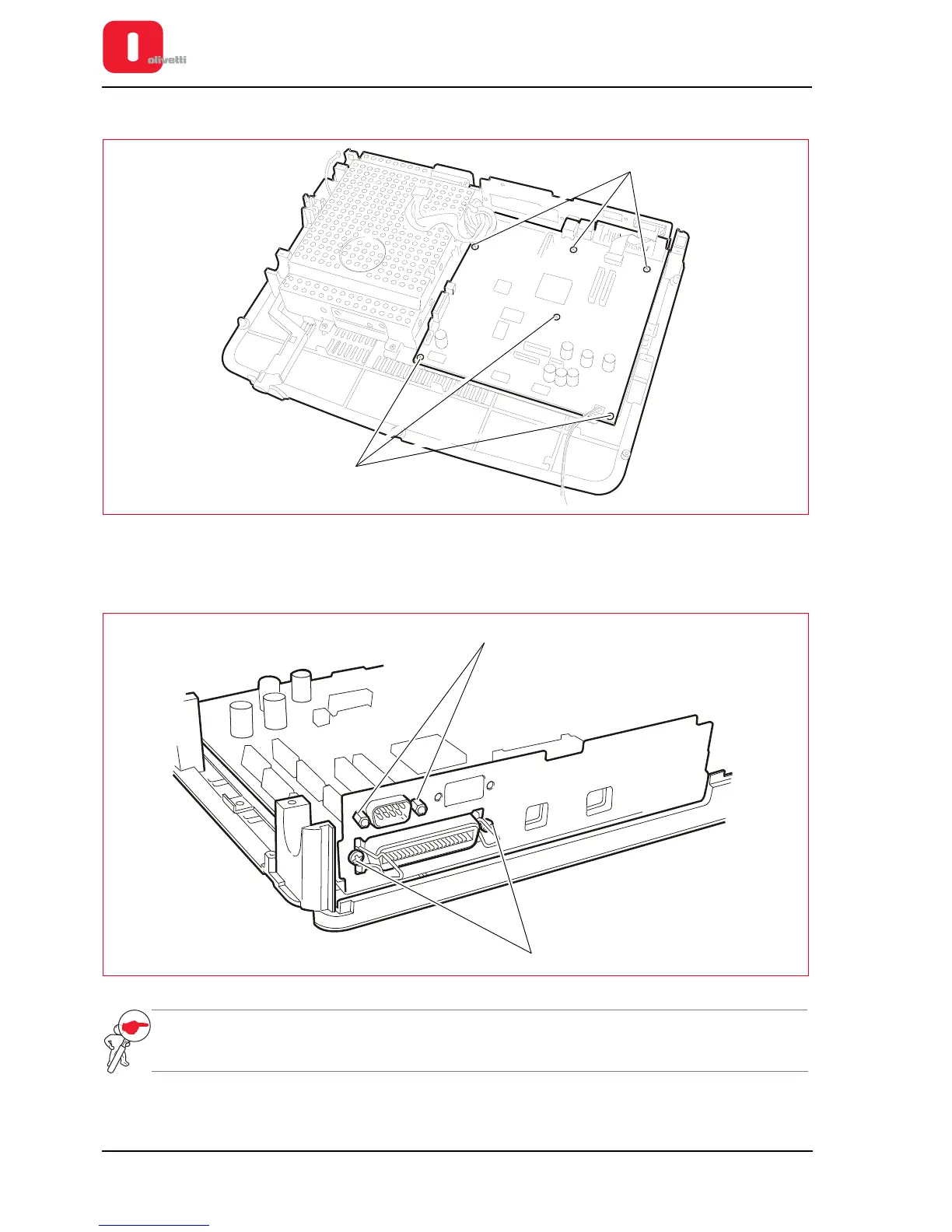
5. Back off the six lock-screws (1) of the motherboard.
Figure 7 - 27 Fastening screws of motherboard
6. Back off the two fasteners (2) of the standard serial interface connector and back off the two screws (3) of the
Centronics interface connector and extract the motherboard from the base plate of the printer.
Figure 7 - 28 Interface connector columns and screws
NOTE: when replacing the board, update the firmware with the latest release, configure the parameters
(see the section “CONFIGURING THE OPERATION PARAMETERS” on page 4 - 1) and calibrate
the photosensors (see the section “CALIBRATING THE PHOTOSENSORS” on page 4 - 18).















 To Next Page