XZAC4219-05 Service Manual
7-23
Disassembling/reassembling the motherboard (printers with serial number 8.xxx.xxx and
1.xxx.xxx)
1. Disassembling the casing. See the section “Casing disassembly/reassembly” on page 7 - 4.
2. Remove the mechanical assy. See the section “Mechanical assy disassembly/reassembly” on page 7 - 6.
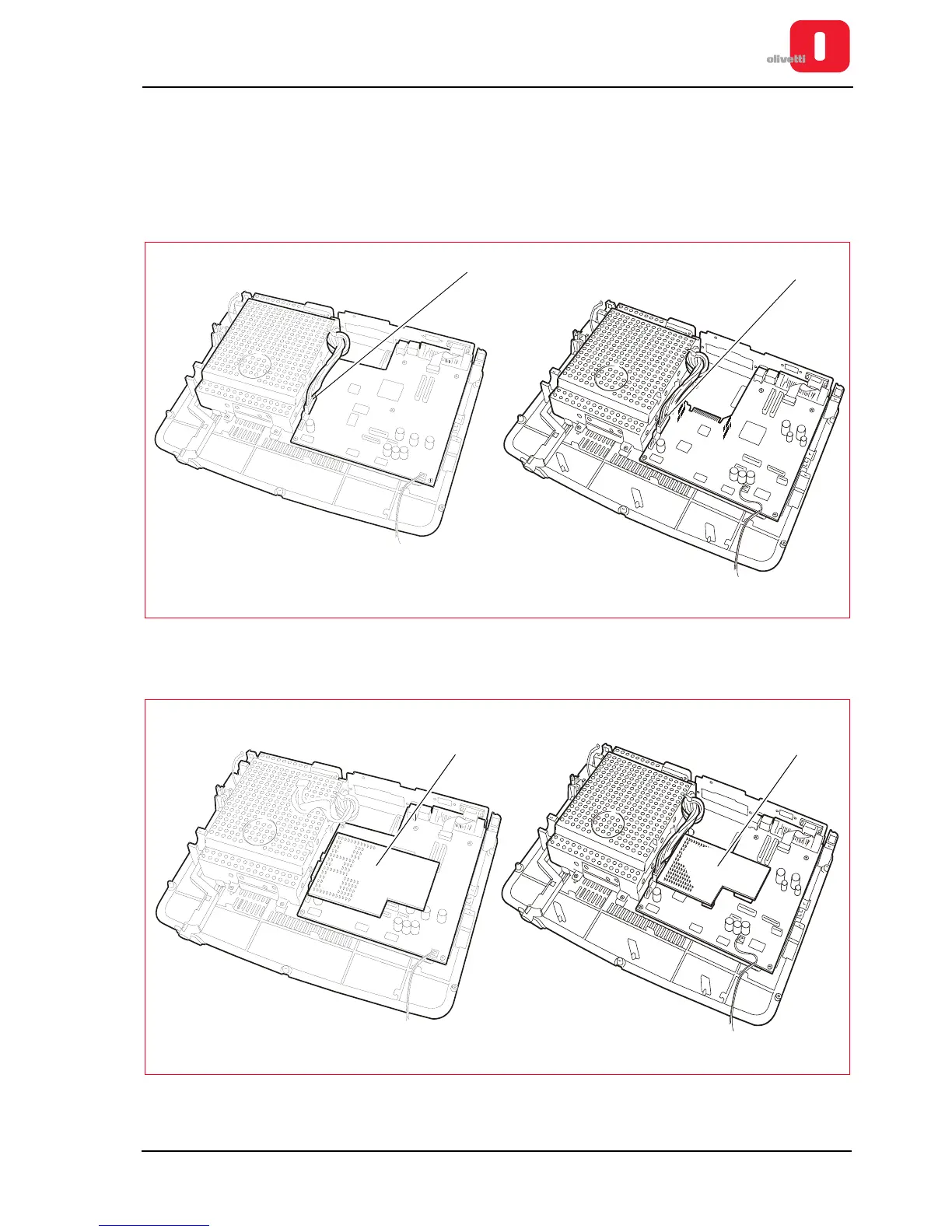
3. Disconnect the power cable (J16 - printers with serial number 8.xxx.xxx) or (J15 - printers with serial number
1.xxx.xxx).
Figure 7 - 29 Power connector
4. Remove magnetic options option (1).
Figure 7 - 30 Removing the magnetic options board















 To Next Page