User’s Manual of WGS Managed Series
once. It also uses the following legally IPv4 address. For example, ':192.1.2.34'.
Provide the IPv6 Prefix of this switch. The allowed range is 1 through 128.
• Gateway
Provide the IPv6 gateway address of this switch.
IPv6 address is in 128-bit records represented as eight fields of up to four
hexadecimal digits with a colon separating each field (:). For example,
'fe80::215:c5ff:fe03:4dc7'.
• DHCPv6 Client
To enable this Managed Switch to accept a configuration from a Dynamic Host
Configuration Protocol version 6 (DHCPv6) server. By default, the Managed
Switch does not perform DHCPv6 client actions. DHCPv6 clients request the
delegation of long-lived prefixes that they can push to individual local hosts.
Buttons
: Click to apply changes.
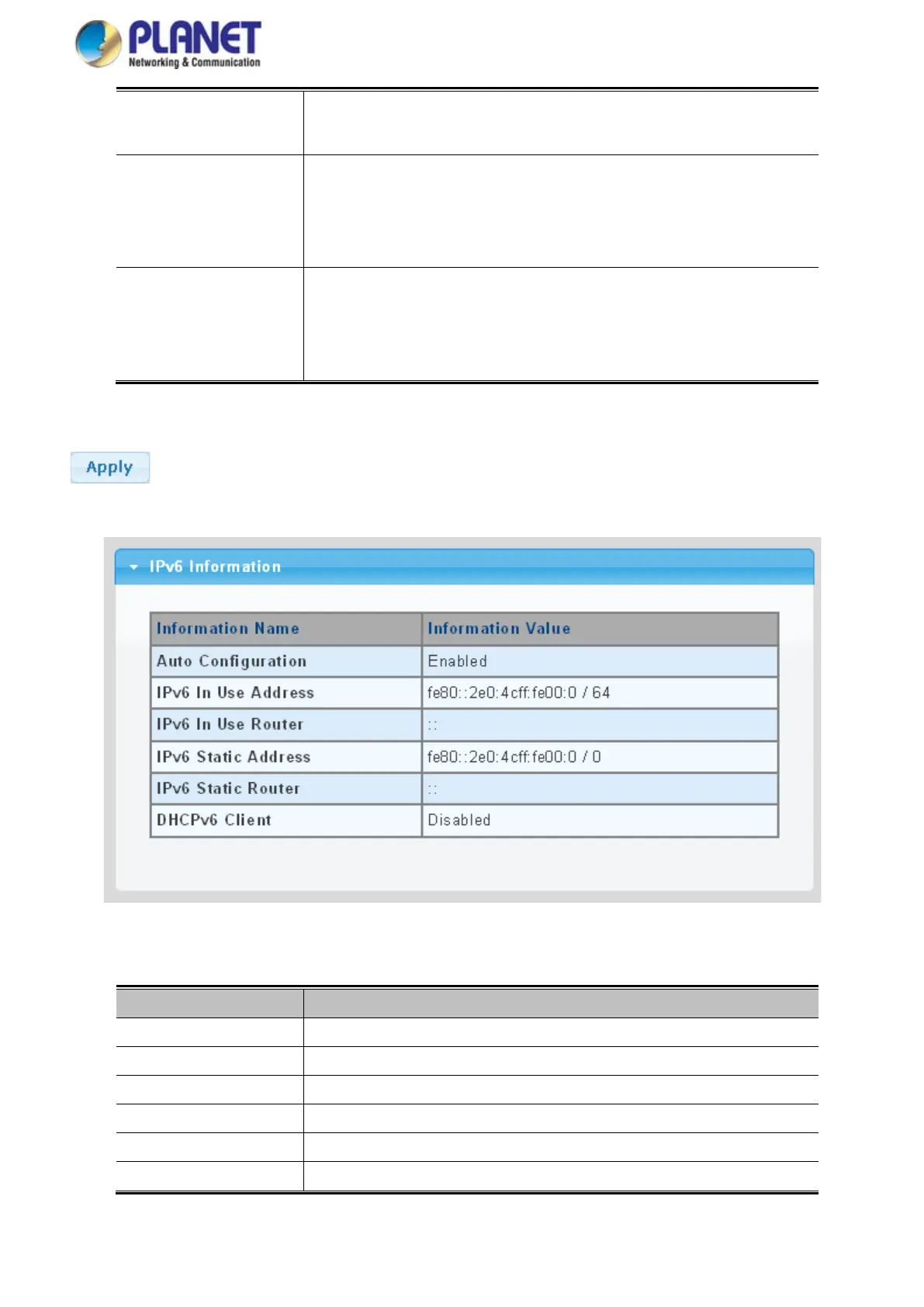
Figure 4-2-5 IPv6 Information Page Screenshot
The page includes the following fields:
Object Description
• Auto Configuration
Display the current auto configuration state
• IPv6 In Use Address
Display the current IPv6 in-use address
• IPv6 In Use Router
Display the current in-use gateway
• IPv6 Static Address
Display the current IPv6 static address
• IPv6 Static Router
Display the current IPv6 static gateway
• DHCPv6 Client
Display the current DHCPv6 client status



 To Next Page
 Loading...









