User’s Manual of WGS Managed Series
• Speed
Select any available link speed for the given switch port. Draw the menu bar to
select the mode.
Auto - Setup Auto negotiation.
Auto-10M - Setup 10M Auto negotiation.
Auto-100M - Setup 100M Auto negotiation.
Auto-1000M - Setup 1000M Auto negotiation.
Auto-10/100M - Setup 10/100M Auto negotiation.
10M - Setup 10M Force mode.
100M - Setup 100M Force mode.
1000M - Setup 1000M Force mode.
• Duplex
Select any available link duplex for the given switch port. Draw the menu bar to
select the mode.
Auto - Setup Auto negotiation.
Full - Force sets Full-Duplex mode.
Half - Force sets Half-Duplex mode.
• Flow Control
When Auto Speed is selected for a port, this section indicates the flow control
capability that is advertised to the link partner. When a fixed-speed setting is
selected, that is what is used. Current Rx column indicates whether pause
frames on the port are obeyed. Current Tx column indicates whether pause
frames on the port are transmitted. The Rx and Tx settings are determined by the
result of the last Auto-Negotiation. Check the configured column to use flow
control. This setting is related to the setting for Configured Link Speed.
Buttons
: Click to apply changes.
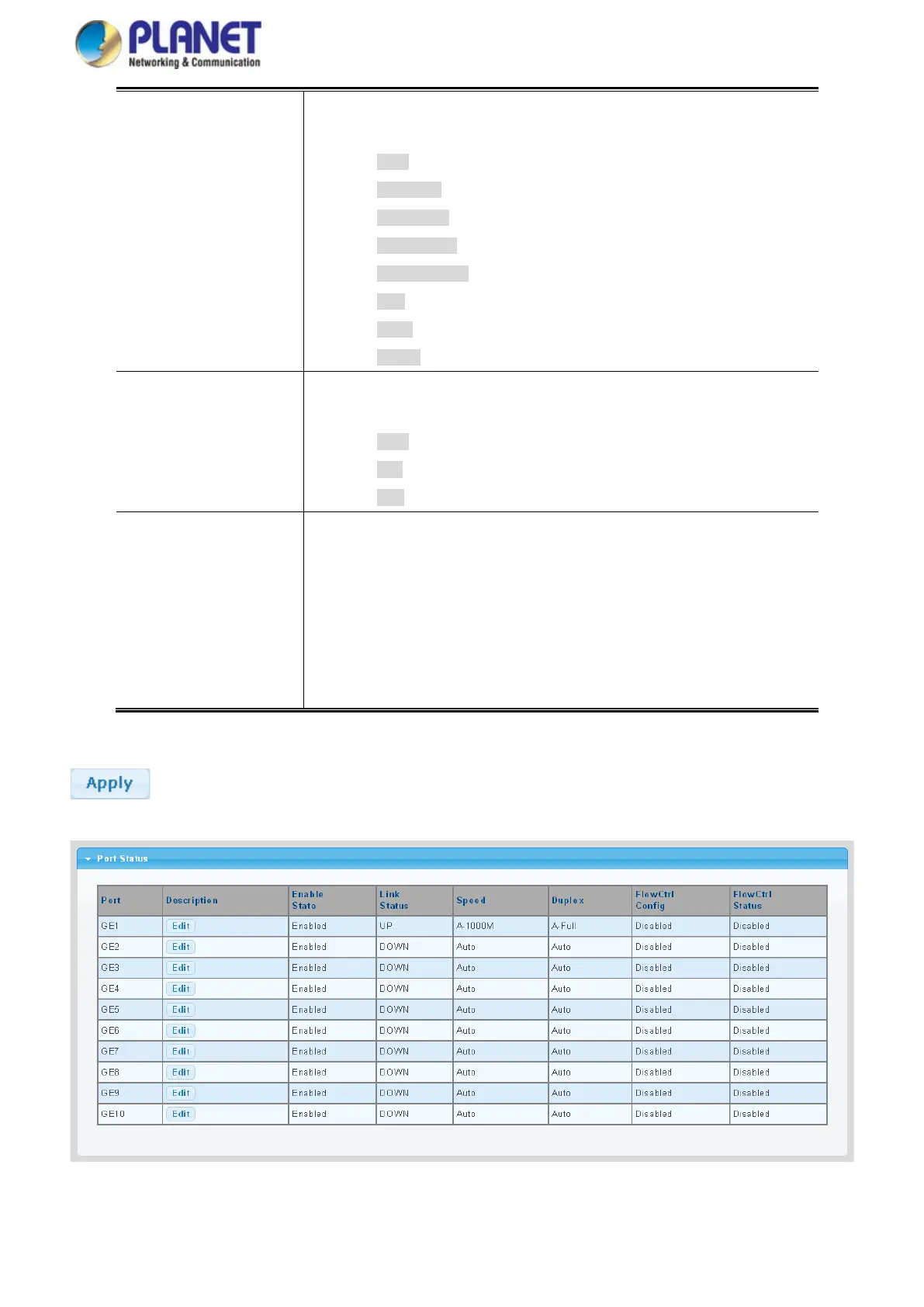
Figure 4-3-2 Port Status Page Screenshot



 To Next Page
 Loading...









