Operator’s Manual LTV
®
Series ventilator Page 10-11
p/n 10664, Rev. Y
Pressure Control Flow Termination
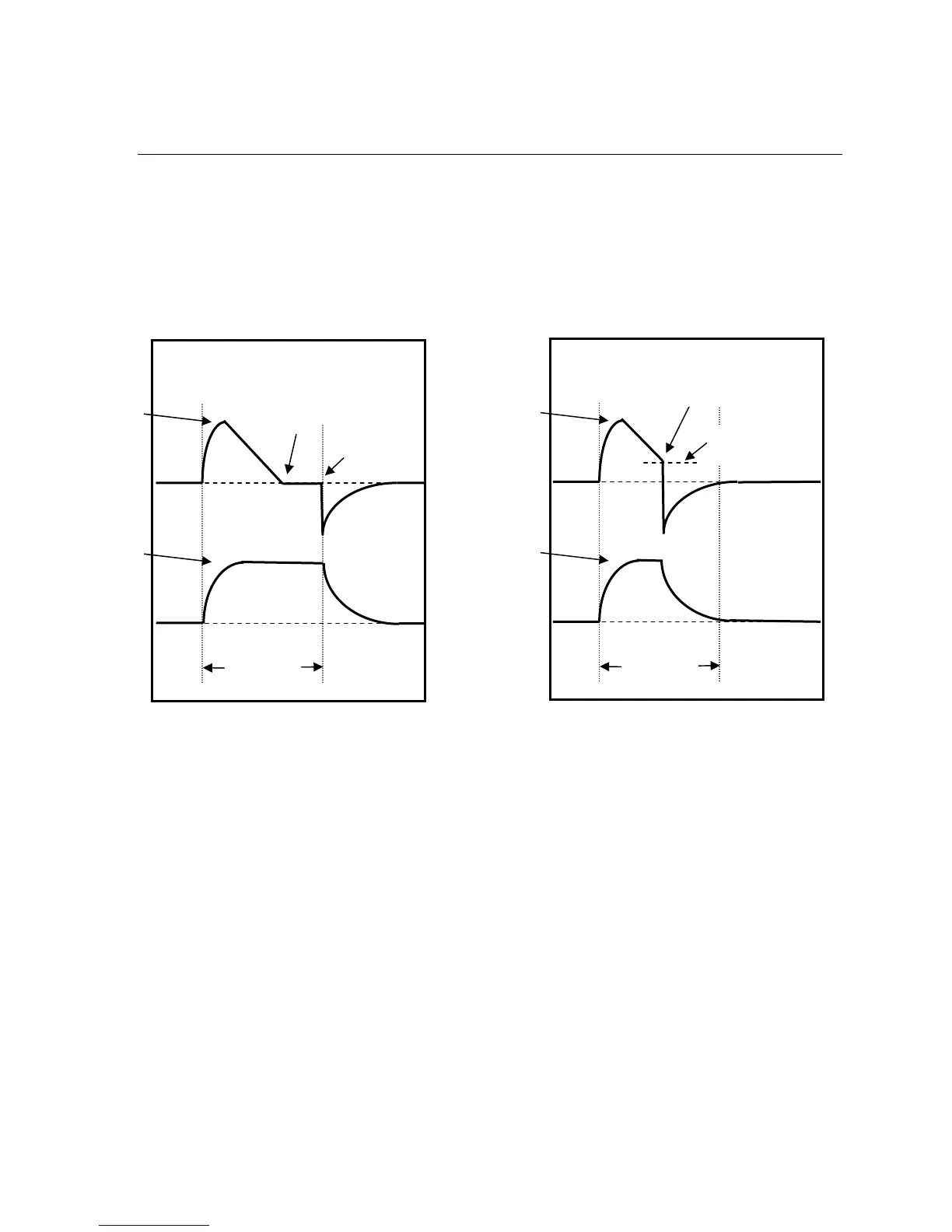
Use the Pressure Control Flow Termination option to enable or disable flow termination for Pressure
Control breaths.
When this option is ON, Pressure Control breaths are cycled at the set percentage of the peak flow if
it is reached before the set Inspiratory Time elapses. The percentage of peak flow is set in the
Variable Flow Termination option.
When this option is OFF, Pressure Control breaths are cycled when the set Inspiratory Time is
reached.
To modify the Pressure Control Flow Termination setting:
1) Push the Select button while PC FLOW TERM is displayed.
2) PC FLOW ON or PC FLOW OFF is displayed.
3) Turn the Set Value knob until the desired state is displayed.
4) Push the Select button.
Options: ON or OFF
Paw
•
Peak
Flow
Set pressure is
maintained and
inspiratory flow
goes to zero
Breath
terminates
at set Insp
Time
Set
Pressure
Set Insp Time
PC FLOW TERM set to OFF
Pressure Control Breath terminates normally
Paw
•
Peak
Flow
Set
Pressure
Set Insp Time
Breath terminates
at percentage of
peak flow
PC FLOW TERM set to ON
Pressure Control Breath terminates at the same
Percentage of Peak Flow as Pressure Support breaths
Set Percentage of
Peak Flow



 To Next Page