Page 13-2 LTV
®
Series ventilator Operator’s Manual
p/n 10664, Rev. Y
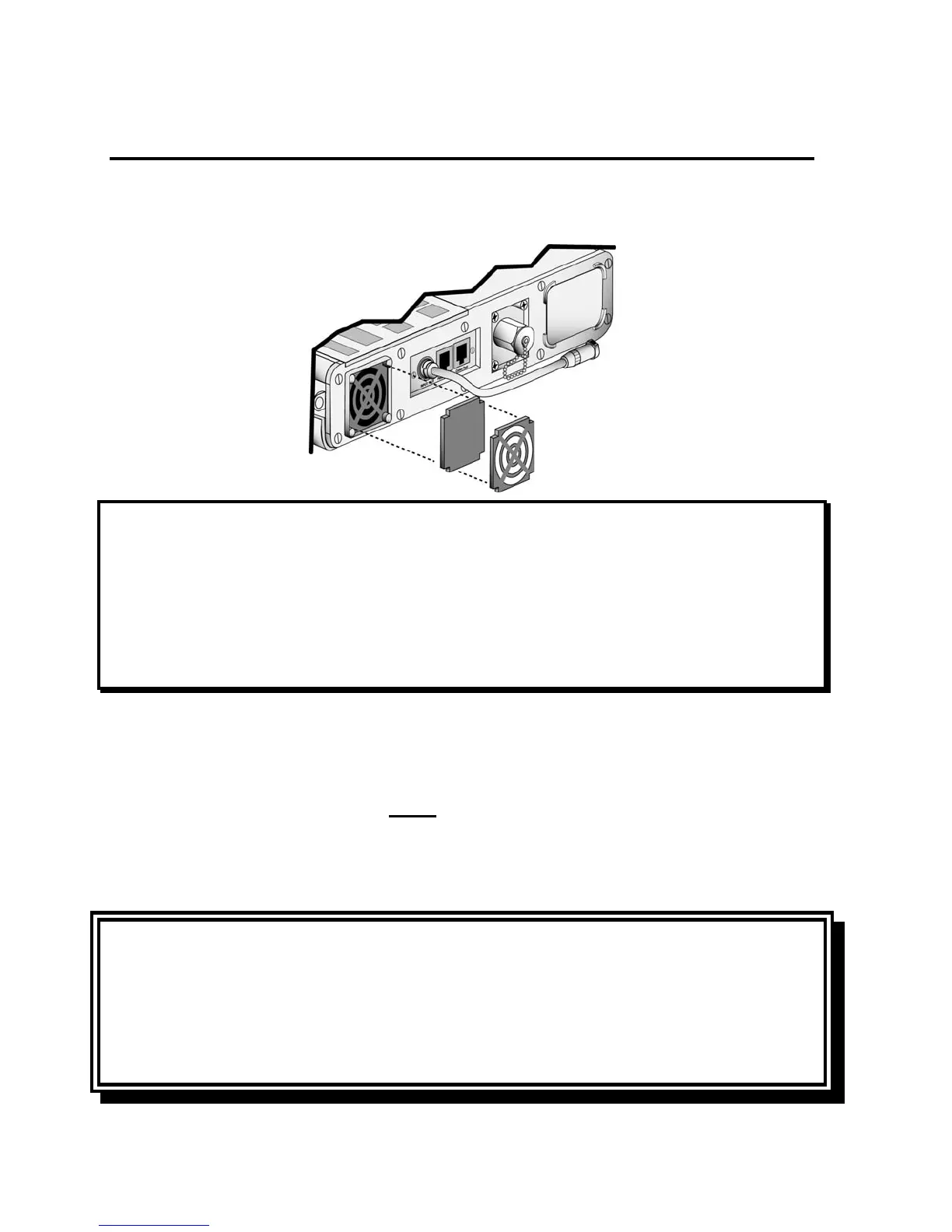
Cleaning or replacing the Fan Filter
To clean the fan filter:
1) Using a small screwdriver, detach the fan filter grill from its housing.
2) Remove the fan filter by squeezing the foam filter gently with your fingers and pulling it out.
NOTE
Hardware Fault -If you touch the fan blades while removing the fan filter grill or filter, a HW FAULT
may occur. This is normal. Clear the HW FAULT alarm by using the Silence / Reset button.
REMARQUE
Si vous touchez les pales du ventilateur en enlevant le grillage du filtre ou le filtre du ventilateur, une
alarme HW FAULT se produira. C'est une situation normale. Effacez l'alarme HW FAULT à l'aide du
bouton Silence / Remise à zéro.
3) Gently bathe the filter in a solution of mild detergent and warm water.
4) Rinse thoroughly in warm water.
5) Examine the filter for excessive wear or damage. Discard and replace with a new filter if
necessary.
6) Allow the filter to thoroughly air dry before reinstallation.
7) Reinstall the filter.
8) Reposition the filter grill over the filter and apply light pressure until it fully seats (“clicks”) into the
filter housing.
CAUTION
Wet or Damp Filters - Do not install a wet or damp filter into the LTV
®
Series ventilators. This could
damage the ventilator.
ATTENTION
Filtres mouillés ou humides - Ne pas installer des filtres mouillés ou humides dans les ventilateurs
de la série LTV
®
. Cela pourrait endommager le ventilateur.



 To Next Page