Page 11-4 LTV
®
Series ventilator Operator’s Manual
p/n 10664, Rev. Y
Display Test
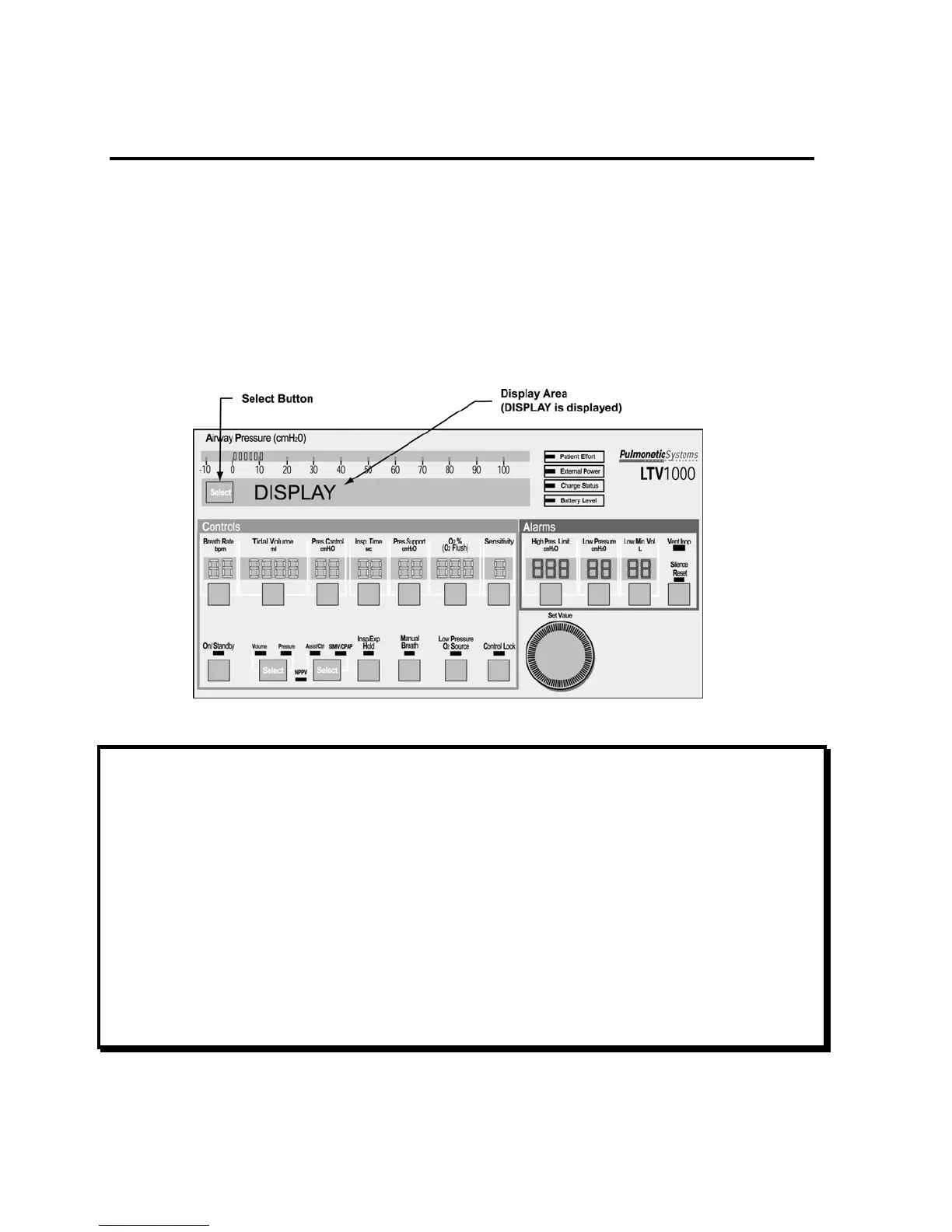
Use the Display Test to verify that the ventilator displays are working correctly.
To run the Display Test:
1) Push the Select button while DISPLAY is displayed.
2) All segments of the 7-segment control displays, all dots of the dot-matrix window displays and all
LEDs are illuminated.
• Although the LTV
®
1000 front panel is shown below, the test is applicable to all LTV
®
Series
ventilators.
NOTE
The display states for the External Power, Vent Inop, and Charge Status LEDs are not tested in the
Display Test.
• The External Power and Charge Status LEDs are tested and verified when the AC adapter is
connected to the ventilator (see page 11-2).
• The Vent Inop LED is tested and verified during the Vent Inop Alarm Test (see page 11-11).
REMARQUE
Ce test d’affichage ne comprend pas l’état d’affichage des DEL External Power, Vent Inop, et
Charge Status.
• Les DEL External Power et Charge Status sont testés et vérifiés lorsqu’on branche l’adapteur
CA au ventilateur (voir page 11-2).
• Le DEL Vent Inop est testé et vérifié en même temps que l’avertisseur du Vent Inop (voir page
11-11).



 To Next Page