Operator’s Manual LTV
®
Series ventilator Page 6-31
p/n 10664, Rev. Y
Tidal Volume
Use the Tidal Volume Control to establish the volume of gas which the ventilator will produce and
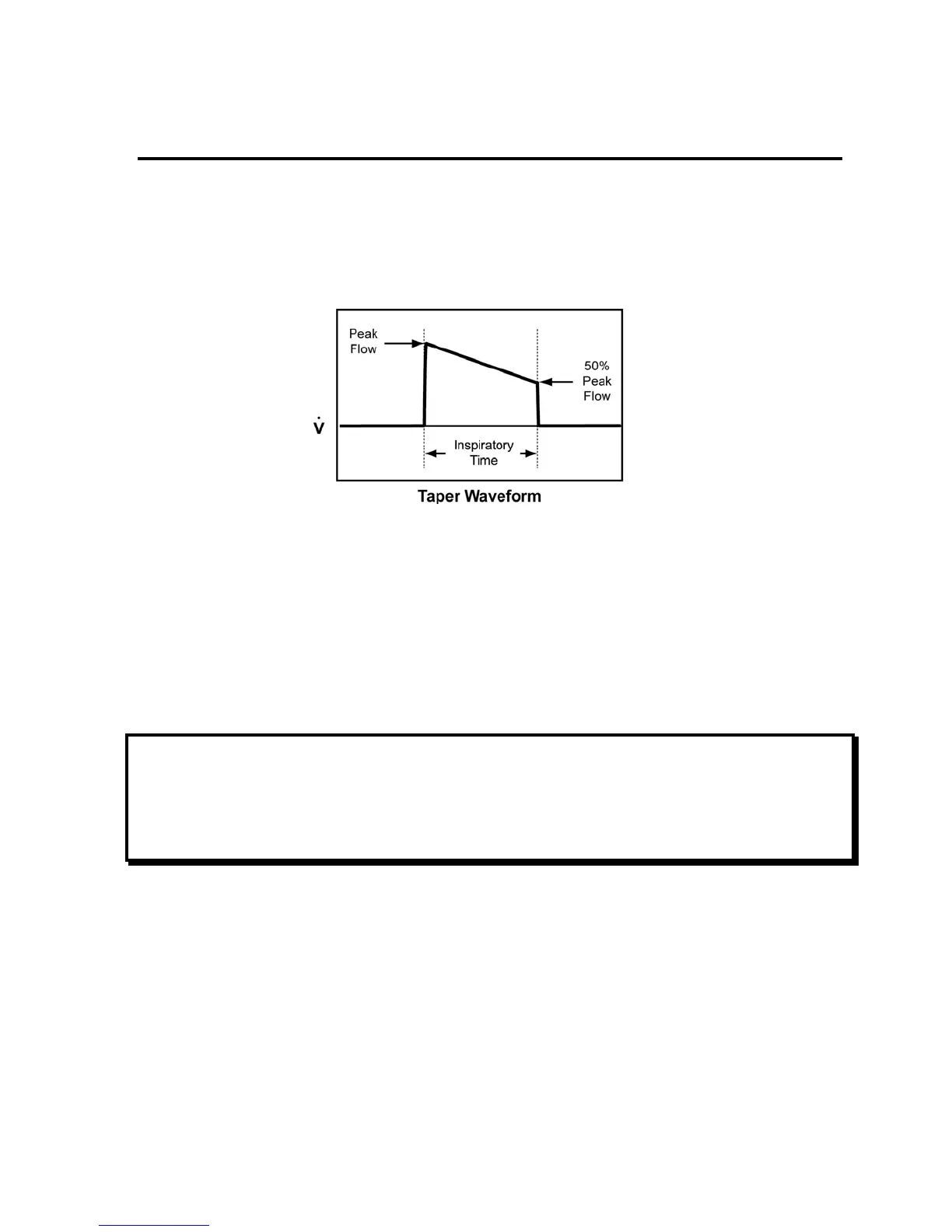
deliver during Volume Controlled breaths. Flow is delivered in a taper waveform over the set
Inspiratory Time. The peak flow is calculated based on the Tidal Volume and Inspiratory Time with a
maximum flow of 100 lpm and a minimum flow of 10 lpm. Flow is decelerated from the calculated
peak flow to 50% of the calculated peak flow.
While the Tidal Volume is being updated, the Calculated Peak Flow is displayed in the display
window.
To set the Tidal Volume:
1) Push the Tidal Volume button.
2) Change the setting using the Set Value knob.
3) Push the Tidal Volume button again to deselect the setting and accept the new value.
Range: 50 - 2000 ml
NOTE
Be sure that Volume ventilation is selected.
REMARQUE
Assurez-vous que le volume de ventilation est sélectionné.



 To Next Page