Operator’s Manual LTV
®
Series ventilator Page 6-25
p/n 10664, Rev. Y
Pressure Support
This optional control establishes the target pressure above 0 cmH
2
O for Pressure Support patient
breaths. If Pressure Support is set to dashes “—”, all patient breaths will be given as Spontaneous
breaths. Inspiratory flow for Pressure Support and Spontaneous breaths is controlled to meet the
patient demand.
To set Pressure Support:
1) Push the Pressure Support button.
2) Change the setting using the Set Value knob.
Range: “- -”, 1 - 60 cmH
2
O
Pressure Support breaths may be terminated by flow or by time.
Flow Termination: Pressure Support breaths are flow terminated when the flow decreases to a set
percentage of the peak flow
27
delivered for that breath.
Time Termination: Pressure Support breaths are time terminated
28
when the inspiratory time exceeds
two breath periods, or when the inspiratory time exceeds the set Time Termination Limit
29
before the
flow termination criteria is reached. The Pressure Support display will flash briefly after each time
terminated breath.
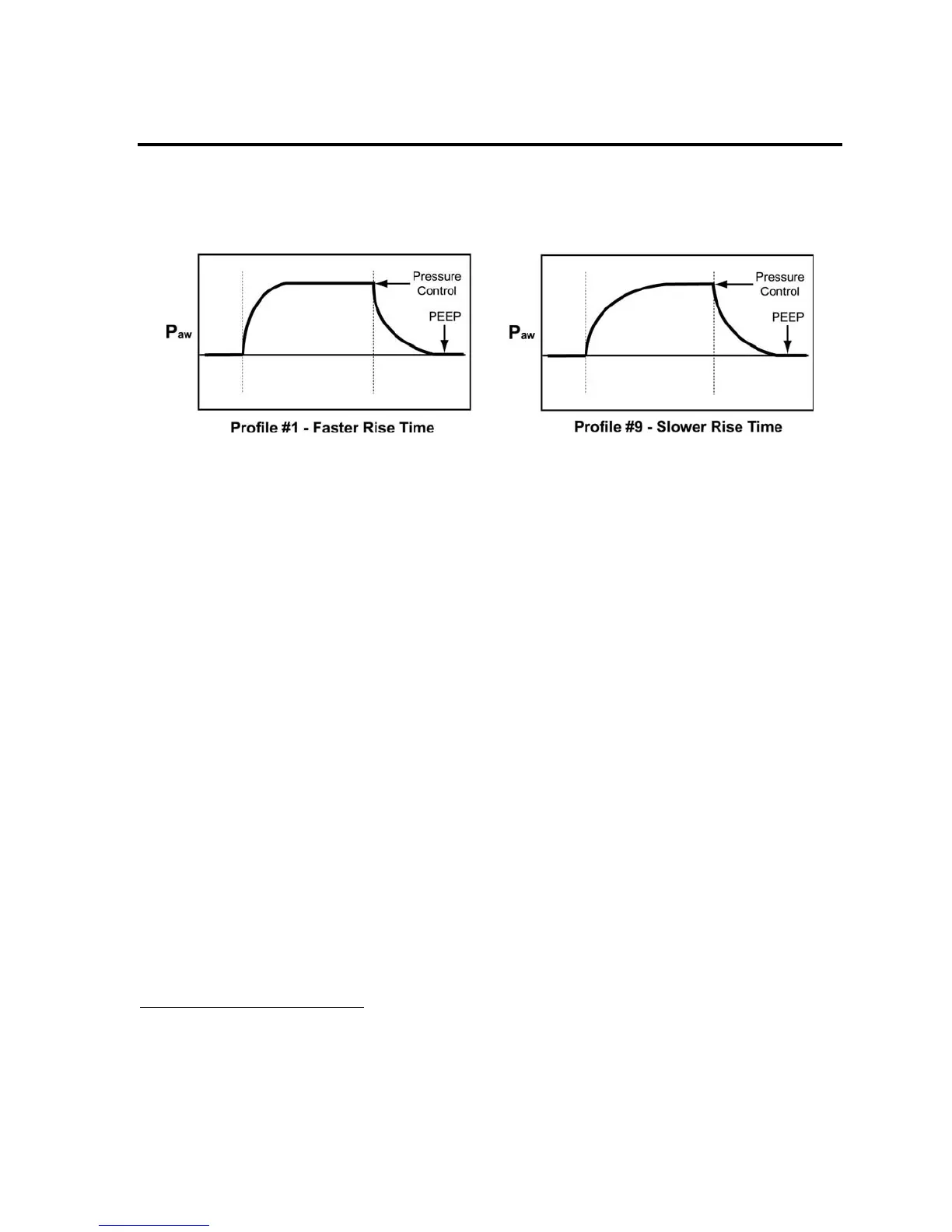
The Rise Time profile for Pressure Support breaths may be selected under Extended Features
30
.
27
See Chapter 10 - Extended Features for how to set the Variable Flow Termination for Pressure Support
breaths. Spontaneous breaths are terminated at 10% of peak flow, or when flow drops below 3 Lpm.
28
Only Pressure Support breaths are time terminated. Spontaneous breaths, where Pressure Support is set to "-
-", are not time terminated.
29
See Chapter 10 - Extended Features for how to set the Variable Time Termination.
30
See Chapter 10 - Extended Features for how to set the Flow Rise Time profile.



 To Next Page