Periodic Inspection and Maintenance
8
8.4 Replace a Cooling Fan and Circulation Fan
SIEPYEUOQ2A01G AC Drive Q2A Technical Manual 337
■ Remove Circulation Fans
Remove the drive cover.
CAUTION! Crush Hazard. Only loosen the cover screws. Do not fully remove the cover screws. Make sure that the covers do
not fall. Missing cover screws can cause the cover to fall and cause injury.
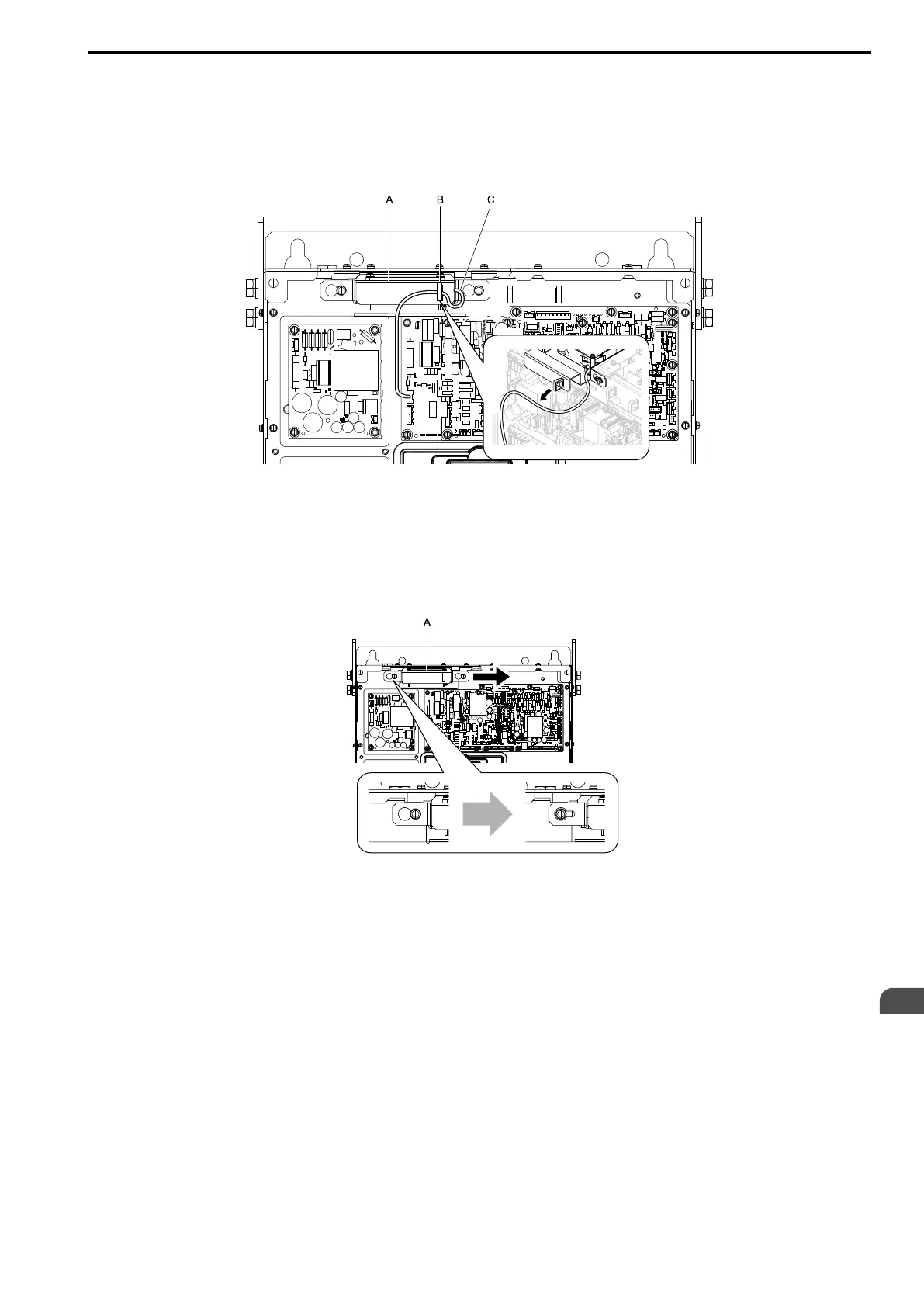
1. Unplug the fan cable from the hook.
A - Fan unit
B - Hook
C - Fan cable
Figure 8.41 Circulation Fan Components
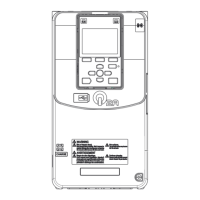
2. Loosen the fan unit screws and slide the fan unit to the right.
Note:
To remove the fan unit, it is only necessary to loosen the screws.
A - Fan unit
Figure 8.42 Slide the Fan Unit


 To Next Page