122 • Service Mode Programming SAM4S SPS-300 Series Electronic Cash Register AU
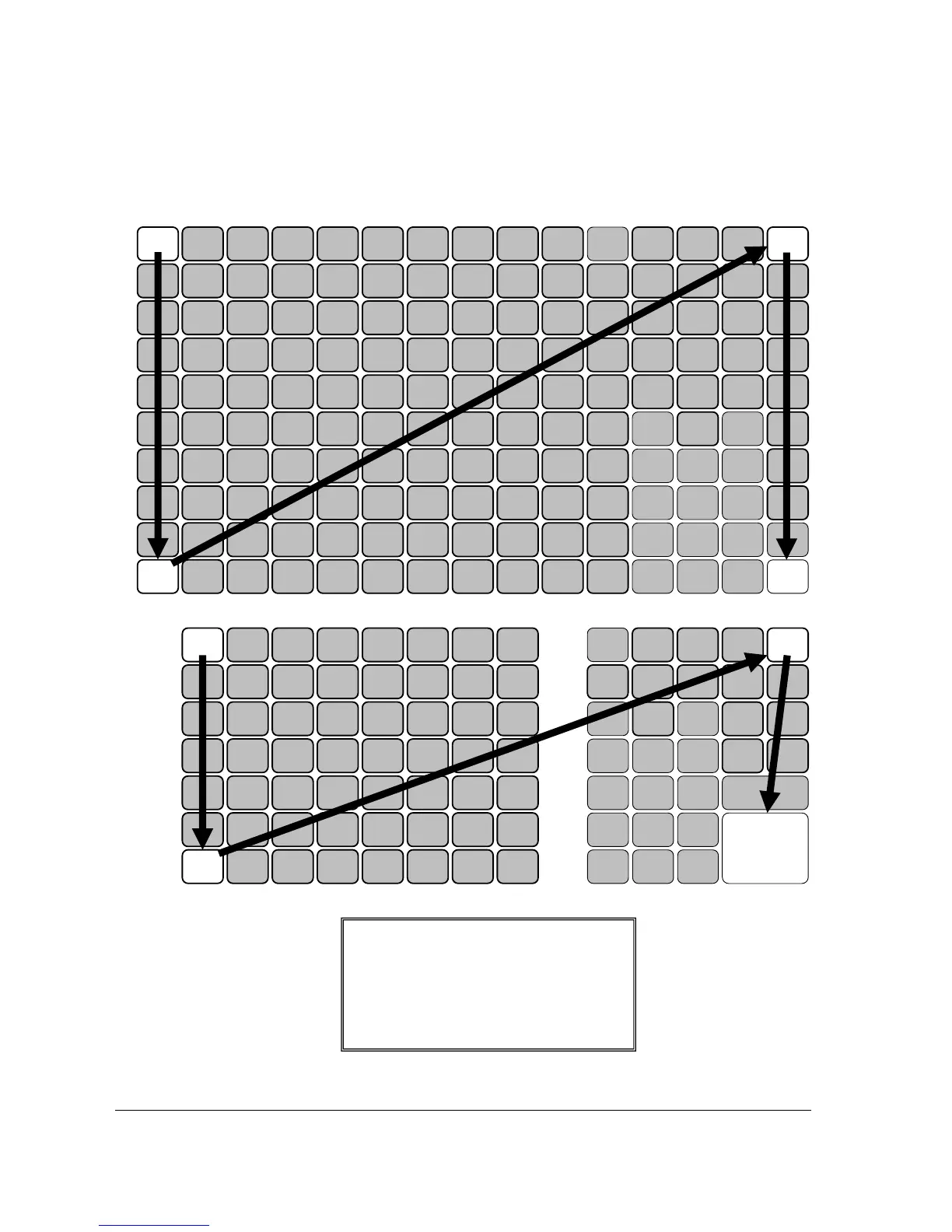
6. Press the upper left button (PLU #1) of the keyboard, then the lower left button (PLU
#10), then the upper right button (CLERK), and finally press the lower right button
(CASH). After each button press, a Å symbol appears on the lower line of display.
↑ SPS-320/340
↑ SPS-325/345
27 48413420 13 6 55
26 47403319 12 5 54
25 463932
CHARG



 To Next Page