USER MANUAL (Instruction for Use) SW 6.1
Device Control and Operation
Version 6.1.6 dated 2020-01-31 EN Page 101 of 201
6.8 Operating of the Microscope
The magnification of the microscope can be changed by pressing the accordant button on the
AMARIS control panel (refer to Figure 6-9: Control panel of the excimer laser).
Another possibility is to define a pre-selected magnification for each surgical step in the
Treatment Assistant Manager (refer to chapter 7.5 Treatment Assistant Manager).
By default, the binocular tube is equipped with 16x eyepieces. Optionally, 10x eyepieces are also
available.
General Adjustment
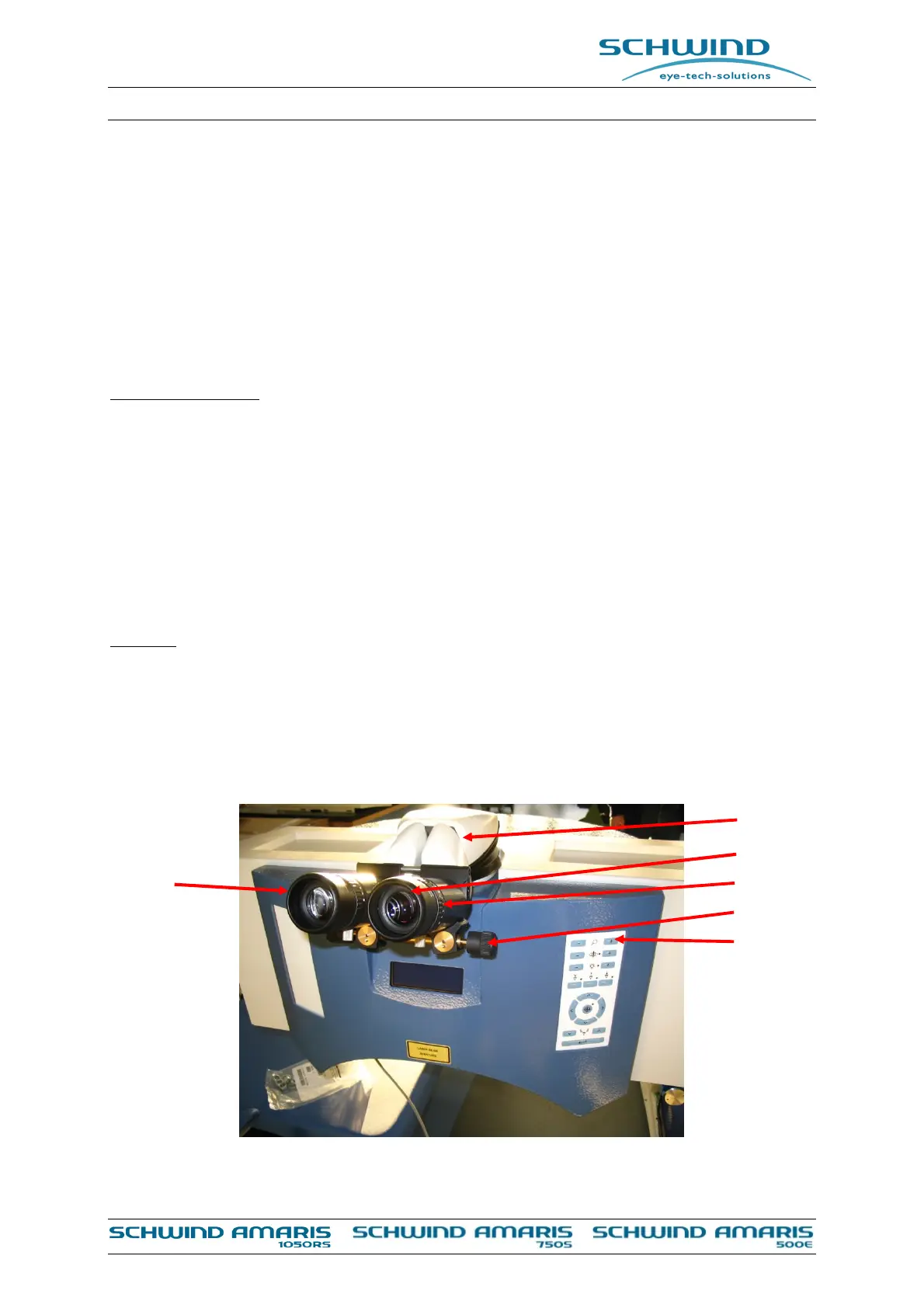
With the starting rings (6), which can be pulled out or pushed in and fixed by turning
clockwise the correct distance for the user can be adjusted.
Setting of pupillary distance (PD): Via spindle (4) the PD can be set from 55 to 75 mm.
While setting the PD, the reticule remains aligned.
Adjustment of eyepieces (2) (for ametrope persons not using their spectacles): Turn the
oculars (3) to the required diopter value.
Adjustment of eyepieces (2) (for normal sighted persons and ametrope persons wear their
spectacles): Turn the oculars (3) to zero.
Focusing
Set the magnification changer (5) to the smallest magnification.
Focus the object by matching the height of the operating table.
Set the magnification changer (5) to the largest magnification. Refocus
Set the required magnification.
5 step changer
4.5x; 7.1x; 11.4x; 17.8x; 28.4x with 16x
Figure 6-10: Components of the operation microscope (example AMARIS 750S)
(1)
(2)
(3)
(4)
(5)
(6)



 To Next Page