USER MANUAL (Instruction for Use) SW 6.1
Device / System Description
Version 6.1.6 dated 2020-01-31 EN Page 64 of 201
IMPORTANT NOTE
An additional video system (e.g. DVD-recorder or TFT monitor must be placed
outside the patient area.
IMPORTANT NOTE
As the free space on the Panel PC hard disc is limited, check it regularly and
perform backup of the video files, if necessary. The disk free space is indicated
in the main menu of the software.
4.14.2 Printer
IMPORTANT NOTE
If a printer is used with the SCHWIND AMARIS via WLAN or USB connection,
respectively, the printer must be placed outside the patient area.
4.14.3 Slit Lamp of the Excimer Laser
The integrated slit lamp can be used to check the correct position of the flap after the LASIK
surgery. The slit lamp can be switched ON or OFF by pressing both buttons + and — at the control
panel at the same time (refer to Figure 6-9). The intensity of the slit lamp light can be adjusted
with the respective button on the control panel of the excimer laser (refer to Figure 6-9: Control
panel of the excimer laser).
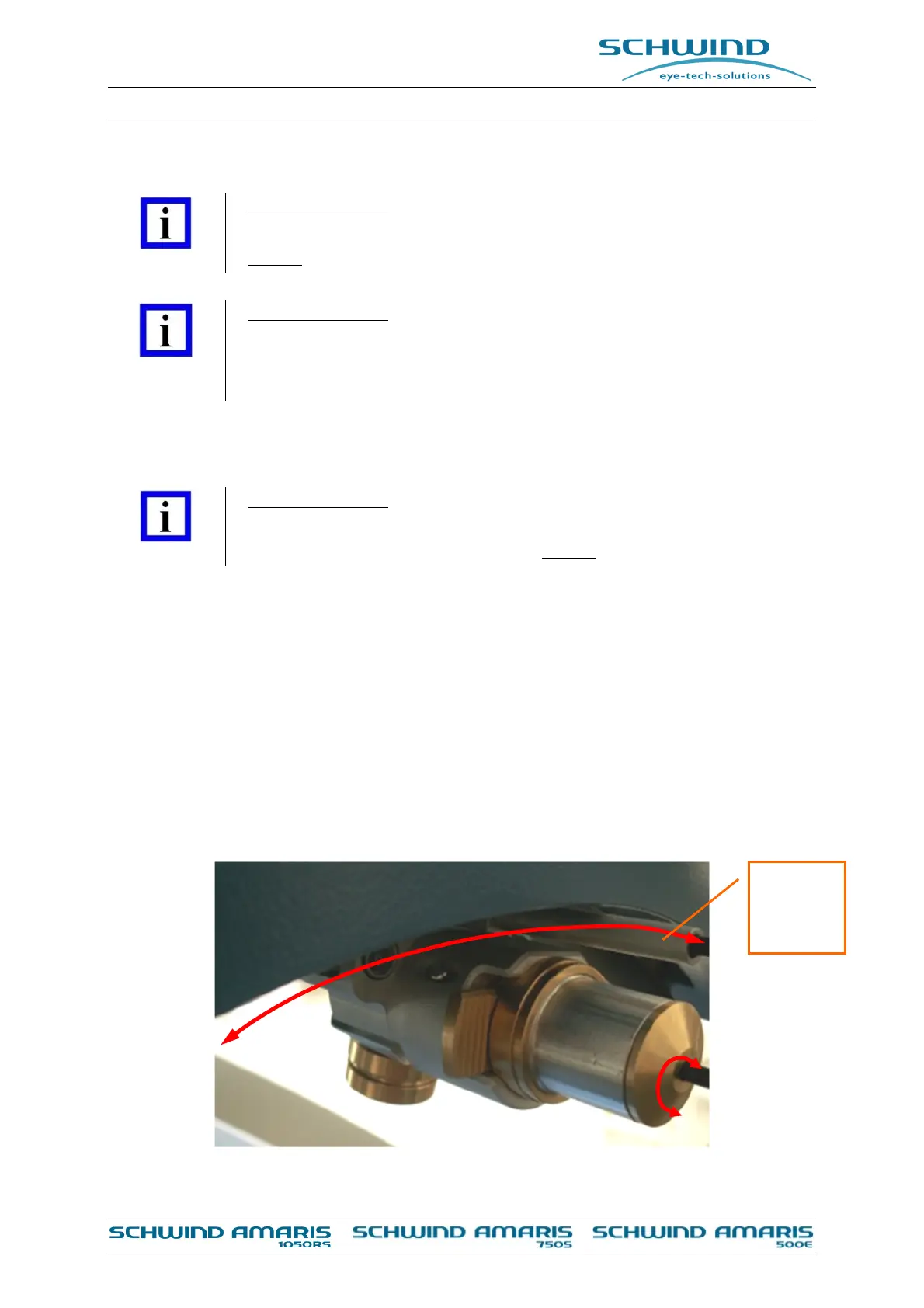
The slit lamp can be moved over the entire working area and turned around its own axis to move
the slit over the eye from each lamp position.
To move the slit lamp along the arch, press the lever downwards to release the brake.
Figure 4-11: Excimer laser slit lamp
Lever for
brake



 To Next Page