USER MANUAL (Instruction for Use) SW 6.1
Treatment Selection
Version 6.1.6 dated 2020-01-31 EN Page 148 of 201
IMPORTANT NOTE
If a digital video recording system is available and activated with the latest
Panel PC version, digital video files are stored on the hard disk of the AMARIS
panel PC. The video file is initialised and the video starts to be recorded after
the first laser pulse is triggered. In case the foot switch is not pressed, the video
is not recorded and no warning regarding inactive treatment recording is
shown.
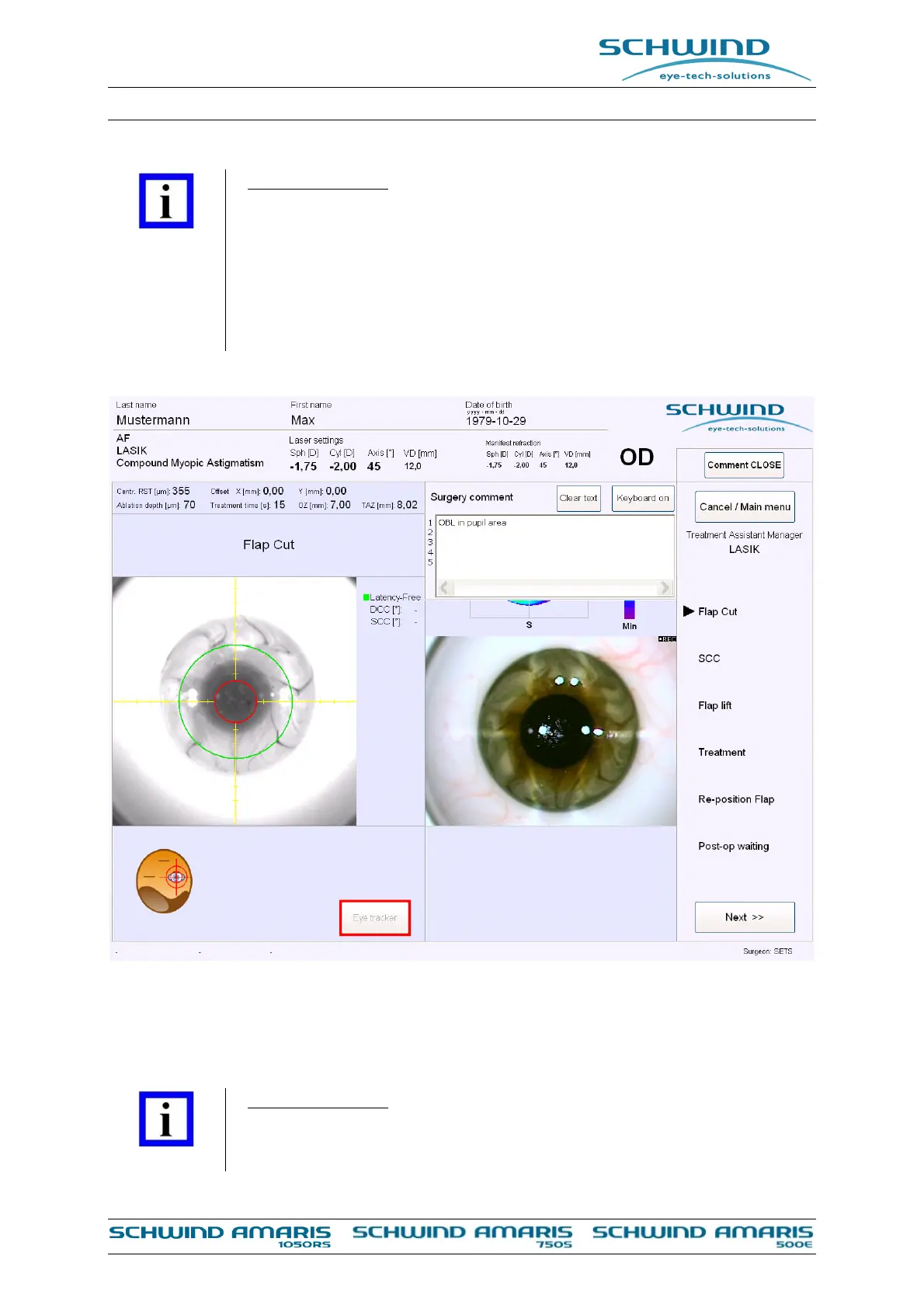
Figure 8-7: Surgery comment
After the treatment has been completed, press the <Main menu> button. Now you can print the
data.
IMPORTANT NOTE
All transmitted files are labelled with a checksum to avoid transmission errors.



 To Next Page