USER MANUAL (Instruction for Use) SW 6.1
Device Control and Operation
Version 6.1.6 dated 2020-01-31 EN Page 99 of 201
6.6 Control Panel of the Excimer Laser
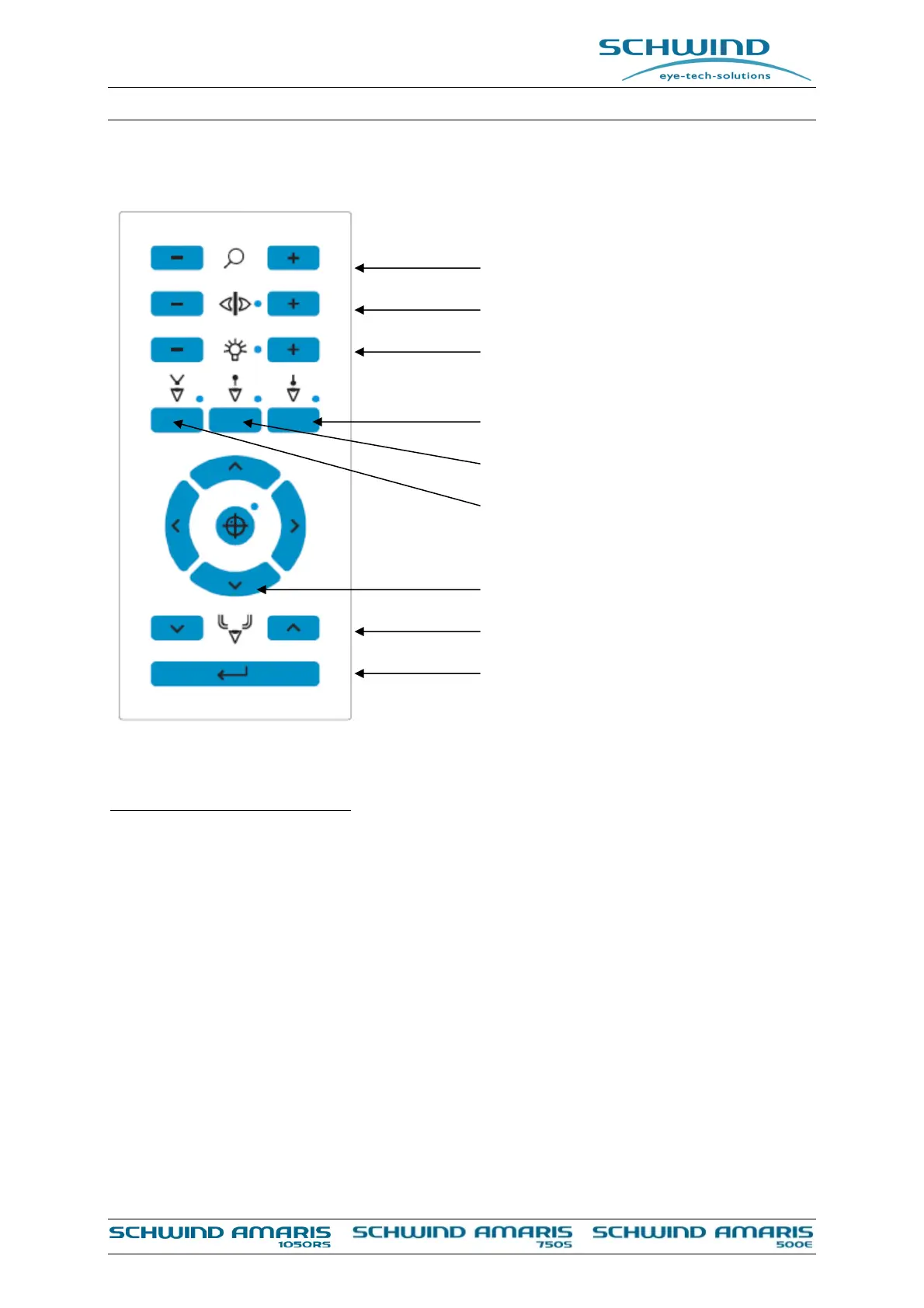
Figure 6-9: Control panel of the excimer laser
Explanation of control elements:
Microscope Magnification: With the buttons <+> and <—> the magnification can be changed
step by step in both directions.
Slit Lamp Control: The slit lamp can be switched ON or OFF by pressing both buttons
<+> and <—> at the control panel at the same time and individually
adjusted in brightness by using the appropriate button <+> or <—
>.
OP Illumination Control: The OP field illumination can be switched ON or OFF by pressing
both buttons <+> and <—> at the same time and individually
adjusted in brightness by using the appropriate button <+> or <—
>.
Aiming Laser: A red aiming laser follows all movements of the invisible excimer
laser spot. With the button the laser may be switched on or off.
Positioning Slits: On/Off button for the two white light slits used for height
adjustment.
Microscope Magnification
Slit Lamp Illumination Control
OP Illumination control
Aiming laser ON/OFF
Fixation LED ON/OFF
Positioning Slits ON/OFF
Treatent Offset Adjustment
Particle Aspiration System Control
<Enter>button



 To Next Page