USER MANUAL (Instruction for Use) SW 6.1
Device Control and Operation
Version 6.1.6 dated 2020-01-31 EN Page 97 of 201
IMPORTANT NOTE
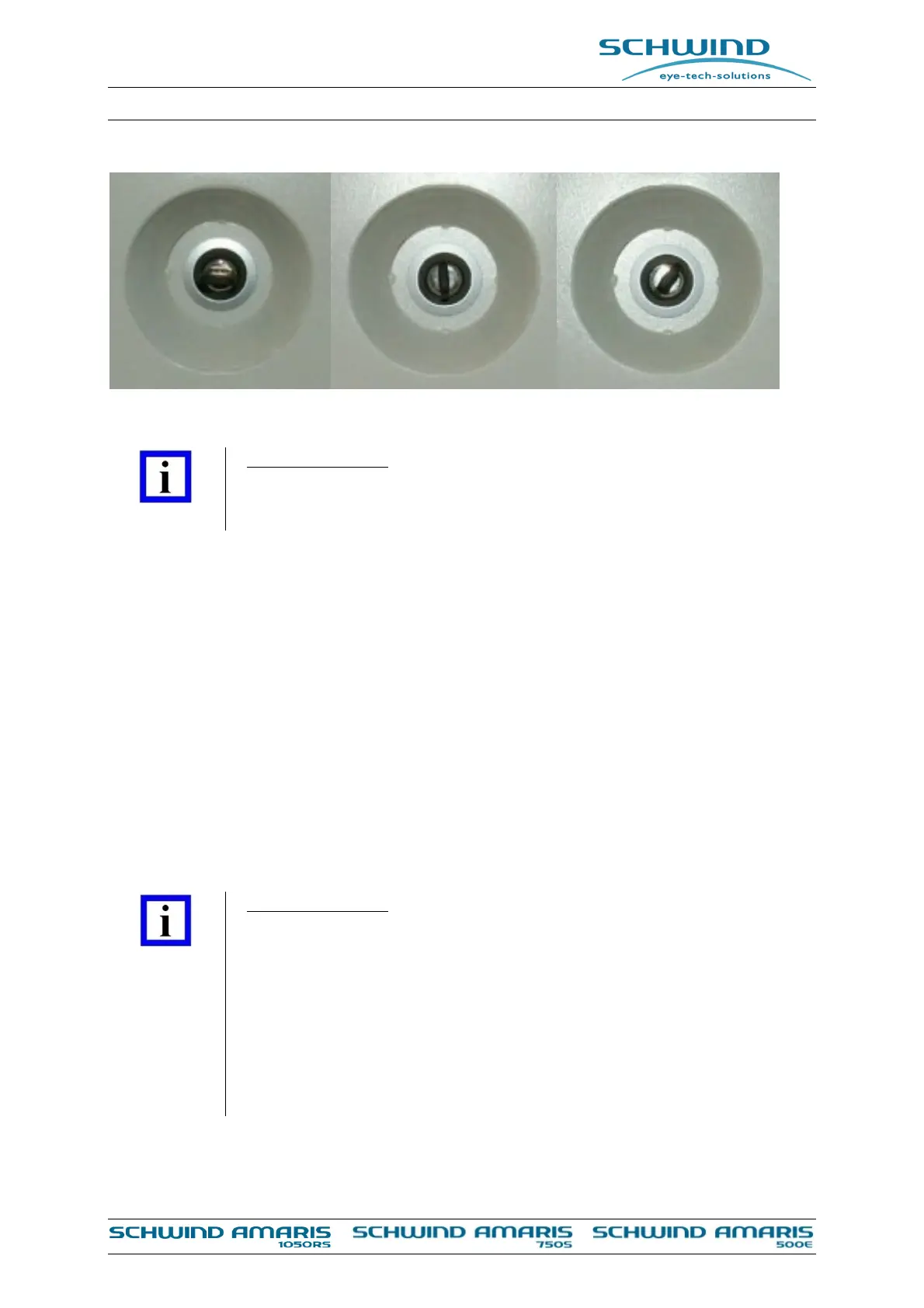
With key switch position “PC“, it is possible to start the computer system of
the device separately.
To start the entire system, turn over the key switch from the “PC“ position into the “START”
position and let it fall back to the “PC“ position. After a few seconds the components of the laser
system will be switched on successively.
Based on technical reasons, the unit needs a warm up phase of approx. 5 minutes after starting
before the laser can be used. If you try to start a treatment or a Fluence Test within this time, a
message will appear: “Laser still warming up”.
6.4.3 Switch OFF the Device
Close the application software at the Panel-PC and wait until the Windows software is shut down
and the screen is black or shows the message “It's now safe to turn off the computer”.
The system can then be switched OFF by turning the key switch to the “STANDBY” position. The
device is then in standby mode.
IMPORTANT NOTE
To avoid unauthorized use of the AMARIS laser device, please remove the key
from the main key switch when the AMARIS is not in operation.
If the device is intended to be switched off over a longer period, use the main
switch to shut off the device completely. Otherwise, the standby circuit
continues to consume energy.
Switching OFF of an uninterruptible power supply (UPS) is only allowed by a
service technician from SCHWIND eye-tech-solutions or an authorized
representative.
Figure 6-8: Key switch positions
Standby
PC
Start



 To Next Page