USER MANUAL (Instruction for Use) SW 6.1
Service Procedures and Functions
Version 6.1.6 dated 2020-01-31 EN Page 129 of 201
7.8 Drift Test
After the fluence test is complete, a drift test has to be performed to check and compensate any
possible drifts of the complete optical system. Replace the fluence foil with black photo paper
with not changing the horizontal position of the fluence detector. After adjusting the vertical
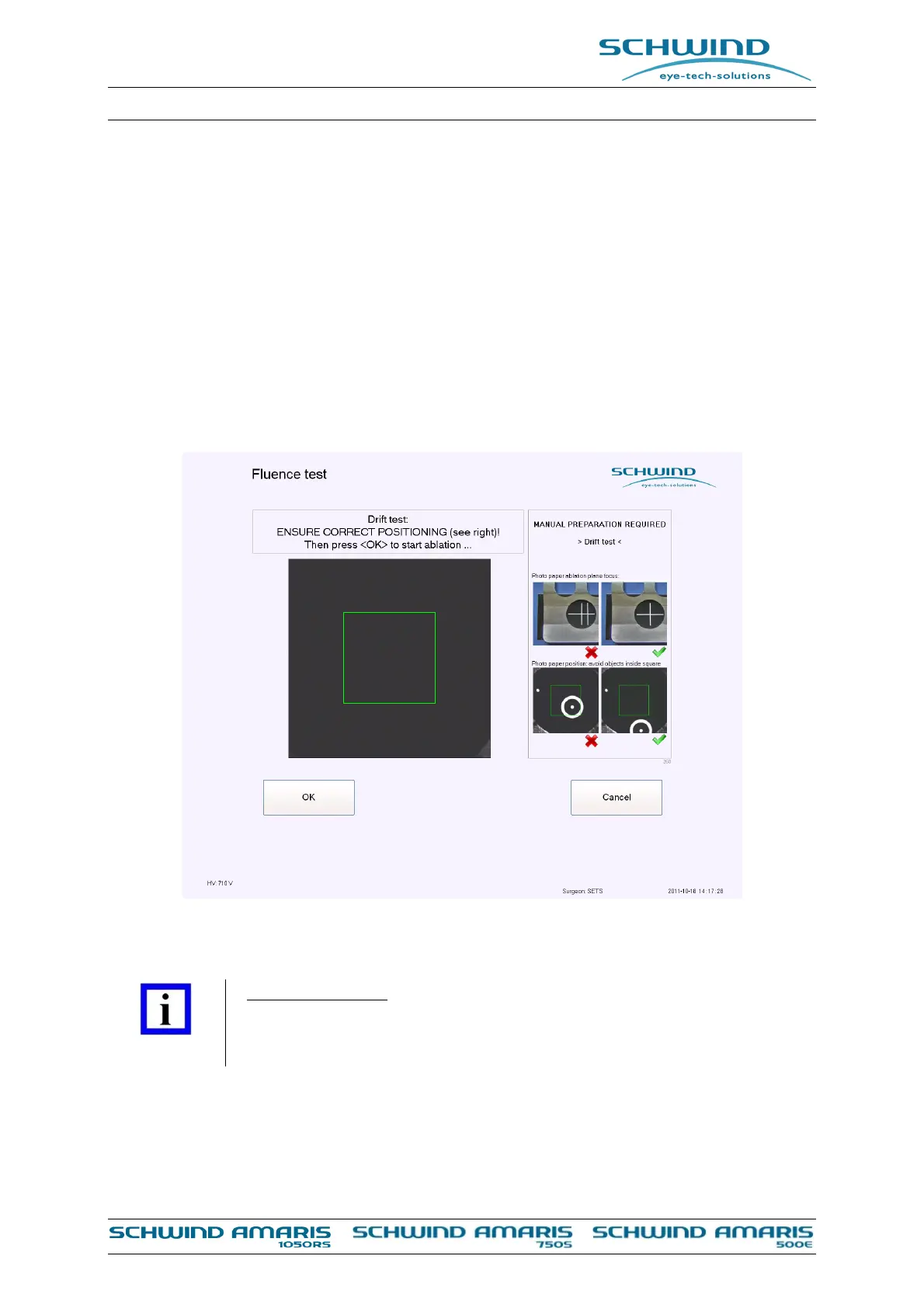
position of the fluence detector with the help of slits as shown in Figure 7-22, start the drift test.
Follow the instructions in the fluence test menu.
A small circle with a spot in the center will be ablated on the photo paper. The system calculates
the position of the spot in the eye tracker live video and compensates any recognized drifts
automatically. The green rectangle indicates the area of interest for the drift measurement.
Take care that there is no previously ablated spot or circle on the photo paper within this
rectangle.
Figure 7-22: Start of the Drift Test Measurement
IMPORTANT NOTE
The four small pictures on the right side of the SW menu show correct and
incorrect positioning of the photo paper.



 To Next Page