USER MANUAL (Instruction for Use) SW 6.1
Service Procedures and Functions
Version 6.1.6 dated 2020-01-31 EN Page 115 of 201
IMPORTANT NOTE
The new imported credits will be added to the existing credits if the counter
value was not zero.
After possible software update at the laser existing credits will not be deleted.
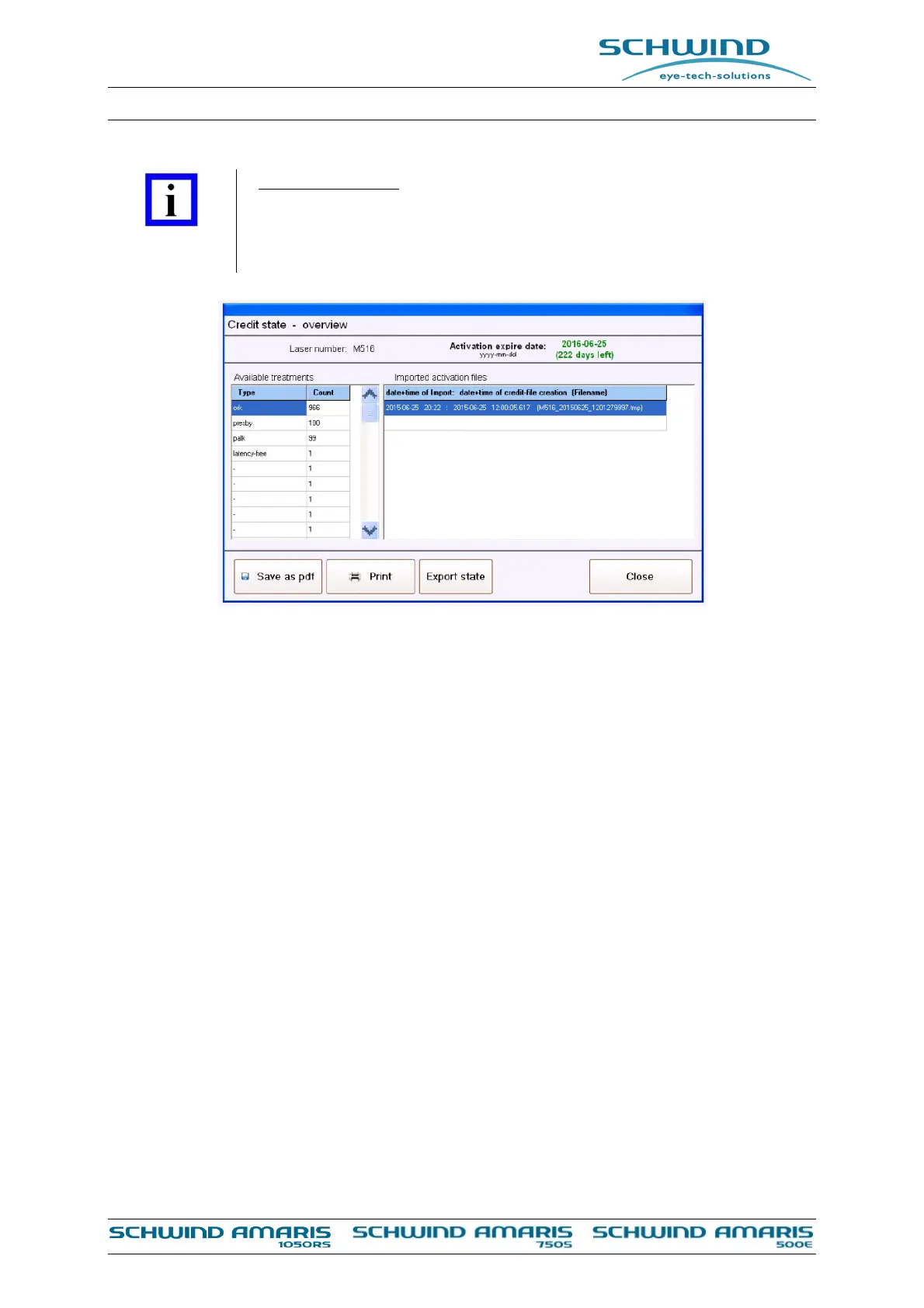
Figure 7-8: Credit code overview
On the left side of the Credit Code overview menu the available treatment types and the number
of available credits for each type are displayed.
If there should be any limitation of the available credits in terms of time this can be seen at the
top of the window under the point ‘Activation expire date’.
There is also the possibility to print the overview, safe as pdf file or export the current state of
credits.
The user can define a number of residual treatments for each treatment type and also a number
of residual days after which the credits have expired in the settings of the AMARIS Application
software on the bottom left side.



 To Next Page