USER MANUAL (Instruction for Use) SW 6.1
Treatment Selection
Version 6.1.6 dated 2020-01-31 EN Page 150 of 201
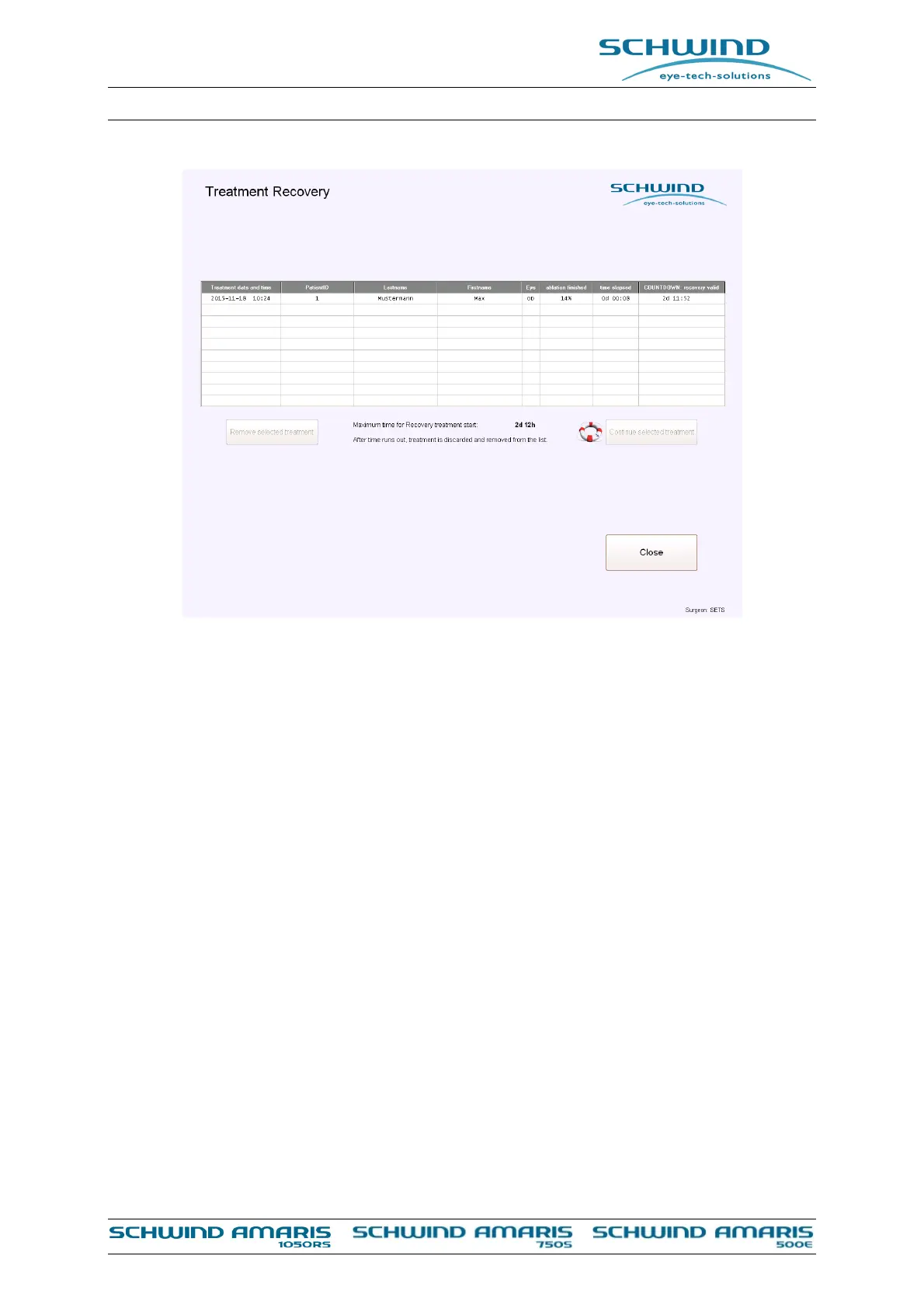
Figure 8-8: Recovery menu
8.5 Eye Tracking
The EYE TRACKING is a system, which compensates fast eye movements automatically.
A 1050 Hz eye tracker with simultaneous pupil and limbus detection ensures that even fast eye
movements during the ablation process are corrected within 3 ms.
Changes of the pupil center during the treatment are corrected using additional limbus tracking
and pupil center shift control (PCSC). Here, the limbus position is not used directly but is used
for PCSC and rolling detection. If there is a shift of the pupil center with respect to the limbus due
to a change of the pupil size (pupil shift) under different light conditions, it will be automatically
compensated. The advantage for the patient: decentration is prevented and no pupildilating
medication is necessary prior to treatment. Without the optional 6D Eye Tracking the lateral x-y-
movements, seen by the eye tracking system, are calculated with the help of an eye model into
eye rolling. The scanner of the system is moved according to this rotation balance with the eye
tracker.
In the SCHWIND AMARIS 750S/1050RS models with 6D eye tracking, the rolling of the eye in x
and y direction is measured by the tracking system and visualized in the tracking live image.
After the particle aspiration system is brought into treatment position as well as the foot switch
is pressed for the first time to start the ablation, the eye tracking initialises and an instant shift of
the white meridian lines (if rolling crosshair switched on) and the green crosshair is seen in live
image for a short time. It is a normal behaviour and corresponds to the initialisation of the eye-
tracker. In case the eye tracking is switched off and on again using the eye tracker button, the eye
tracking is initialized in the same way.



 To Next Page