Ionics Instruments 2004 Page 8-23 DLM 30007-08 Rev. A
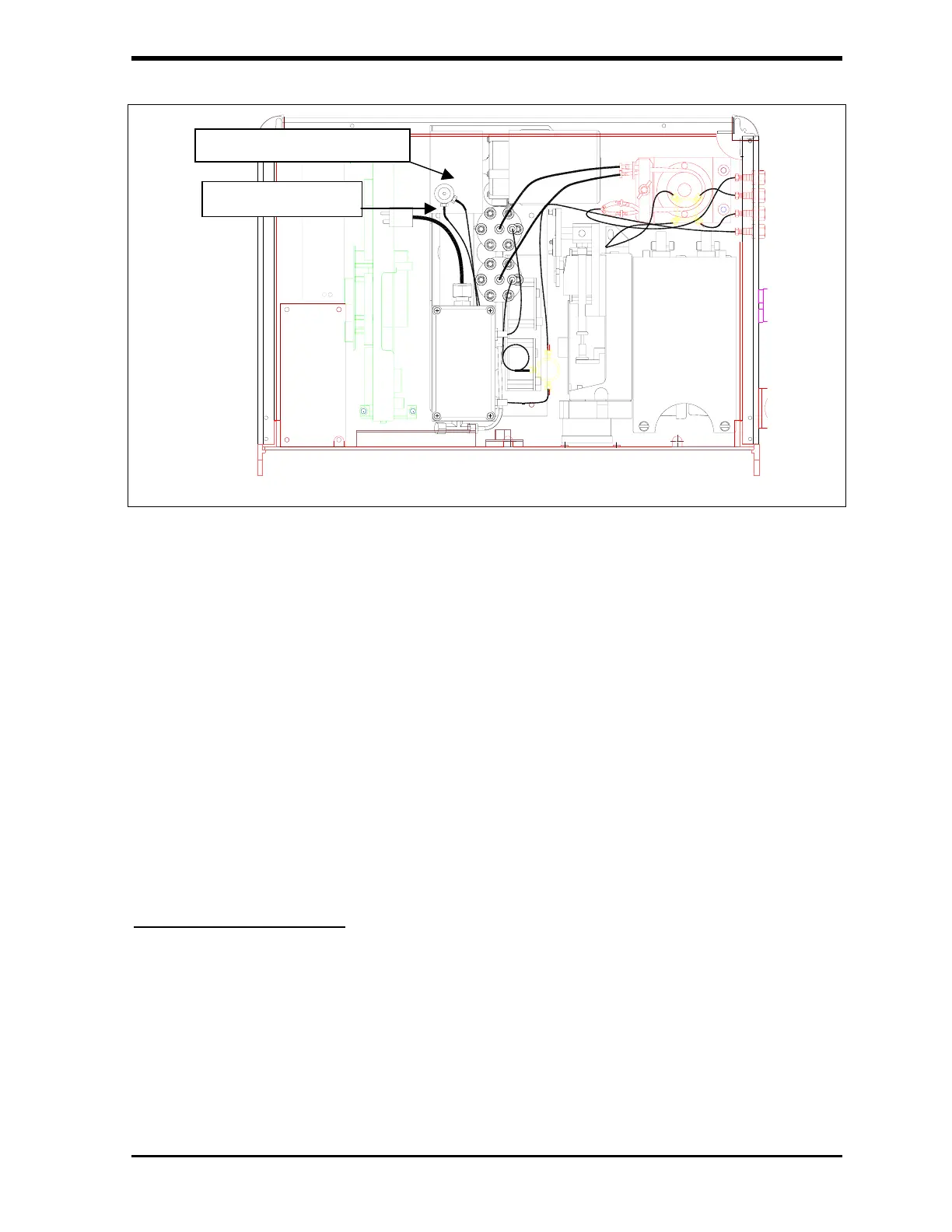
Figure 8-15: Location of DI Water Reservoir in TOC Analyzer
3. Remove the two-way check valve.
4. Fill the water bottle with DI water and use the water bottle to fill the DI
water reservoir. Save the water bottle for future use.
5. Use your fingers to carefully replace the valve by gently pushing into
place. Do not overtighten as the threads within the nut may be
stripped.
6. Close the top cover panel, reconnect the power, and turn the power
switch on.
Cleaning the Analyzer
If necessary, you may clean the external housing of the analyzer with a damp
cloth using water or other non-abrasive cleaners. Turn off power to the
instrument and disconnect from mains power prior to cleaning. Do not
submerge the analyzer. Do not spray liquids directly on the analyzer. Wipe
dry with a clean, soft cloth.
DI Water Reservoir
Two-way valve



 To Next Page