Operation instructions
SIPOS SEVEN: PROFITRON, HiMod
Page 100 Y070.302/EN
10 Torque curve
10
Torque curve
Operation sequence
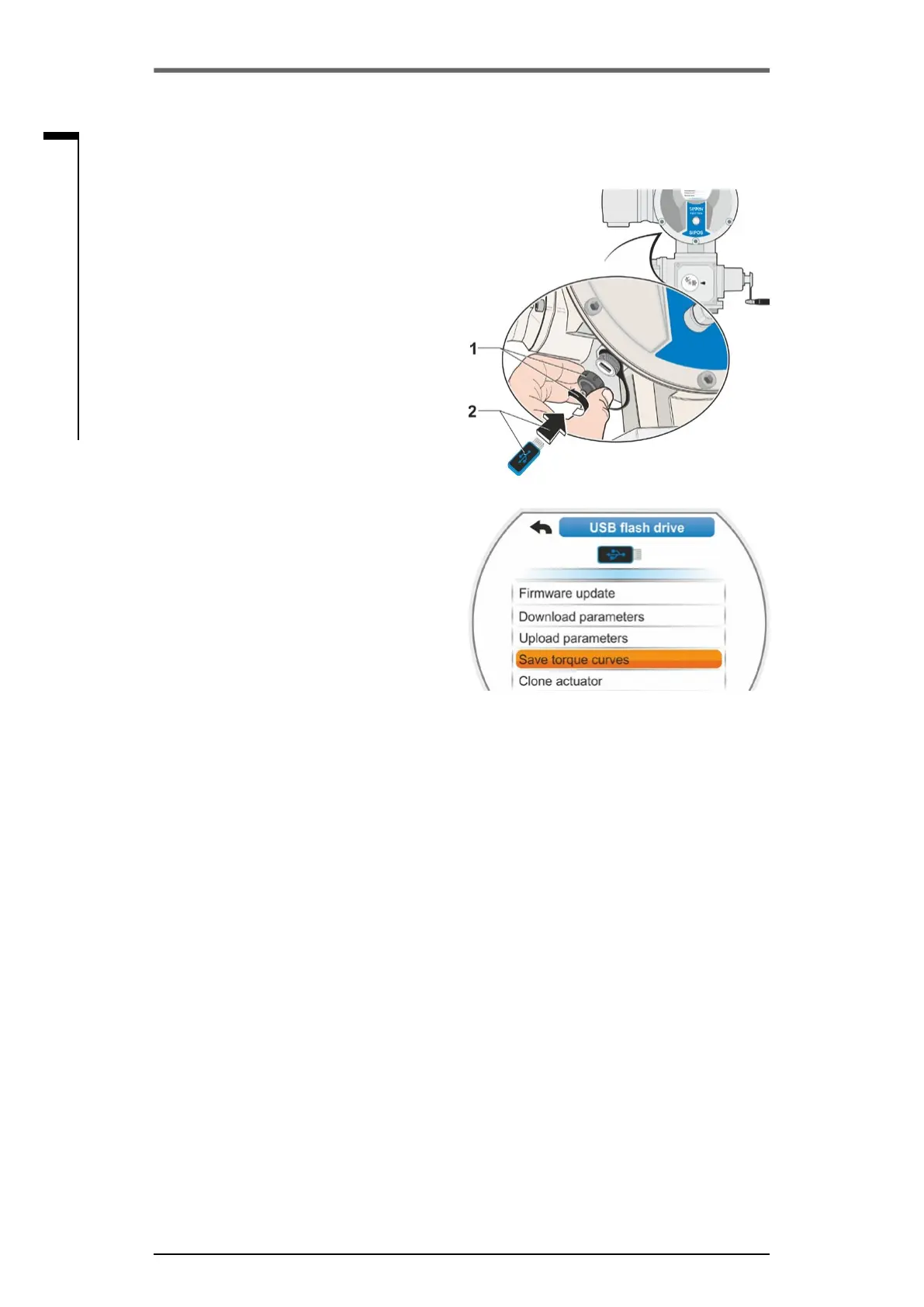
1. ConnectUSBashdrive:
■
Unscrew cover of USB port on the left
belowtheelectronicsunit(g.1,item1).
■
ConnectUSBashdrive(item2).
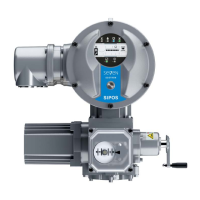
The‘USBashdrive’selectionmenuap-
pears.
2. Select’Savetorquecurves’(g.2)and
conrm.
‘Selectfolder’menuopens.IftheUSBash
drive comprises several folders, they will be
displayed for selection.
3. Selectfolderandconrm.
Thedataissavedandamessageconrms
successful saving.
The torque curve may be viewed using COM-
SIPOS.
Fig. 1: Connect USB ash drive
Fig. 2: USB ash drive
10�3 Save torque curve on USB ash drive


 To Next Page