Y070.302/EN Page 29
Operation instructions
SIPOS SEVEN: PROFITRON, HiMod
5
Start menu
5 Start menu
Operation sequence
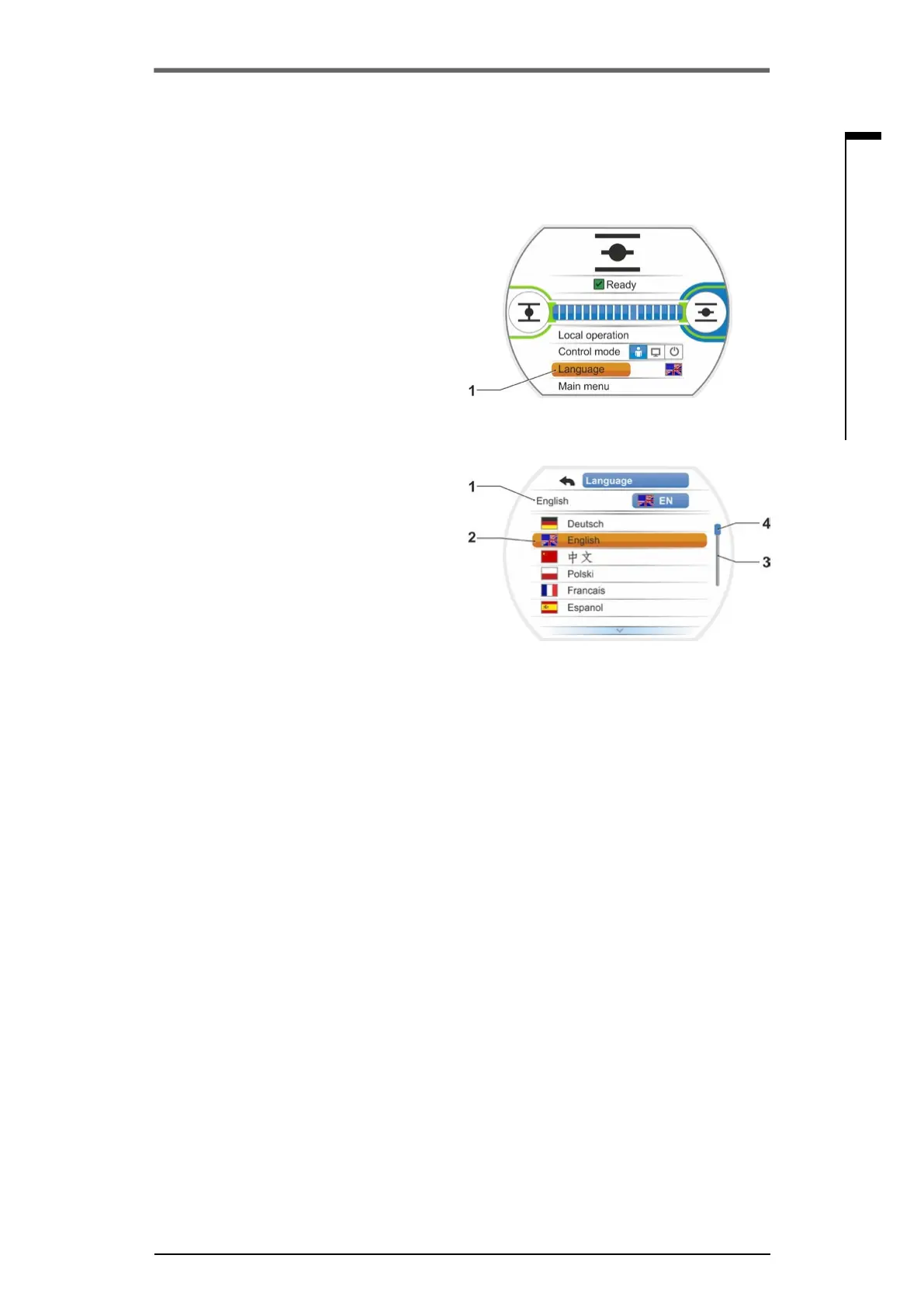
1. Select 'Language' in the start menu (g.1).
Display changes to the Language menu, refer
to g.2.
Thecurrentlyselectedlanguage(g.2,
item 1) is displayed as well as a list with the
symbols(ags)ofthelanguageswhichcan
be selected.
The scrollbar (item 3) indicates, that more
languages can be selected than those cur-
rently indicated in the display.
2. Settheorangeselectionmarker(g.2,
item 2) to the desired language.
3. Conrmselection.
Display texts are indicated in the selected
language.
Fig� 1: Language selection within status
menu
Fig� 2: Language menu
5�2 Language selection
Language selection is only required if the text in the display is not shown in the desired language.



 To Next Page