Operation instructions
SIPOS SEVEN: PROFITRON, HiMod
Page 40 Y070.302/EN
7 Commissioning
7.3 Valve parameters
7
Commissioning
Operation sequence
1. Select "Parameter" menu item in the "Main
menu".
The 'Parameter' menu opens.
2. Select 'Valve' menu item.
“CLOSEdirection"isdisplayedasrstpa-
rameter with the current setting (clockwise or
counterclockwise).
3. If the indicated setting is to be changed, set
selectionmarkertothesettingandconrm.
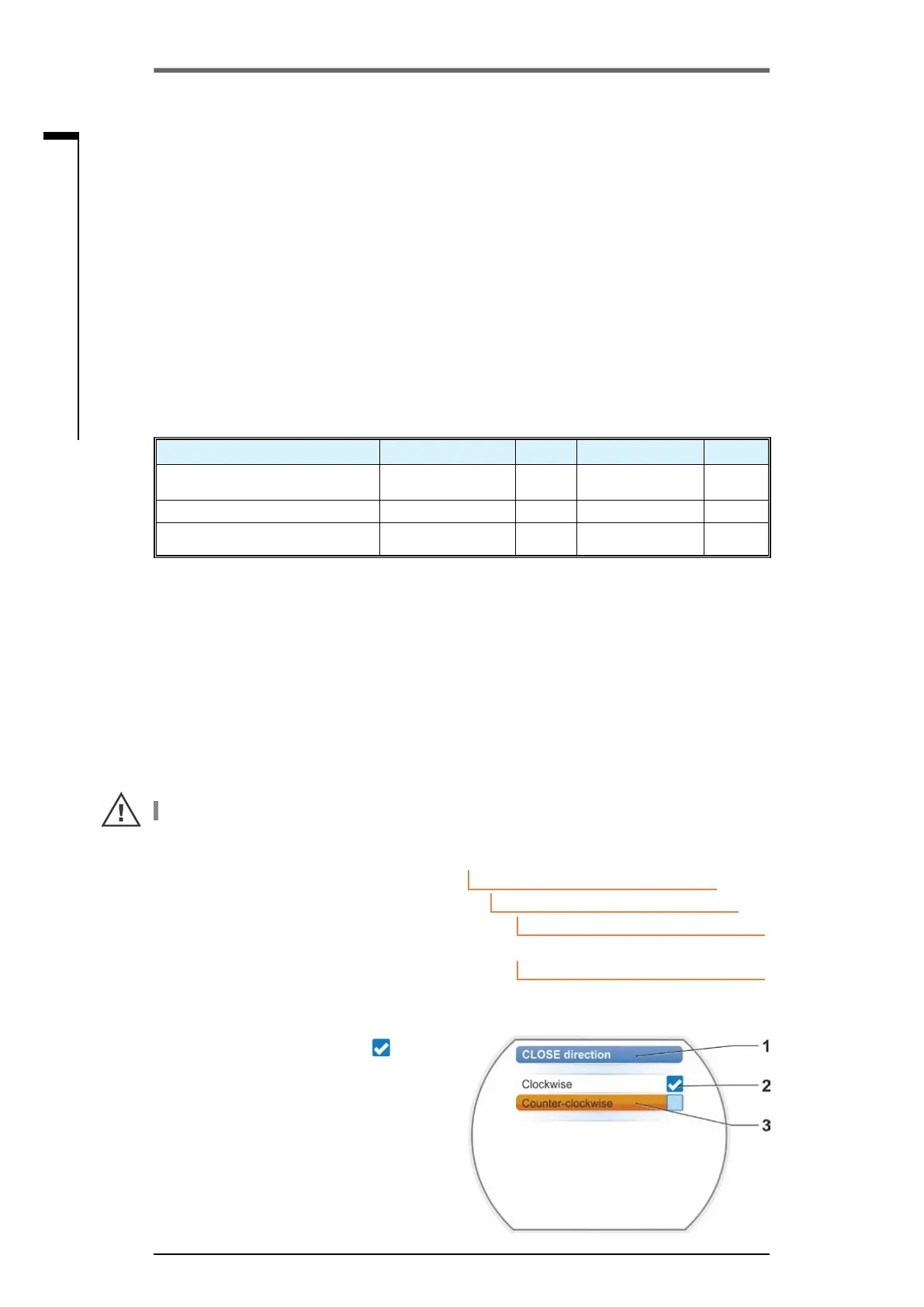
“CLOSE direction" menu opens. The current
setting is indicated by a symbol
(g.2,
item 2).
4. Set the orange selection marker to desired
setting(item3)andconrm.
A message is displayed that the end posi-
tions have to be readjusted when changing
the closing direction.
5. Click"Yes"toconrm.
Display returns to the ´"Valve" menu and the
current(modied)settingisdisplayedfor
"CLOSE direction".
Fig� 1: Navigation to "CLOSE direction"
parameter
Main menu
Parameter
Valve
Clockwise
CLOSE direction
Fig� 2: "CLOSE" direction menu
7�3 Program closing direction, speeds, cut-off modes and trip-
ping torques
New actuators are set in the factory. Unless required otherwise by the customer, the default param-
eters are as follows:
■
Clockwise closing direction;
■
Cut-off mode in OPEN and CLOSE directions: travel-dependent;
■
TrippingtorqueinOPENandCLOSEdirections.Lowestdevice-specicparametervalue,for ac-
tuators of duty classes A and B (standard actuators) 30 %, for actuators of duty classes C and D
(modulating actuators) 50 % of the maximum value (cannot be changed at all for 2SG7, for 2SQ7
not via parameter).
■
– Speed* for normal and EMERGENCY operation in CLOSE and OPEN directions: 35 % of maxi-
mum output speed.
– Positioning time for 2SG7 and 2SQ7: 28 seconds.
*Depending on the gearboxes mounted, the following parameters apply:
Model: 2SA7... rotary actuator Parameter Unit Parameter Unit
... without or with multi-turn
gearbox
Tripping torque Nm Speed rpm
... with linear thrust unit Tripping force kN Positioning speed mm/min
...with part-turn gearbox
2SG7 part-turn actuator. . .
Tripping torque Nm Positioning time s/90°
If the current values are to be retained, continue with chapter „7.4 Adjust end positions for version
with signaling gear“ on page 45, or „7.5 Adjust end positions for version with “non-intrusive” posi-
tion encoder“ on page 56.
Ifyouarealreadyfamiliarwiththeoperation,youmayalsocontinuewithchapter„8.2Valve-specic
parameters“ on page 62.
7�3�1 Select the closing direction
Unless required otherwise by the customer, the actuators are delivered with clockwise closing direc-
tion. If the output drive shaft has to turn counterclockwise in CLOSE direction, the closing direction
has to be changed.
If the current closing direction is to be retained, continue with the next chapter.
After each change of the closing direction, the end position setting has to be performed again.
(This chapter does not apply to 2SQ7.)



 To Next Page