Operation instructions
SIPOS SEVEN: PROFITRON, HiMod
Page 56 Y070.302/EN
7 Commissioning
7.5 End positions – non intrusive
7
Commissioning
The setting procedure can be aborted by selecting "Back" . The formerly valid end position
adjustment is maintained unless the actuator was operated.
Operation sequence
1. Select LOCAL control .
2. Select ‘End positions' menu item in the 'Main
menu'.
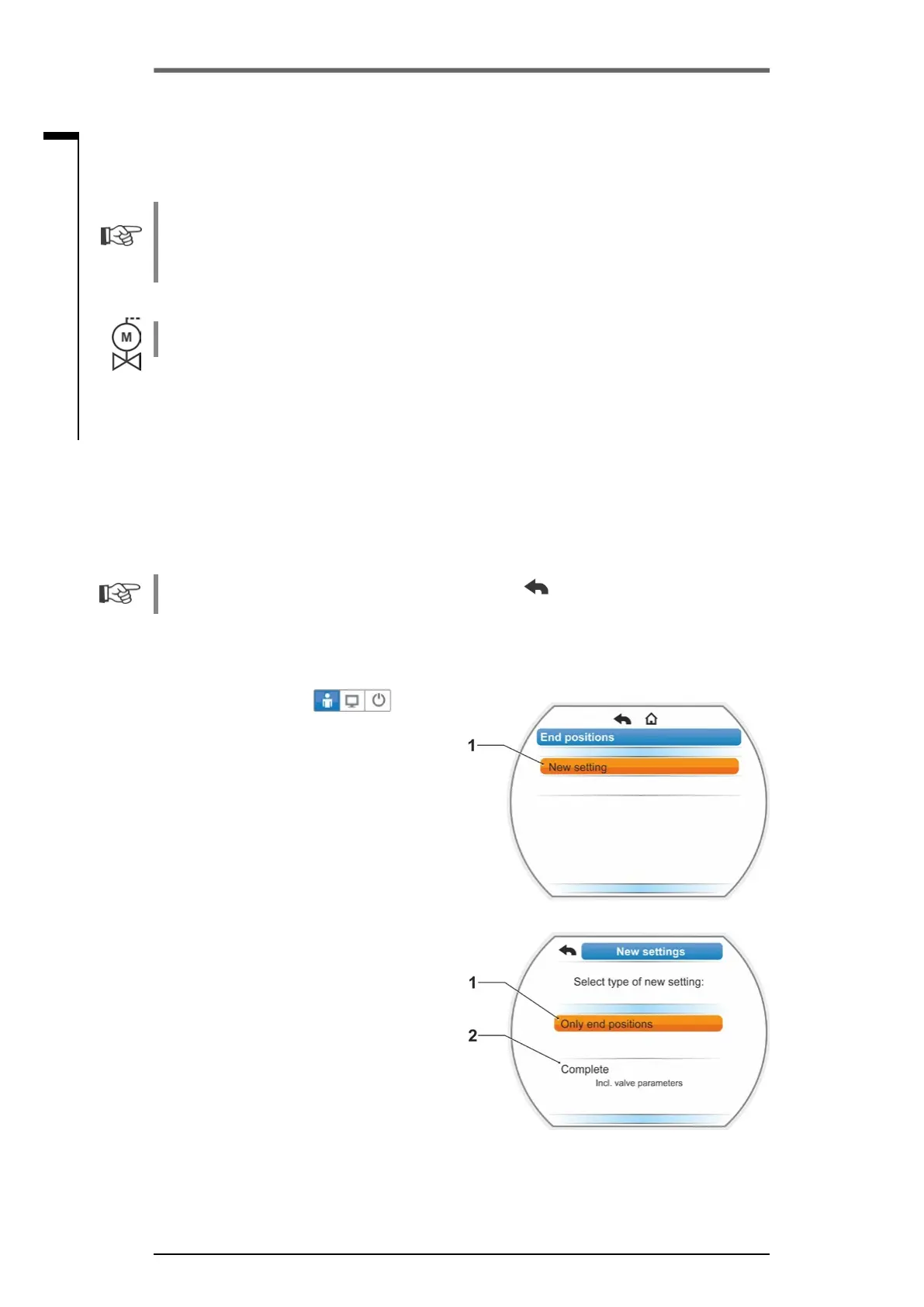
Thedisplaychangesto"Newsetting"(g.1).
3. Conrmselection.
Display changes to "Only end positions"
(g.2,item1)or"Complete"settingquery,
including all parameters required for correct
end position adjustment (item 2).
These parameters include
– CLOSE direction (clockwise or counter-
clockwise),
– Speed (in OPEN and CLOSE directions)
– Cut-off mode (torque-dependent or travel-
dependent in end positions CLOSED and
OPEN),
– Tripping torque (in end position CLOSED
and end position OPEN).
These parameters have already been de-
scribed in chapter 5.3.
4. Select "Only end position" menu item and
conrm.Thedisplaychangestoquerywhich
end position CLOSED or OPEN is to be set
rst.
Fig� 1: End position readjustment
Fig� 2: End position setting with or without
parameters
7�5 Adjust end positions for version with "non-intrusive" posi-
tion encoder
PROFITRON actuators are either available with signaling gear or as "non-intrusive“ version with
the non-intrusive position encoder (niP). End position adjustment with signaling gear is described
in the previous chapter 7.4.
The non-intrusive position encoder is standard for HiMod actuators.
If actuators are delivered mounted to a valve, this step has usually been done in the valve manu-
facturer’s factory. The setting has to be checked during commissioning.
7�5�1 New setting (initial setting)
The end positions are directly set at the actuator.
The valve must not be jammed. Use the crank handle/hand wheel for release, if necessary. For
crank handle/hand wheel operation, refer to chapter 4.1.
Theendpositionsmustnotbesetaccordingtoaspecicsequence.Inthefollowingexample,
the display messages for end position OPEN are shown. The messages for setting end position
CLOSED are similar.



 To Next Page