Y070.302/EN Page 59
Operation instructions
SIPOS SEVEN: PROFITRON, HiMod
7
Commissioning
7 Commissioning
7�5 End positions – non intrusive
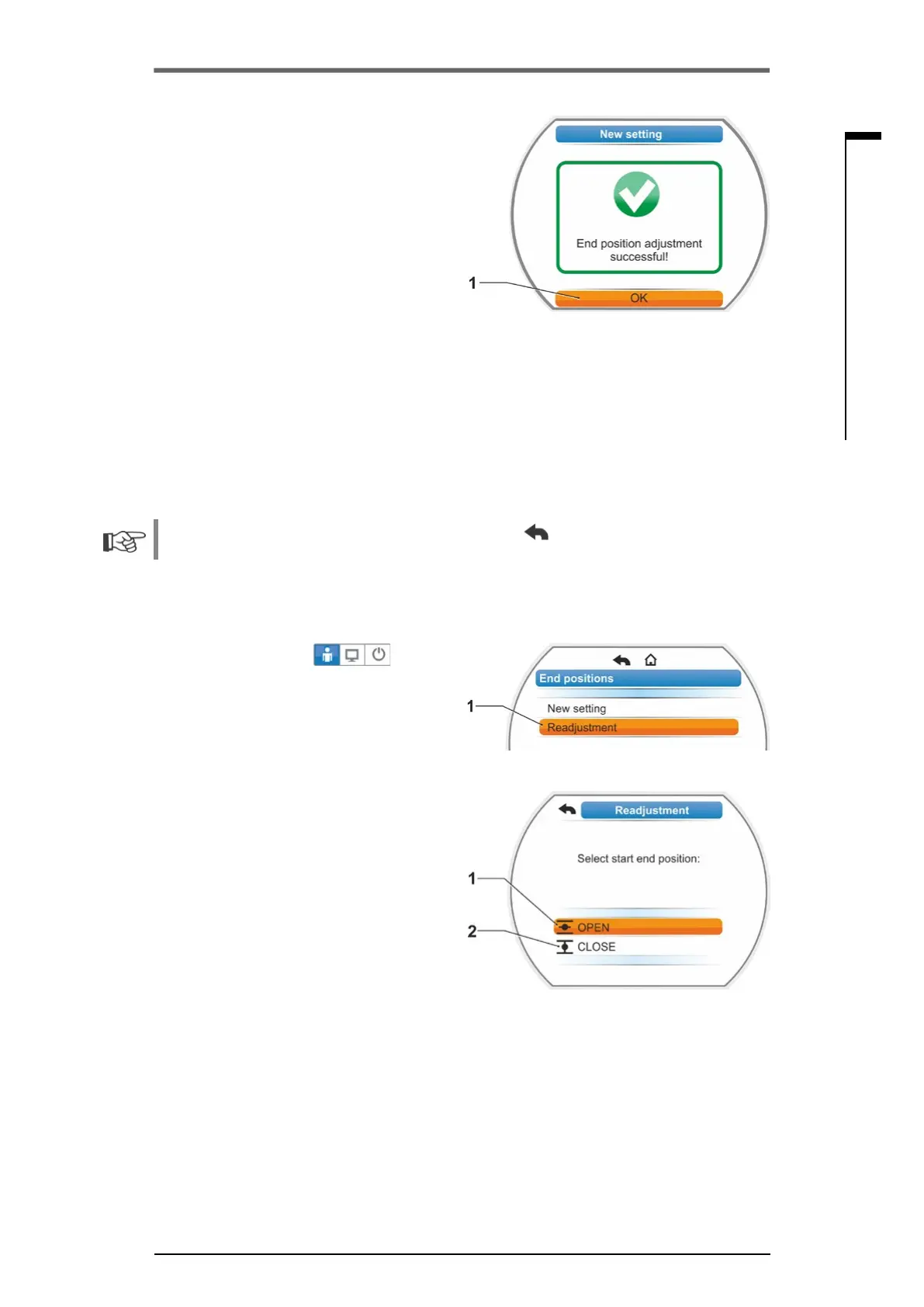
8. Setmarkerto‘Acceptendposition’(g.7,
item.2)andconrm; end positions are now
setandtherespectivemessageconrms
correctadjustment(g.8).
9. Conrm"OK"menuitem(g.8,item.1).
Actuator changes to "End position" menu.
Fig� 8: End position setting complete
7�5�2 Readjust end positions
Prerequisites
■
Valid end position adjustment is mandatory! If there is no valid end position adjustment, refer to
previous section „7.5.1 New setting (initial setting)“ on page 56.
■
At the beginning of the end position adjustment, the valve must not be in a jammed state; if nec-
essary, release it by means of the crank handle/hand wheel (see chapter 4.1).
The setting procedure can be aborted by selecting "Back" . The formerly valid end position
adjustment is maintained unless the central wheel was turned.
Operation sequence
1. Select LOCAL control .
2. Select ‘End positions' menu item in the 'Main
menu'.
Display changes to ‘End positions’ menu.
3. Conrm"Readjustment"menuitem(g.1,
item. 1).
Display changes to selection of end position
tobereadjusted(g.2).
4. Select end position to be readjusted (in our
exampleendpositionOPEN)andconrm.
Display changes and prompts to approach
the desired end position. If end position
OPEN is selected, the selection marker is on
end positon symbol OPEN. If end position
CLOSED is selected, the selection marker is
on end position symbol CLOSED.
Fig� 1: End position adjustment
Fig� 2: Select end position



 To Next Page