Operation instructions
SIPOS SEVEN: PROFITRON, HiMod
Page 60 Y070.302/EN
7 Commissioning
7.5 End positions – non intrusive
7
Commissioning
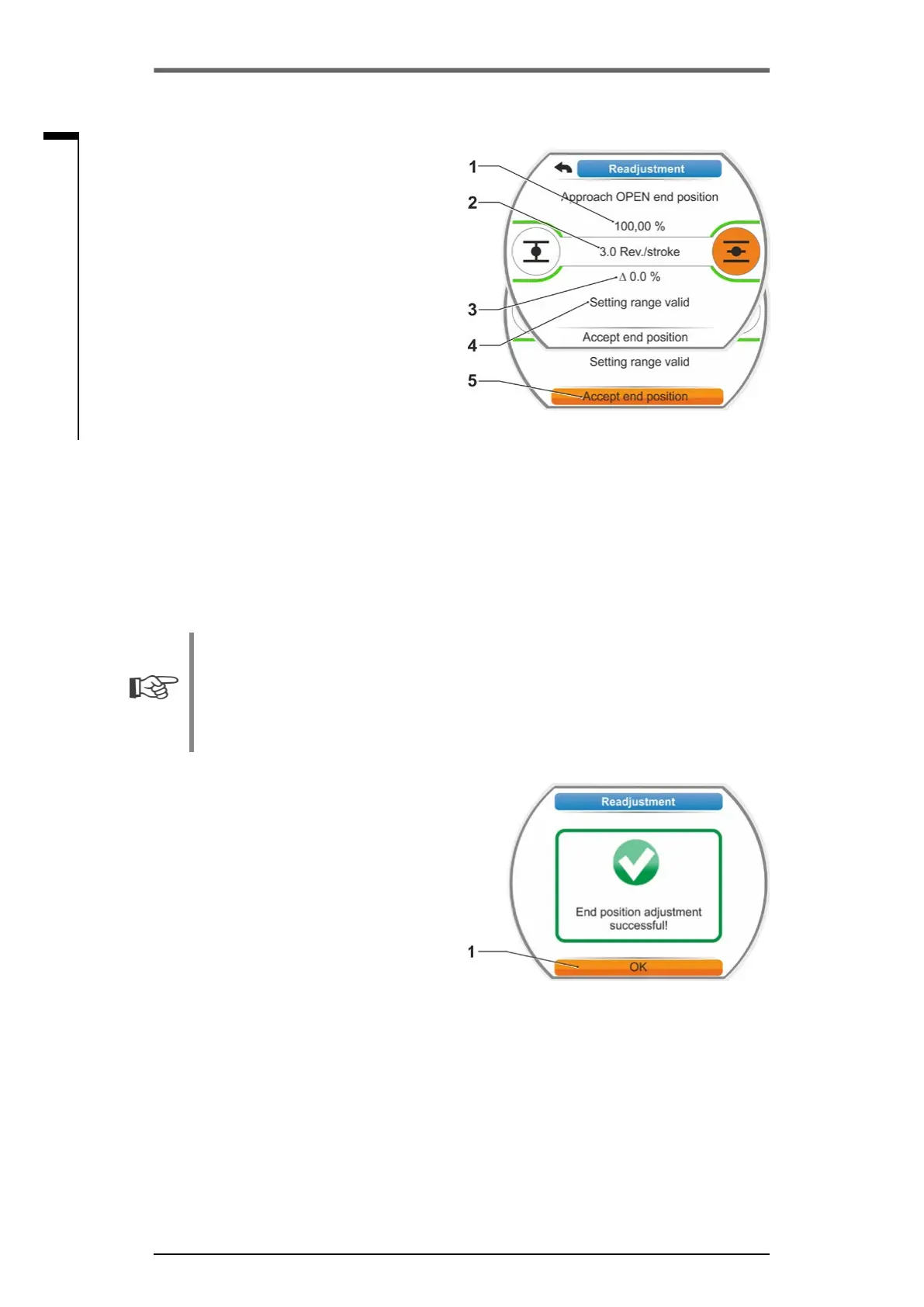
Display additionally indicates:
– Current position within the travel in per-
cent(g.3,item1);
– Travel in revolutions per stroke without
consideringandadditionalgear(g.3,
item 2);
– Deviation in percent from the currently
valid end position (item 3).
– Signal whether the setting range is valid
(item 4). The end position can be ac-
cepted for a valid setting range (5).
5. If required, set selection marker on the end
position symbol to the end position to be ap-
proached (new end position).
6. Move actuator to new end position.
■
Travel dependent cut-off mode:
Hold down Drive Controller until new end
position is reached. Changing the opera-
tiondirectionenablesneadjustment.
■
Torque-dependent cut-off mode:
Hold down Drive Controller for more than
3 s. The actuator automatically moves until
reaching the end position, refer also to the
following note:
When pressing the Drive Controller for a
shorttime(<2s),theactuatormovesas
long as the Drive Controller is pressed. If
the actuator is operated, i.e. by pressing
the buttons repeatedly for a short time,
torque dependent cut-off is not immedi-
ately performed.
The display indicates, whether the actuator
is within the valid adjustment range, as well
as the change in percent compared to the
overall travel covered so far as well as the
delta up to the previous end position.
7. Set selection marker to ”Accept end position“
(g.3,item5)andconrm.
Asignalconrmssuccessfulreadjustment
(g.4).
8. Conrm’OK‘(g.4,item1).
Display changes to ‘End position’ menu.
Fig� 3: Approach and accept new end
position
Fig� 4: End position readjustment correct



 To Next Page