Y070.302/EN Page 109
Operation instructions
SIPOS SEVEN: PROFITRON, HiMod
13
Communication and data exchange
13 Communication and data exchange
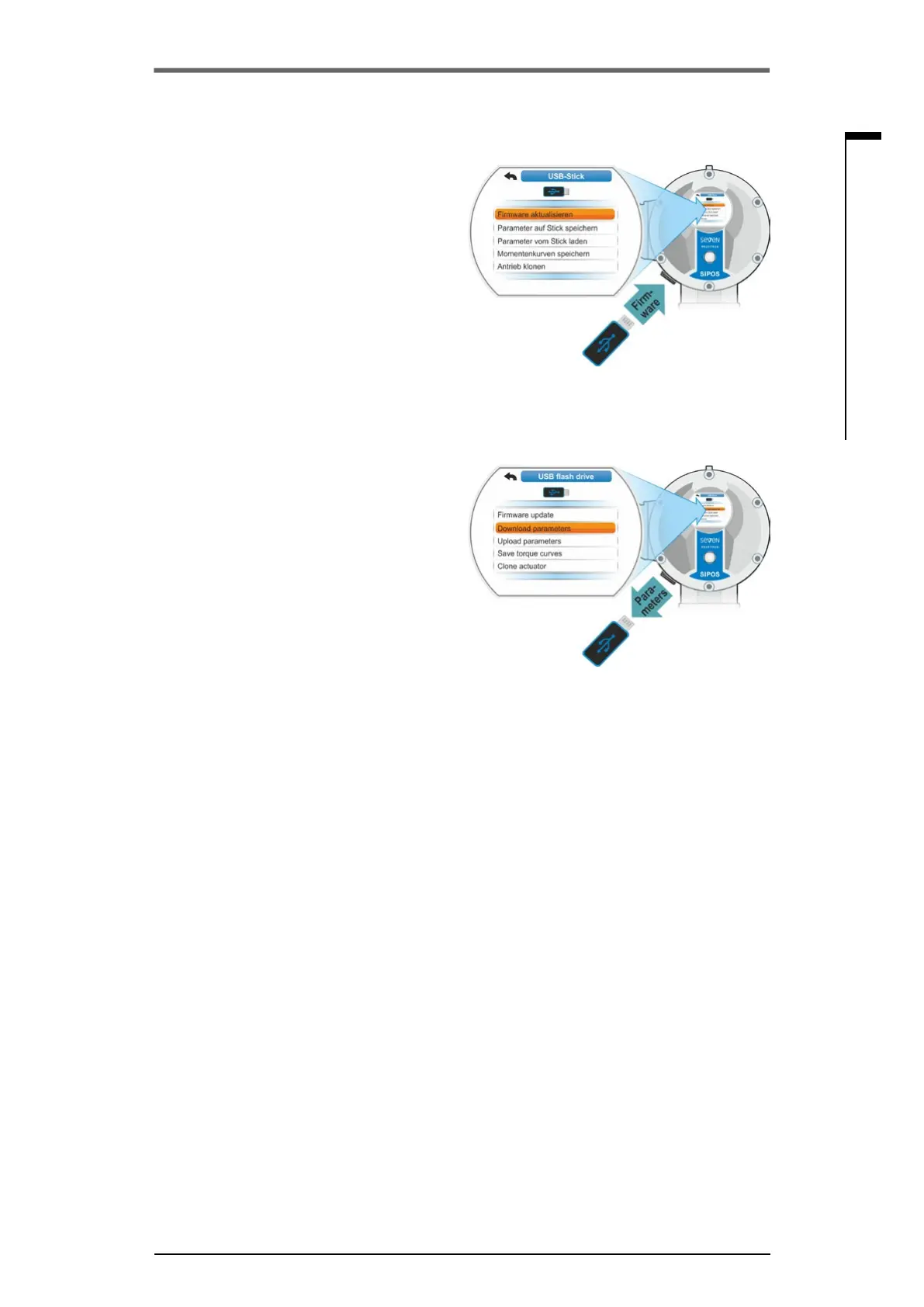
Use this menu item to update the existing
rmware.
The following current data, settings and
parameter values will notbemodied:
■
Factory parameters
■
End position adjustment
■
Parameters to be changed by the customer
■
Torque curve
■
Operational data
Priortoarmwareupdateataremotecontrol
unit, set the remote control unit in the “Active”
menu to “No”.
13�4�2 Download parameters to USB ash
drive
Use this menu item to save the following
parametervaluesontheUSBashdrive.
■
Factory parameters
■
End position adjustment
■
Operational data
■
All parameters, including the parameters that
canbemodiedbythecustomer.
■
“System settings”, without real time clock.
This function is useful for plant documentation
and, in the event of failure, to allow using data
storedontheUSBashdrive
– To write them to a replacement electronics
(refer to chapter below, ”Clone actuator“);
– To provide it to SIPOS service for fault diag-
nostics.
13�4�3 Upload parameters from USB ash
drive
Via this menu item, only the parameters that can
be changed by the customer are loaded to the
actuator. The following parameters will not be
loaded:
■
Factory parameters
■
End position adjustment
■
Diagnostic values
This function can be used to restore the original
parametersettingsstoredontheashdriveafter
modifying some parameters.
13�4�4 Save torque curve
This function is described in chapter „10.3 Save
torquecurveonUSBashdrive“onpage100.
Fig.: Update rmware
Fig.: Save parameters on USB ash drive
13�4�1 Update rmware


 To Next Page