Y070.302/EN Page 93
Operation instructions
SIPOS SEVEN: PROFITRON, HiMod
9
System settings
9 System settings
9 System settings
The ‘System setting’ menu enables setting the
■
Display:
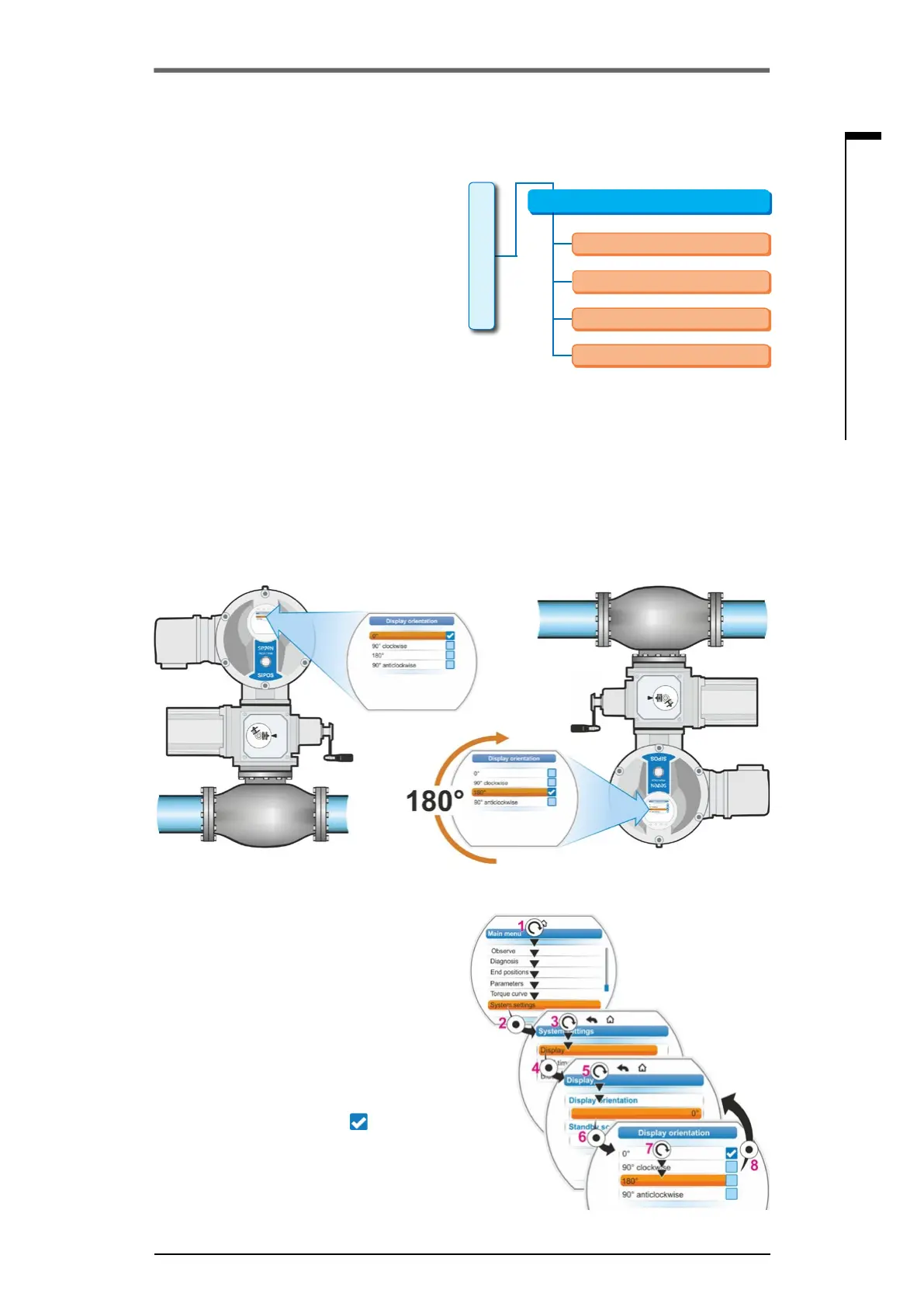
– Display orientation; rotation of the display
depending on the actuator mounting
position.
– Standby screen: selection of information
shown in standby mode on the display.
■
Real time clock:
Setting date and time.
■
Bluetooth:
Activation and deactivation.
■
Remote control unit:
Only for available Modbus hardware.
System settings
Display
Bluetooth
Remote control unit
Real time clock
Main menu
Fig�: System settings menu
9�1 Display
9�1�1 Display orientation
Depending on the mounting position, shifting the display indication by 90° ccw or cw or by 180° for
improved legibility is possible. Default setting is 0 degree.
Fig� 1 Turn display by 180°
Operation sequence
1. Select 'System settings’ in the main menu
(g.2,item1)andconrm(g.2,item2).
‘The ‘System settings’ menu appears.
2. Set selection marker to 'Display' (3) and
conrm(4).
The currently set number of degrees by
which the display is shifted is shown in the
‘Display’ menu.
3. Set selection marker to number of de-
grees (5)andconrm(6).
The display changes to ‘Display orientation’.
The current setting is ticked
.
4. Set selection marker to desired setting (7)
andconrm(8).
The indication in the display is adapted ac-
cordingly.
Fig� 2: Change display orientation



 To Next Page