Operation instructions
SIPOS SEVEN: PROFITRON, HiMod
Page 104 Y070.302/EN
11 Observing
11
Observing
Operation sequence
1. Move actuator to no load condition.
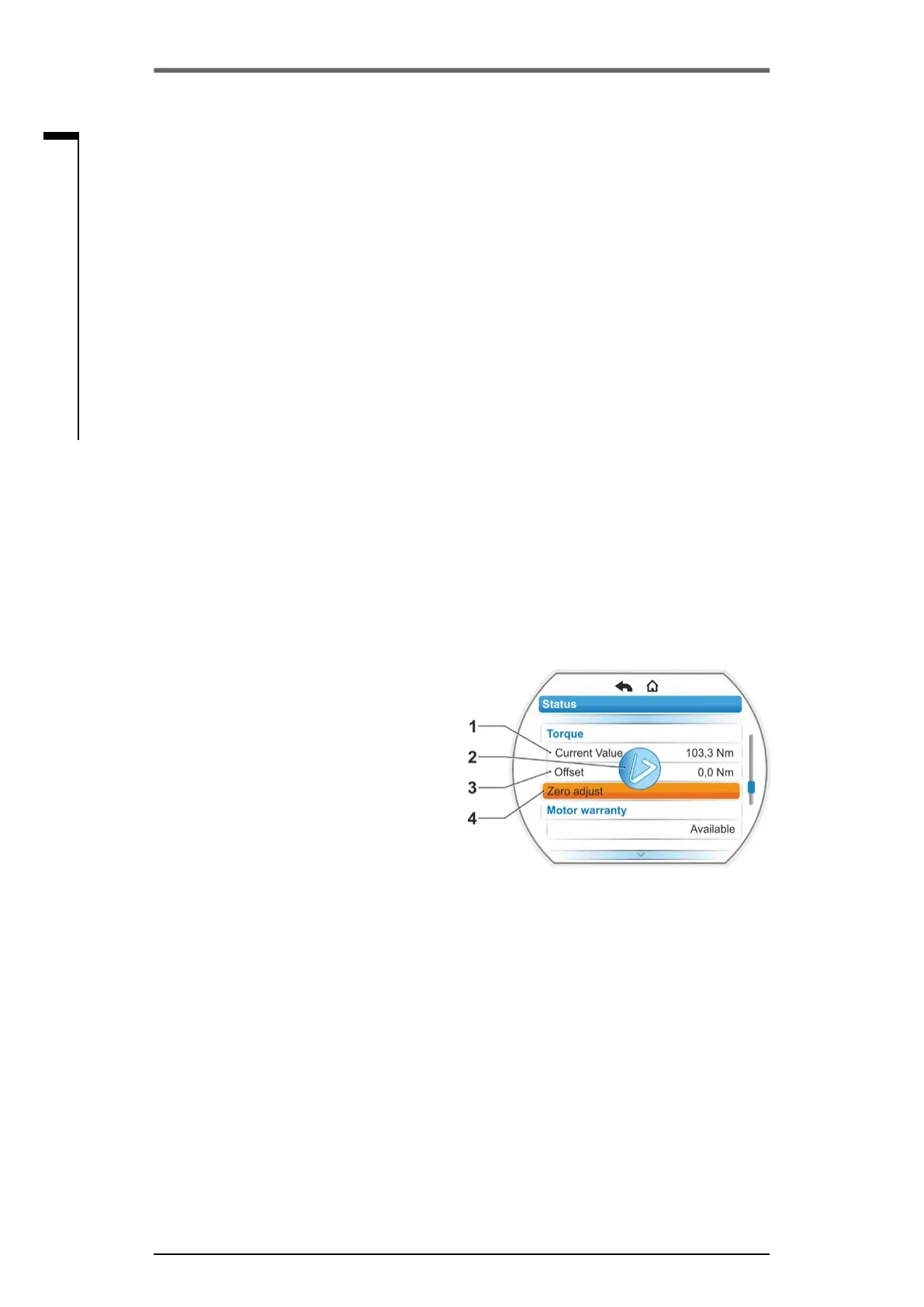
2. Select ‘Torque’ parameter in the Observe‘,
‘status‘ menu.
The‘Currentvalue‘line(g.,item1)indicat-
ed the torque of the actuator under no load
conditions.
3. Select'Zeroadjust'(g.,item4)andconrm.
The rotating symbol (item 2) indicates that
zero adjustment is in progress.
‘0’ will be displayed in the ’Current value‘ line
and the corrected value in the ‘Offset‘ line
(item 3) .
Fig�: Zero adjust menu
■
Actual value
– Position [%]
– DCS (only for non linear valve curve) [%]
■
Torque(withtorquemeasurementangeonly).Foradetaileddescriptionreferto‘Torquezero
adjustment’.
– Current value [Nm]
– Offset [Nm]
Zero adjustment
■
Travel (non-intrusive version only)
– Rev./stroke for rotary actuator
– STROKE [mm] for linear actuator
– Angle [°] for part-turn actuator
■
Motor warranty
– Valid
– Not valid
■
Motor current [A]
■
DC link voltage [V]
11�4 Torque zero adjustment
Thischapteronlyappliesformountedandparameterizedtorquemeasurementange.
Depending on the mounting position of the actuator and the valve as well as on the ambient
temperature, torque can already be present under no load conditions.. This torque would distort
the indication of the actual torque displayed under load conditions. Zero adjustment is required for
correction.



 To Next Page