Y070.302/EN Page 25
Operation instructions
SIPOS SEVEN: PROFITRON, HiMod
4
Instructions on operator control and operation
4 Instructions on operator control and operation
Step-by-step setting
Depending of the parameter, parameter values
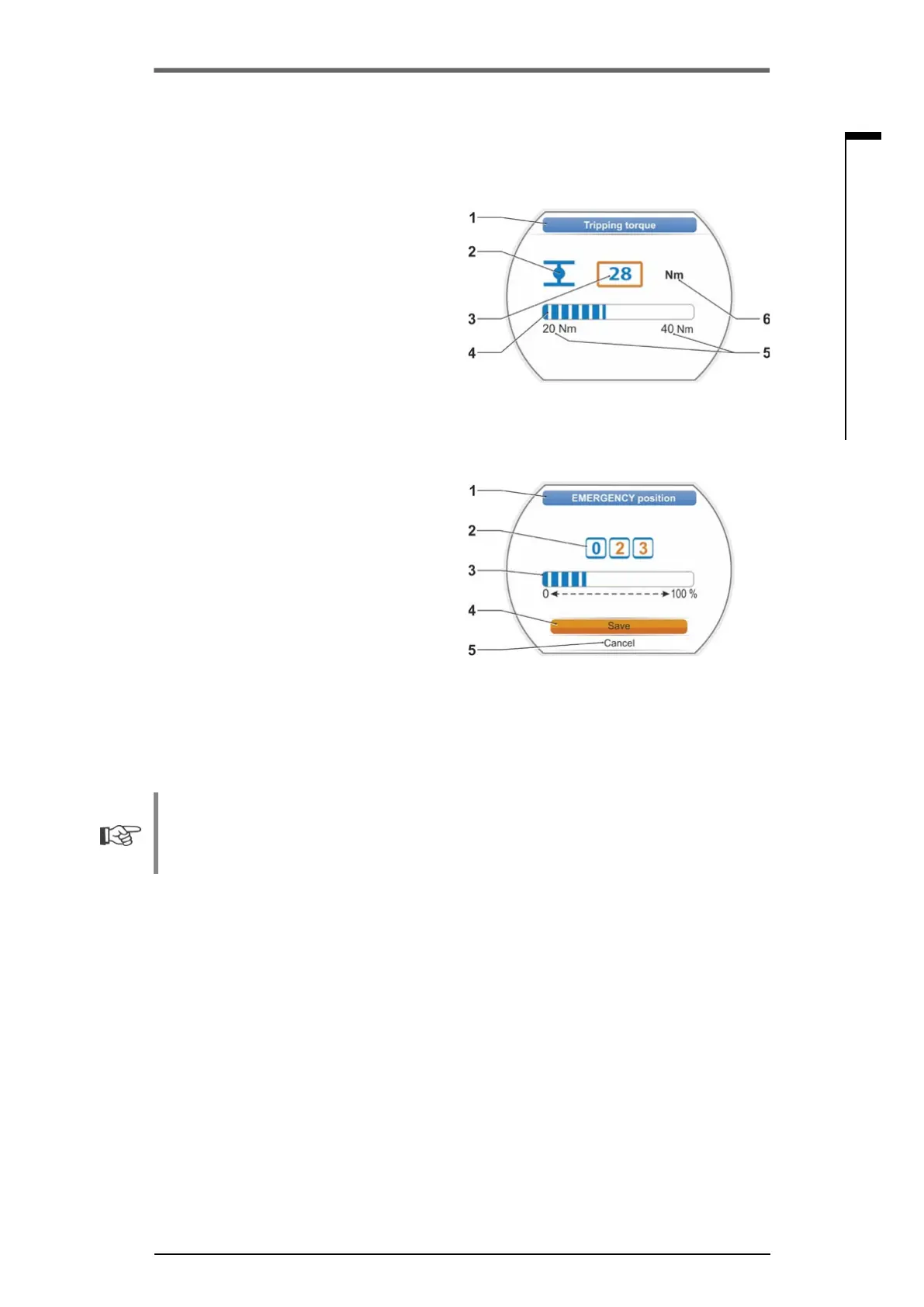
aremodiedinpredenedstepse.g.fortripping
torque adjustment.
1 Parameter name
2 Operation direction. In this example, the set-
ting applies to operation in CLOSE direction.
3 Current setting, indicated as number.
If changed, the color of the number changes
from blue to orange.
4 Current setting, graphic representation with
regard to the entire setting range.
5 Setting range, from ... to
6 Unit of the parameter value.
Digit setting
Some settings require entry of a multi-digit
guresuchasthe4-digitenablecodeforspecial
functions. The parameter value can be directly
enteredasgure.
1 Parameter name.
2 Current setting, indicated as number.
If changed, the color of the number changes
from blue to orange.
3 Current setting, graphic representation with
regard to the entire setting range.
Possiblesettingrange<
-----
>,inourexam-
ple 0 to 100 %.
4 Setting acknowledgment.
5 Setting aborted.
The following generally applies:
■
Black writing = Functions/settings can be selected.
■
Gray writing =Functioncannotbeselectedsinceaccessrightsareinsufcient,referalsoto
chapter „6 User management“ on page 31.
Fig�: Change parameter value
Fig�: Change numerical value



 To Next Page