Y070.302/EN Page 63
Operation instructions
SIPOS SEVEN: PROFITRON, HiMod
8
Parameters and possible parameter values
8 Parameters and possible parameter values
8.2 Valve-specic parameters
5. Conrmmessage.
Display returns to 'Valve' menu and the
newly set characteristic is displayed for
'CLOSE direction'.
Remark: When changing to the 'CLOSE
direction' menu, the 'Counter-clockwise'
parameter is ticked.
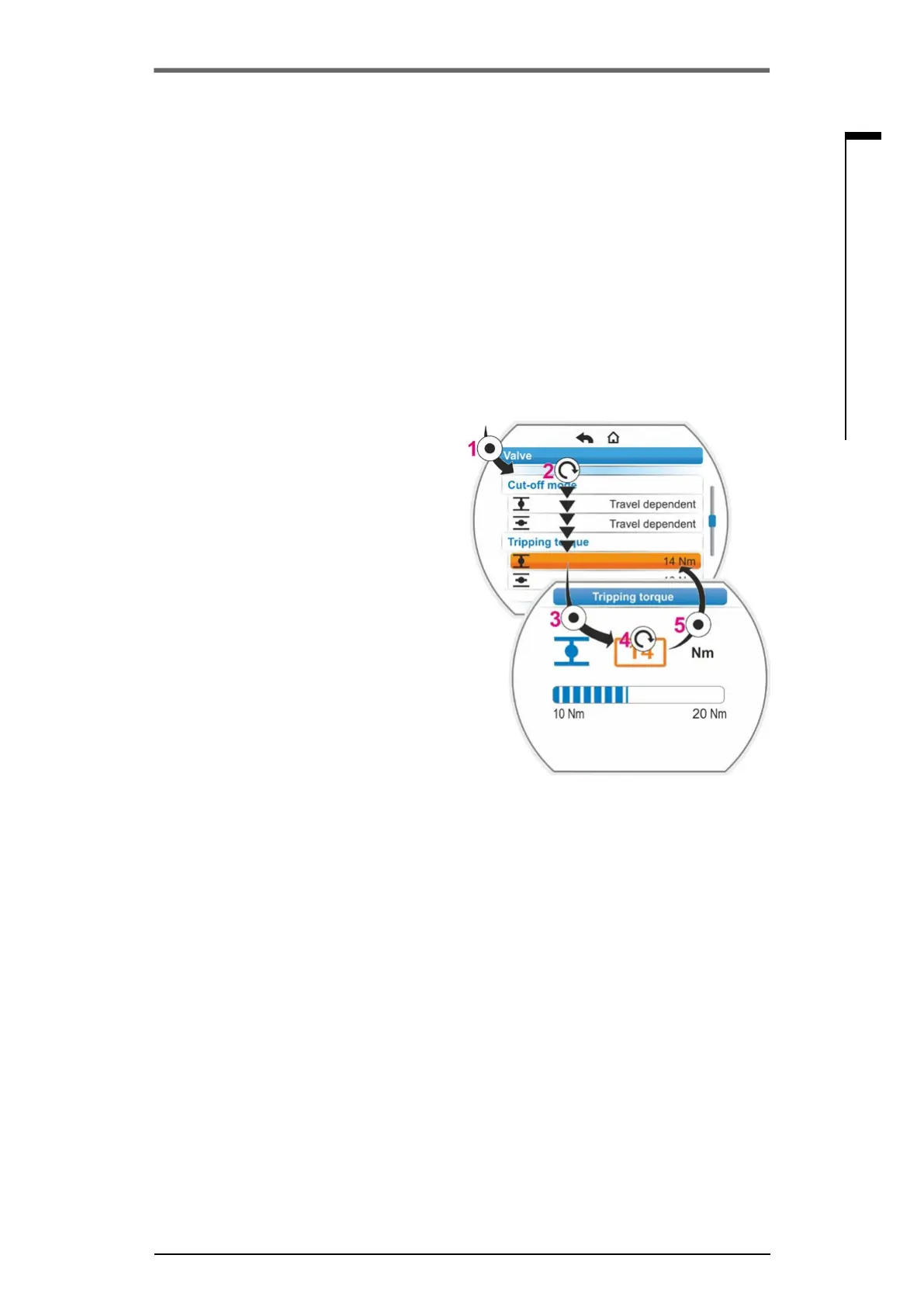
Change the numerical value of a
parameter
In our example, the value for the 'Tripping
torque' parameter for CLOSE direction is
changed.
1. Select ‘Tripping torque’ in the ‘Valve’ menu;
set the orange selection marker to the line
below'Trippingtorque'(g.,item2).
2. Conrmselection(item3).
Display changes to the 'Tripping torque'
menu and the value of the current tripping
torquevalueisashinginblue.
3. Turn Drive Controller, the tripping torque
valueischangedandashesinorange.
(item 4).
4. Conrmselection(item5).
Display returns to 'Valve' menu and the
newly set characteristic is displayed for 'Trip-
ping torque'.
Remark: When changing to the 'Tripping
torque'menu,thenewlysetvalueisashing
in blue.
In the following the parameters and possible
parameter settings for the valve are listed in a
table. The sequence of the parameters corre-
sponds to the structure of the 'Control system'
menu.
Fig�: Change parameter value in Valve menu



 To Next Page