Page 169
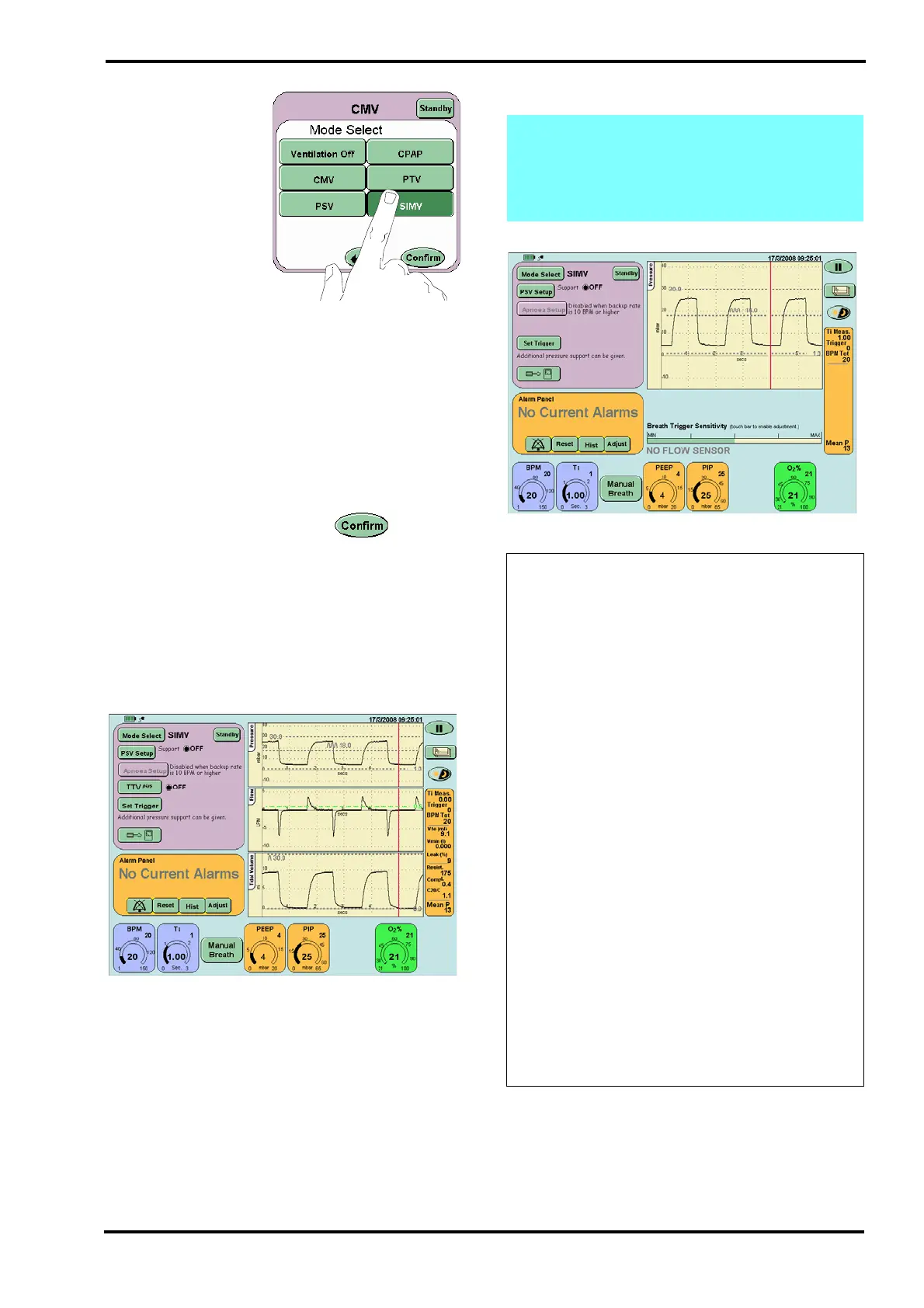
Step 33. From the
Mode Select panel
select SIMV, but DO
NOT press the confirm
button. Advance to
Step 34.
Step 34. For the functional test set the following
parameters in the SIMV preview mode:
BPM 20
Ti 1 sec.
PEEP 4mbar
PIP 25 mbar
O
2
% 21%
After pressing the confirm button the user
will be presented with the SIMV screen.
Check that:
PSV setup is set to OFF
TTV
plus
is set to OFF (This button will not
appear when functionally testing with no flow
sensor fitted).
Step 35. Verify that:
the ventilator cycles,
the cycle waveform appears in the waveform
windows,
after 1 minute the BPM Tot should read 20
BPM in the breath parameter window.
Note: If functionally testing the ventilator
without a flow sensor fitted the TTV
plus
button
will not appear and the Flow/Time & Tidal
Volume/Time windows will be replaced by the
Breath Trigger Level bar.
Action: If the ventilator fails these tests for
any of the following reasons:
• Ventilator not cycling
• Waveforms do not appear on waveform
windows
• After 1 minute the BPM total is not 20
perform the following actions in the order
suggested below. After each action retest the
ventilator. If the ventilator successfully
passes all these tests, after performing one of
these actions, go to Step 36.
• Check patient circuit is set up correctly as
shown in Section 12: Ventilator Set-up. Pay
close attention to proximal airway, fresh
gas connection and the expiratory limb.
• Check the exhalation block and ensure it is
latched securely
• Check that the silencer exhaust flow is
unrestricted,
• Check the test lung and replace if
necessary,
If the fault continues after checking all the
possible causes, remove the ventilator from
service and contact an SLE approved
engineer.



 To Next Page