Page 170
Step 36. Press the
Options and Service
Data button
on the
Mode Panel to
activate the Services
panel.
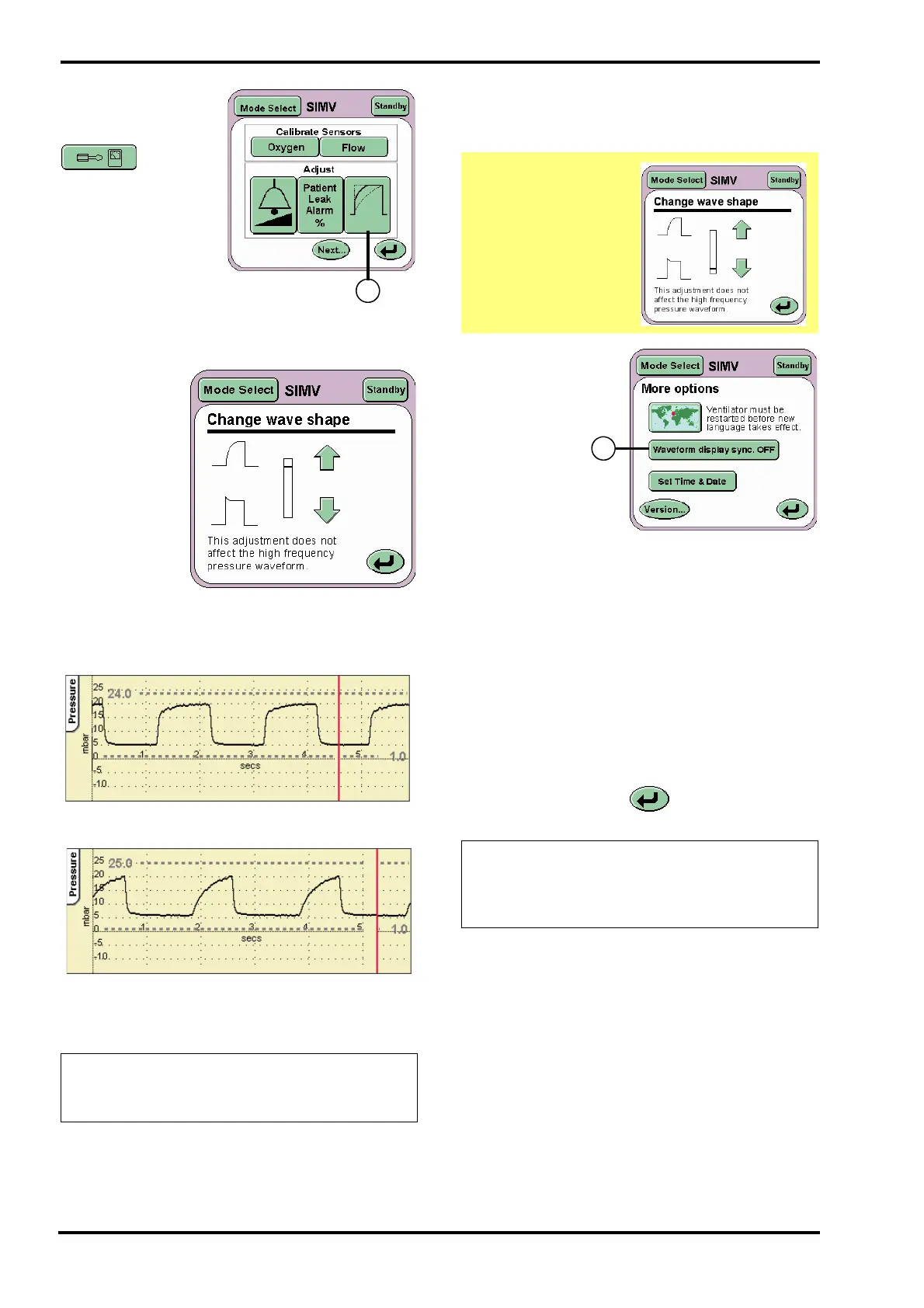
Press the Wave Shaping button (D).
From the
Change Wave
shape panel set
the indicator bar
to the top.
Step 37. Verify that:
the pressure wave form is modified accordingly.
Step 38. Return the indicator bar to its original
position and press the Return button to return to the
Services panel.
Step 39. Press
the Next.. button
to reach the
More Options
panel. Press the
Waveform
display sync
button (E) to
toggle between
ON and OFF.
The button
should then display the word ON.
Step 40. Verify that:
In the waveform window the waveforms should be
displayed starting at the left hand edge of the
window.
Step 41. Set the Waveform display sync to OFF.
Verify that:
In the waveform windows the waveforms should be
displayed starting anywhere in the window.
Press the Return button twice to return to the
Mode panel.
Action: If the waveshape does not change as
required, remove the ventilator from service
and contact an SLE approved engineer.
Default position
Top position
Caution. It is
important that the
change wave shape
bar is returned to its
original position.
Failure to do this
step will cause some
of the subsequent
tests to fail.
Action: If the waveshape synchronisation
does not display as described in the manual,
remove the ventilator from service and
contact an SLE approved engineer.



 To Next Page